| |
ให้สร้างฐานข้อมูล Data_customer
ดังต่อไปนี้
Create Database Data_customer;
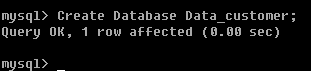
เมื่อใช้คำสั่ง Show
Databases; จะเห็นชื่อฐานข้อมูลที่เราสร้างขึ้นมา
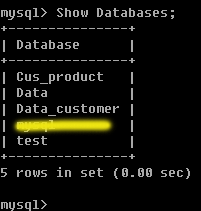
และสร้าง
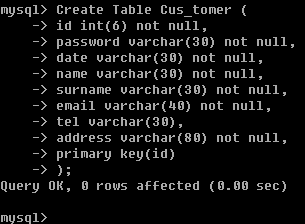
Table cus_tomer ดังนี้
CREATE
TABLE cus_tomer (
id int(6) NOT NULL,
password varchar(30) NOT NULL,
date varchar(30) NOT NULL,
name varchar(30) NOT NULL,
surname varchar(30) NOT NULL,
email varchar(40) NOT NULL,
tel varchar(30),
address varchar(80) NOT NULL,
PRIMARY KEY (id)
);
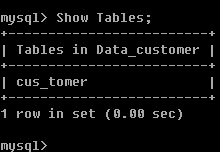
เมื่อใช้คำสั่ง
Show Tables; จะแสดงชื่อ
Table และ ฐานข้อมูลที่เราสร้างออกมา
คำสั่งการเพิ่มข้อมูลลงใน
Table ด้วย Mysql
รูปแบบ
Insert
Into [Table-name](filed1,filed2,filed3,....,filedN)
values ('value1','value2','value3',...,'valueN');
ตัวอย่าง
INSERT
INTO cus_tomer (id, password, date, name,
surname, email, tel, address) VALUES ('450001',
'001', '15/10/45', 'werachai ', 'nukitram',
'[email protected]', '095827013', 'surin
')

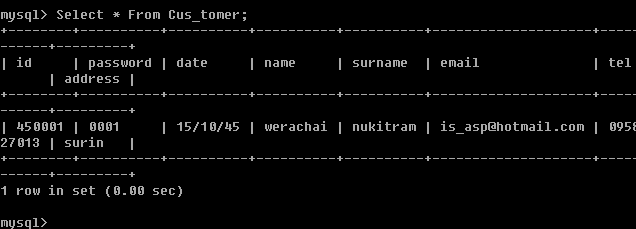
เมื่อลองใช้คำสั่ง
Select * From Cus_tomer;
จะพบข้อมูลที่เราได้ Insert ลงไป
คำสั่งการเพิ่มข้อมูลลงใน Table ด้วย ฟังก์ชั่น
Mysql บน PHP
รูปแบบก็เหมือนบน
Mysql ครับ มาดูตัวอย่างกันหน่อยครับ
Sample1.php
<html>
<body>
<?
$host="localhost";
$username="";
$password="";
$db="Data_customer";
$tb="Cus_tomer";
$connect= mysql_connect( $host,$username,$password);
if ( !$connect )
{
echo "ติดต่อกับฐานข้อมูล Mysql ไม่ได้
";
exit();
}
else
{
mysql_select_db($db) or die("เลือกฐานข้อมูลไม่ได้");
$insert_table=mysql_query("INSERT INTO
$tb (id, password, date, name, surname,
email, tel, address) values('450002', '002',
'15/10/45', 'นายวีระชัย ', 'นุกิจรัมย์',
'[email protected]', '095827013', 'สุรินทร์
')") or die ("insert ข้อมูลลง
Table ไม่ได้ ");
if(!$insert_table)
{
mysql_die();
}
else
{
echo"<br>Insert ข้อมูลลง Tables
เรียบร้อยแล้ว";
}
}
mysql_close($connect);
?>
</body>
</html>
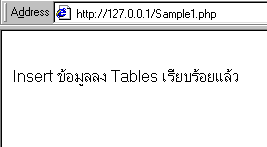
Out
Put
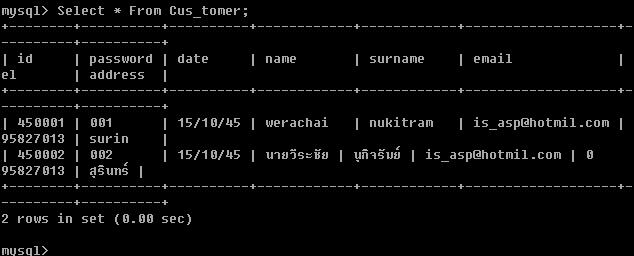
เมื่อลองใช้คำสั่ง
Select * From Cus_tomer;
จะพบข้อมูลที่เราได้ Insert ลงไป
|


