Making an ISO an AVI
Open FairUse
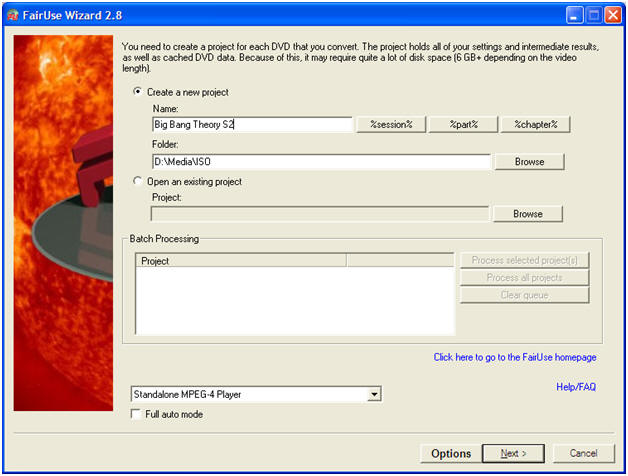
Create New Project
Enter title under "name" - Make it recognisable
Browse to where you would like to AVI file to be stored.
Click Next
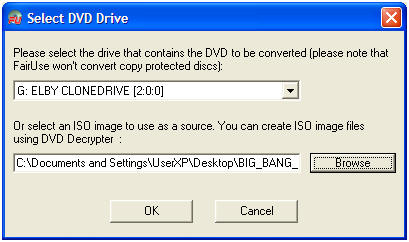
You can just click Browse and add the ISO image that you made from DVDshrink, however if this doesn't work, you will need to Mount the ISO. An ISO is also known as an image "Mounting the ISO" or "image" to put it simply means to make the computer think that it has a DVD in a DVD drive"
To mount the ISO, you will need to install
Virtual Clone Drive
and then select the "DVD drive" that the image is mounted on
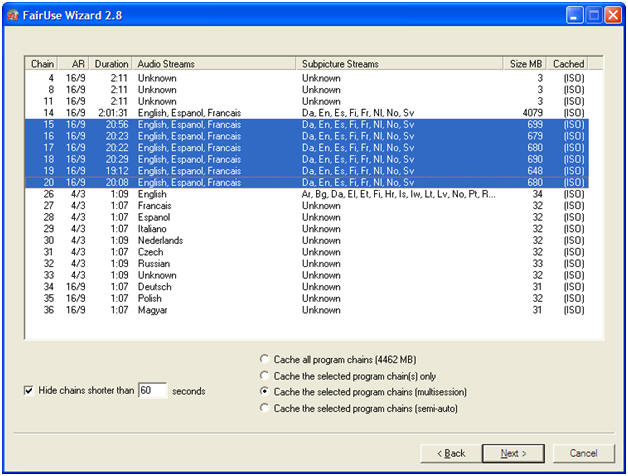
FairUse will generally select the correct line, however in this case the DVD
is a series so I have manually selected the individual lines
If it was a movie, you would have just one line
highlighted.
If you look under "Duration" you have a pretty good idea if you have selected
the right one.
Leave the radiobutton on "(multisession)"
Click Next
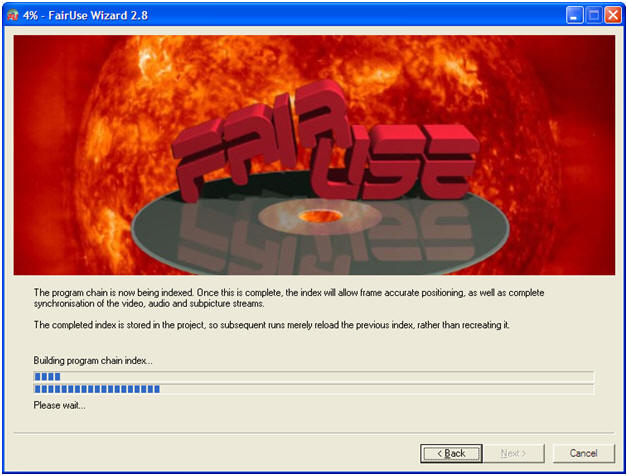
Just let it do it's thing, only takes a few minutes
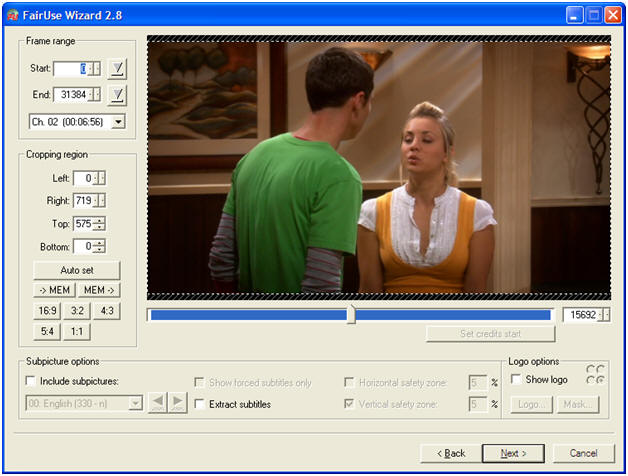
you shouldn't need to change anything here - just click next
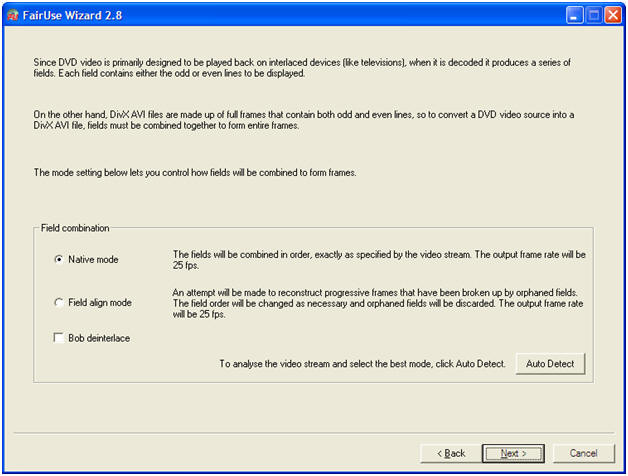
I have always always use native mode with no issues, however you may want to click "auto detect" and let it check anyway - only takes a few seconds.
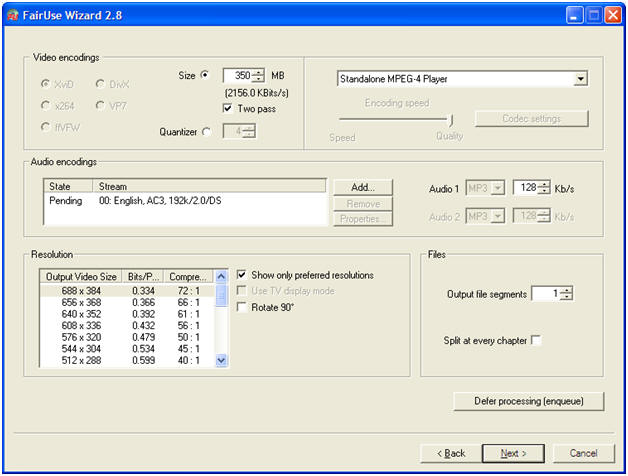
This is where you set how big you want the AVI file.
I always leave the file type as "Standalone MPEG-4 Player", but as you can see
on the dropdown box there are plenty of options.
Once you have selected "Standalone MPEG-4 Player" or other option, just to the
left is Size
I have selected 350MB as this is a series DVD, and I want each file to be around
that size.
If you are copying a movie, I would suggest having it no smaller than 700MB
The bigger the file, the better the quality - If you are wanting to watch it on
a big screen TV and the movie has lots of special effects, you might want change
the option on the dropdown box which will change the size to 1400MB - but I
personally am happy with 700MB
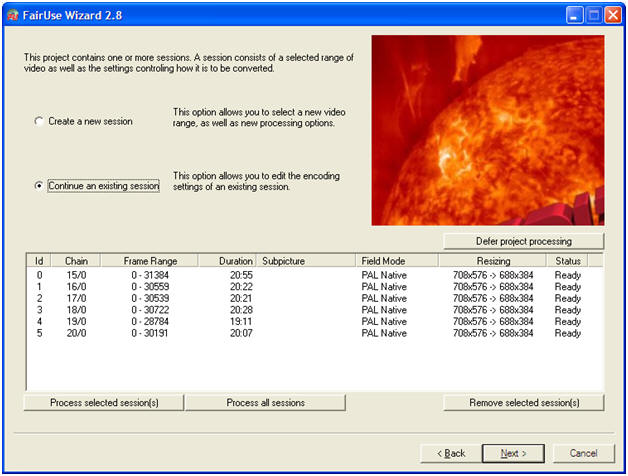
From here, click process all sessions, or select the line that you are
wanting to convert (again checking the duration)
I am clicking process all session as I am wanting all 8 files (8 episodes)
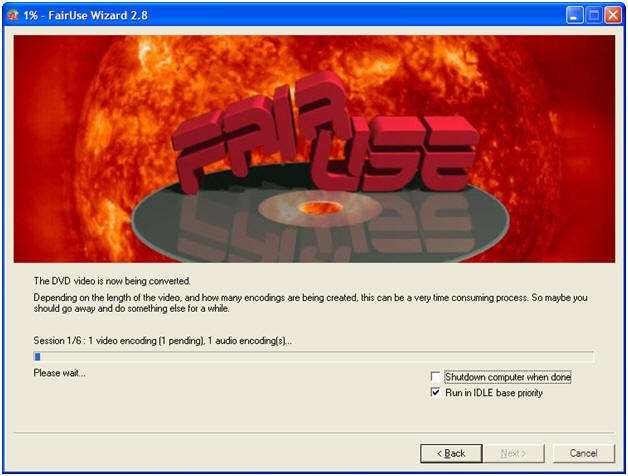
Now this part takes patience. It will take around 6 hours for a movie
(depending on size and quality)
I leave mine running over night, and select "shutdown computer when done"
I recommend not using the computer for anything else while it is doing this.