 |
|
|
|
|
|
|
|
|
|
|
|
|
|
How to add a Youtube to 360... |
|
|
|
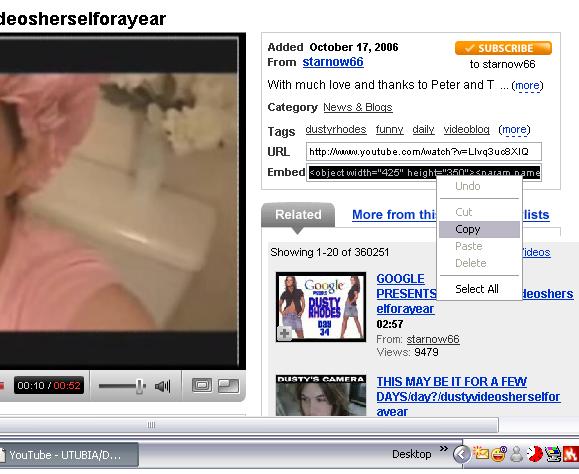
First go to You tube and find the video you want. Go to the page where the video is playing. Highlight the box containing the embed code (click it) then right click to copy........save it to somewhere on your computer like for instance a wordpad file.... |
|
|
|
 |
|
|
|
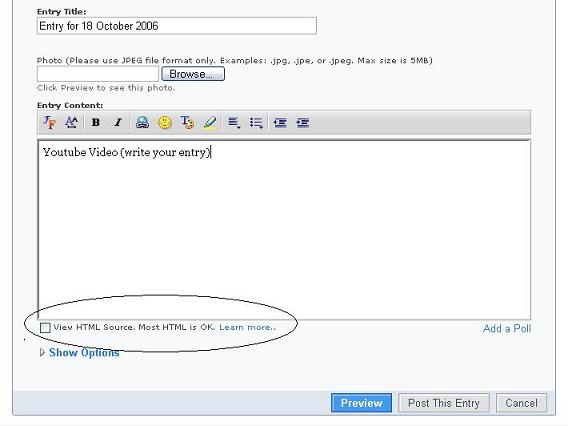
Next compose your blog entry. I always use Word or at least write my main entry somewhere other than the blog compose box then copy it over in case things go wrong......Once you have done that tick the box marked "view html source" |
|
|
 |
|
|
|
 |
|