


http://www.good-tutorials.com/
http://www.webclass.ru/eng/Tutorial...shop/index.html
http://www.thewebmachine.com/
http://www.spoono.com/tutorials/photoshop/
How to make a grid (PS)
1.Create a new image, image size 5 pixels X 5 pixels, Mode-> RGB, Transparent.
2.Zoom in all the way on your image.
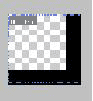
3.Get out the Pencil tool and colour in your image's right side and bottom
Like this.
5.Go to the image you want the grid to be on
6.Make a new layer on top of it
7.Use fill(Paint Bucket) tool, go to Pattern in options, instead of "Foreground"
8.Click on your image, there you go, a grid
9.OPTIONAL,-Recommended-Once you have your small squared grid on your image, go to the layers pallette, click on the layer with the grid on it. Use "Opacity" and change it to whatever suits you. :)
SIG CODE-> [*img]http://www.myexample.com/exampledsig.html[/*img]
Miss out the * though. :)