| Paradise
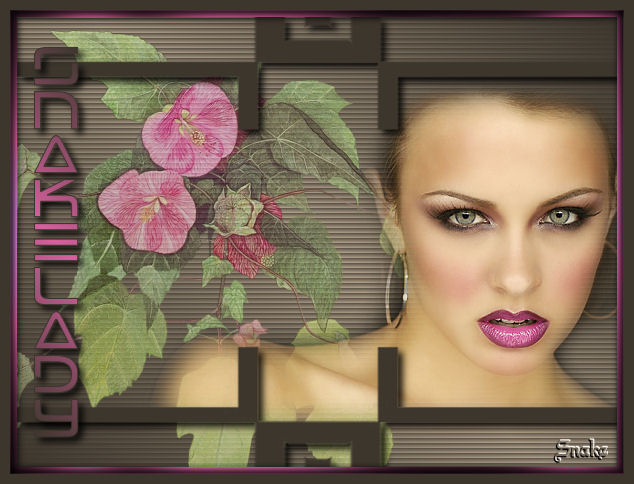
What do you need:
a flowertube and a face tube.
Filter Greg Factory output2
All the materials "Here"
Put your mask into your masks folder, and open the tubes in
Psp.
Pick a dark foregroundcolor and a light backgroundcolor
from your tube.
Make a lineair gradient, angle 45, repeats 1.
Open a new image 600x450 transparent en fill this with
your gradient.
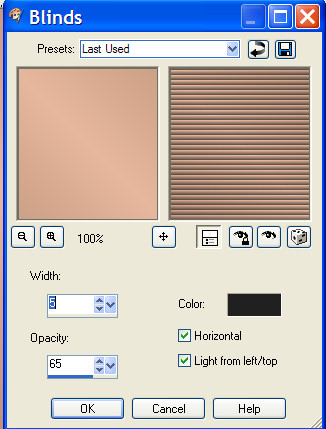
Effects - texture effects - blinds:
Layers - new rasterlayer.
Fill this with your dark color.
Masks - find your mask MD_mask_25.
Layers merge - merge group.
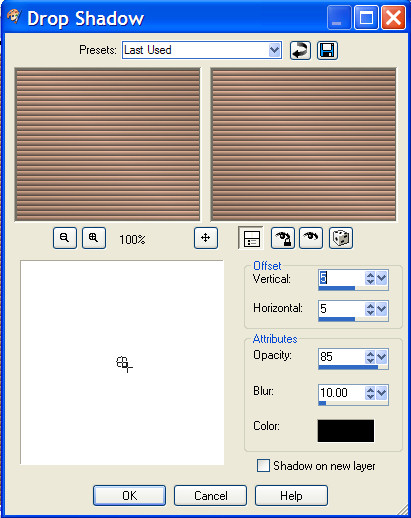
Effects - dropshadow 5-5-85-10, black.
Activate the bottom
layer.
Copy your flower tube and paste as a new layer.
move this to the left.
Layer opacity 75.
Copy the face tube and paste as a new layer.
Move this one to the right and give it a nice place.
Layers - merge all.
Layers - new rasterlayer.
Activate your texttool.
Change your backgroundcolor into a nice bright color, i
used pink.
Make the same lineair gradient together with the dark
foregroundcolor.

move your name to the
left.
Use the same dropshadow.
Layers - merge all.
Image - add borders 7 pixels pink.
Select the border with the magic wand.
Effects - Greg factory output 2 - poolshadow.
50-50-50-50-50-50-128-128.
Selections - select nothing.
Image - add borders- 10 pixels with the dark
foregroundcolor.
Select the border with the magic wand.
Effects dropshadow 5-5-85-10 black, and repeat -5.
Put your watermark on it and resize your image.
Have fun making this tut.
Leave the names and watermarks of the tubes intact.
Do not copy without my permission.
Snakelady.
Home
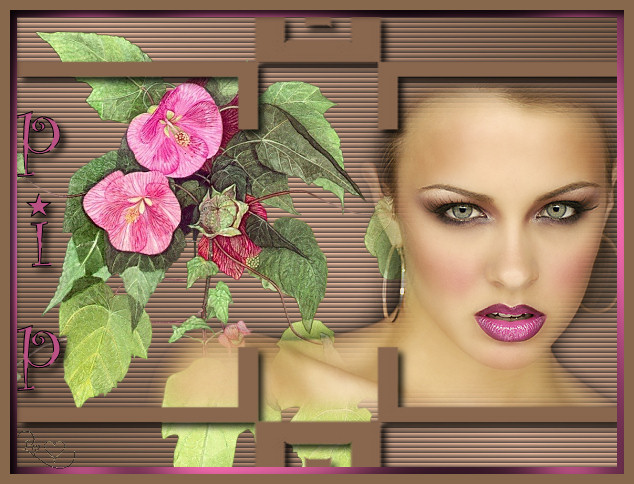
Thanks Pip, for checking my
translation and making the screenshots.
Home
|