| Lemon Lime
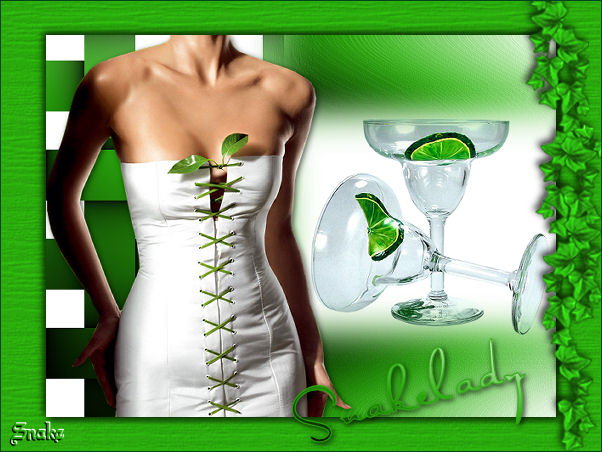
You can find the materials
"here".
Put the gradient into your gradients folder.
Open the tubes in Psp.
Pick a nice fresh color from your tube as your
foregroundcolor.
Your backgroundcolor is the gradient BLACKFOREWHITE,
lineair, angle 45, repeats 0.
Ready? lets go.
Open a new image 600x450 transparent and fill with your
gradient.
Activate your selection tool - custom selections:
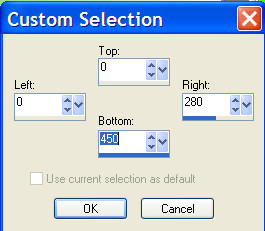
Effects - texture effects - weave:
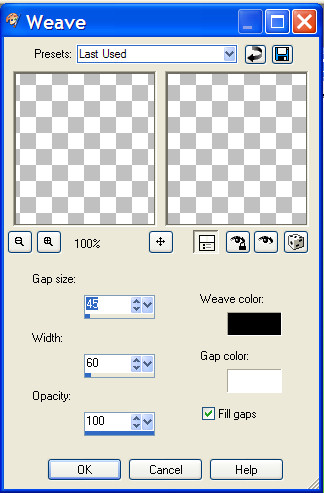
Selections - select none.
Layer - new rasterlayer.
Selections - custom selection:
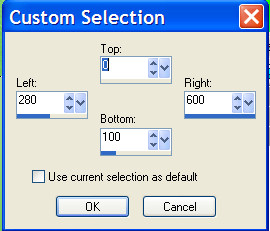
Fill the selection with
your gradient.
Selections - select none..
Layers duplicate - flip image.
Lock your backgroundlayer, activate one of the other two
layers.
Layers merge - merge visible.
Unlock your backgroundlayer.
Activate your top layer.
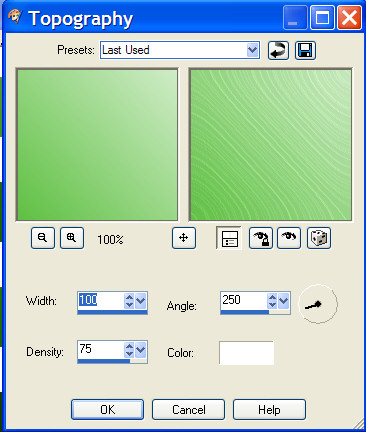
Effects - artistic effects - topography:
Layers - new rasterlayer.
Custom selections:
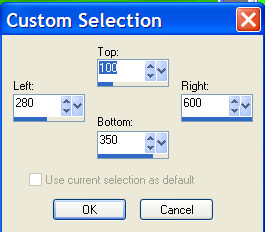
Fill your selection with
white.
Selections - select none.
Effects - artistic effect - topography.
layers - merge visible.
Copy your tube (kt-leaf-corset) and paste as a new layer,
move to the left.
Effects - dropshadow: 2-2-60-100 black.
Copy the glasses and paste as a new layer and move it into
the white area.
Layers - merge all.
Layers duplicate.
Image resize - 85%. all layers NOT marked.!
Activate your bottom layer and fill this with your
foregroundcolor.
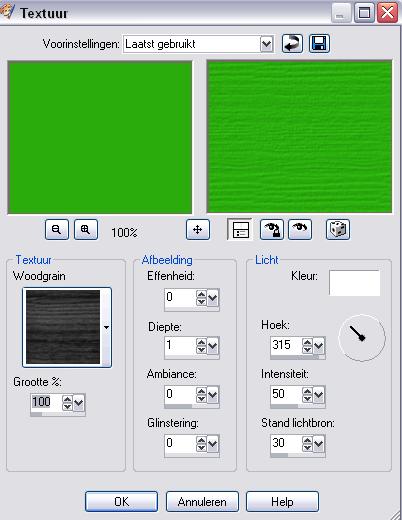
Effects - texture effects - texture - woodgrain:
Activate your top layer.
Effects - dropshadow - 3-3-75-10 , black
Repeat this with -3.
Copy Snakeklimop and paste as a new layer, move to the
right.
Layers - merge all.
Place your name and watermark and resize your image.
I hope You enjoyed my tutorial.
Please keep the names and watermark of the tubes intact.
Do not copy without my permission.
Snakelady
Home
|