|
|
|
|
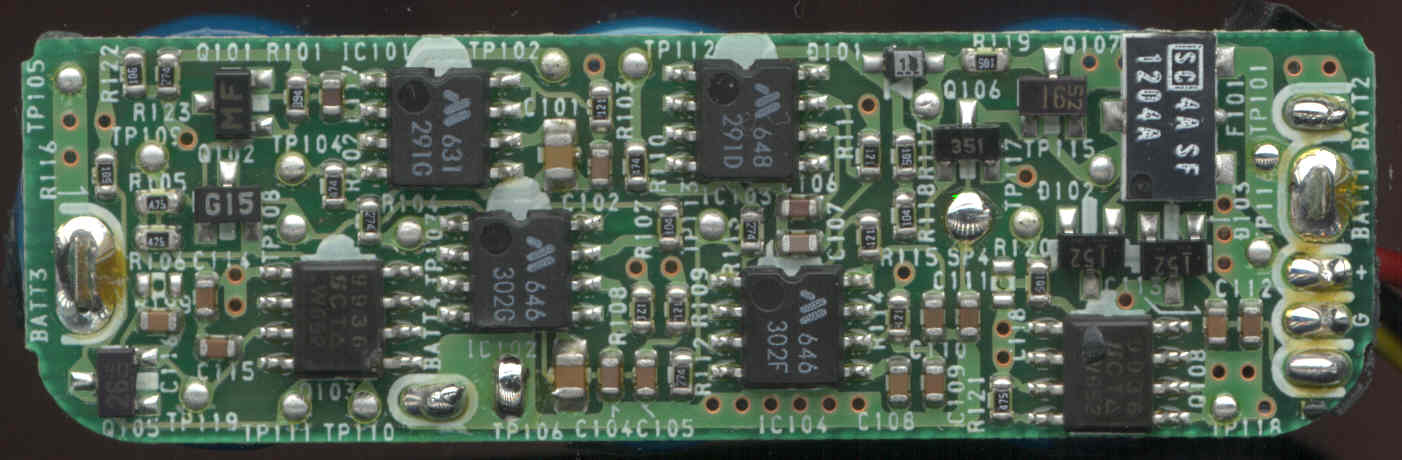
Here are some scans of the internals of the Norand 6622 battery pack. This is the circuit board. I assume that this controls the charging of the cells. The connections to the external contacts are on the lower right. The red and black wires are known to power the computer. The "third" wire (yellow) is the bottommost. The trace on this wire is relatively thin (compared to the red wire) so this may be a some sort of signal wire (as opposed to a supply wire for charging).
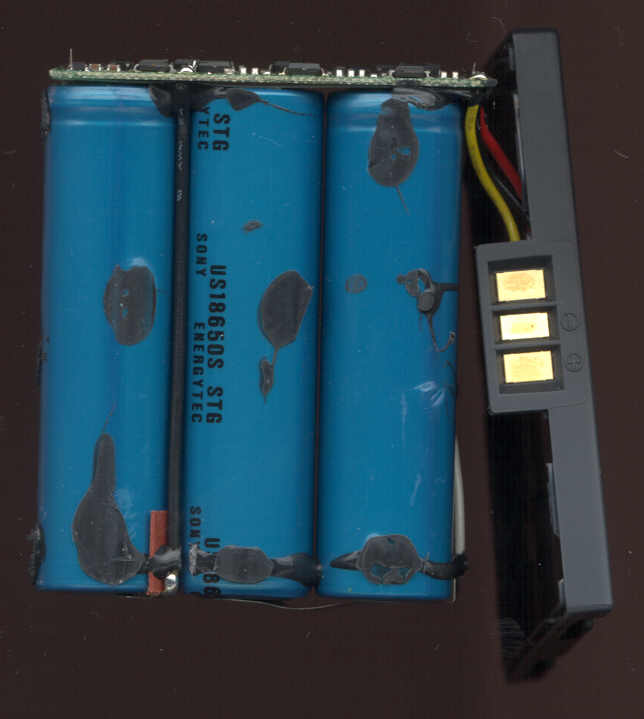
Here are the cells. The cells are Sony US18650S. This picture also shows the mounting of the circuit board on the cells. Notice the white and black wires coming from the bottom of the cells. These may be used to monitor the cells individually.
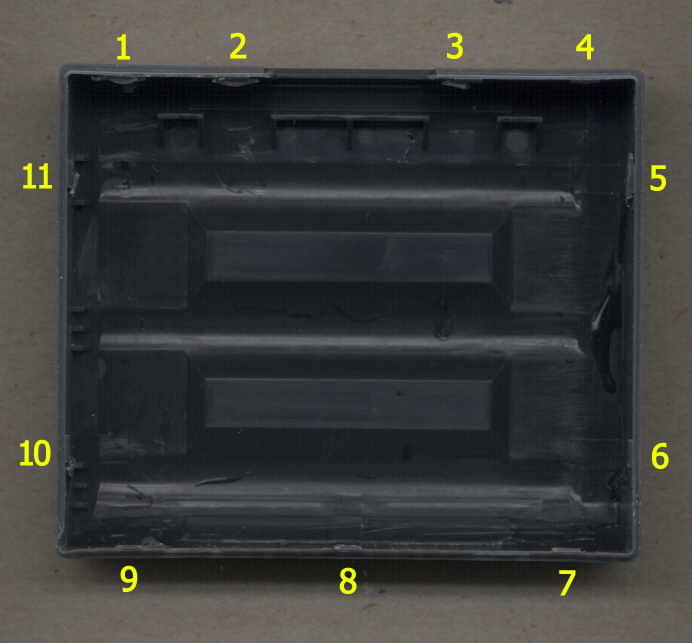
Here is the bottom of the case showing the locations of the locking tabs. I am calling the part of the case that has the writing on it the "top". You need to press IN on the top of the case to release the tabs. This may be easier said than done since there is a dab of glue on each tab. I broke about half of the retainers taking this case apart. Maybe you will have better luck knowing where the tabs are. There are two notches inboard of tabs 7 & 9. There are two indentations in the top which line up with the notches. You may be able to release tabs 7, 8 & 9 by inserting a thin screwdriver at about a 45 degree angle towards the top to release the tabs (no guarantees). Once the top of the case is off you will need to slide something under the batteries to break them free of the glue on the bottom. I used a pallet knife for this. You can see the glue on the battery cells in the previous picture. If it seems like the case is coming apart hard, you are probably doing it right <g>.
|
|
Send mail to [email protected] with
questions or comments about this web site.
|