windows xp boot disk,
windows 2000 boot disk
Check Out My Menu
Driven Boot Disk
|
 |
Installing Windows XP or 2000
It appears that a lot of
people are unaware of the fact that YOU DO NOT NEED
the 4, 5 or 6 setup disks in order to install Windows 2000 or XP. A
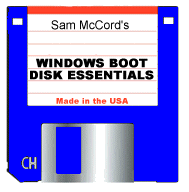
regular Win98 boot disk, such as our Windows Boot Disk Essentials,
can be used to install these operating systems. This is what the Win XP
System Setup Disks do and here's how you can do it:
-
Start the computer with
your chosen boot disk.
-
Change to the cdrom drive.
-
Go into the
\i386
directory on the cdrom.
-
Run
WINNT.EXE to begin the
install process.
|
WINDOWS BOOT DISK ESSENTIALS - Disk contents: attrib.exe, deltree.exe,
doskey.exe, edit.com, emm386.exe, extract.exe, fdisk.exe, format.com,
himem.sys, mem.exe, more.com, mouse.com, move.exe, mscdex.exe, reboot.com,
scandisk.exe, scanreg.exe, smartdrv.exe, sys.com and xcopy.exe as well as a
generic IDE CDROM driver.
Make Money Online |
