|
Tutorial
Difficulty: Newbie2xpert Topic: Editing Graphics 2 (Bitmap)
Softwares Required: PPM Manager By: Vanov Your unmoded Flash v5.57 (Optional Higher Version) |
:: WorkShop ::
We have some unfinished job after we change the bitmap of your graphics because the size is doubled and it means the graphics can't be displayed properly and blocked by the Text ID.
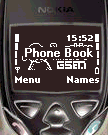
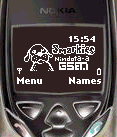
We need to remove the TextID Phone Book after removing the TextID Phone Book
:: Run PPM Manager ::
|
>Open your Flash file >Click Tools >Select Text Chunk >Export ast two text files.. (export it on your project directory)
You can use my Text Chunk file and import it to your flash. This file include the Line Feed Character and The Blinking Character.
For more info just open the text file and explore the content on what Text ID's been removed.
:: Example ::
10 COMM Net monitor
after removed
10 COMM
After your imported the New Text Chunk >Click Tools >Click Update All PPM CRC's And Save the File |
|
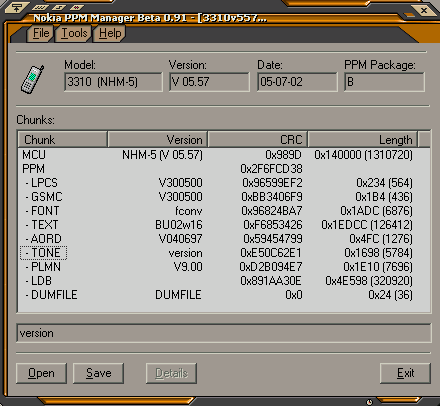
There are some other way to remove the TextID without removing the text in the textchunk by using genolite menu patching "BUT" requires some experties not newbies.
( click here ) for Creating/Adding Line feed and blinking text