
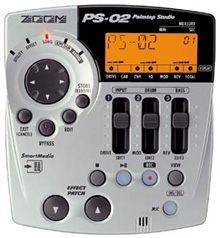
This is the first version of the Song Editor. Therefore, it should be considered a "quick hack". This software was made in less than 20 hours. The source code (delphi) is included in the zip file. You can do anything with the source code. I released the source code in order to enable more gifted programmers the opportunity to help the PS02 community by creating free software that will help us be more creative with this fantastic little unit.
I corrected the problem that caused the application to fail in windows 98.
Version 1.1 corrects a bug that froze the application when loading an empty song that wasn't named EMPTY_
Version 1.2 has a better way of entering chord changes / chord type changes. As it is, I am very happy with version 1.2 and will probably not add any major components after this version.
SongEditor Software
Version 1.2 without source code
Version 1.2 with source code
Please read these notes before running the software:
- This software won't allow you to save in the same file as you are reading, choose a different name
- It can only create measures of 4 beats
- Please backup any files before overwritting them
- To use this software, simply unzip the files into a directory and run songeditor.exe.
- Before you can do anything with this software, open a file using the open button
- Pick a song with the song list drop down list (you can edit a new song (EMPTY) or an existing song)
- Change the name of the song in the Song name field
- The measures will show in the main grid
- To change the pattern, simply click in the pattern cell of the measure were you want to change the pattern. A drop down list will appear. Simply choose the pattern.
- To change a chord, simply click in the beat cell corresponding to the beat (1-4) and the measure where you want to change the chord. A popup menu will appear. Simply click on the chord and a submenu will open. Simply pick the chord type. The menu disapears and the chord / chord type is showed in the grid.
- You need to put an END command on the last measure of your song. Simply click on the command cell of the corresponding measure and choos END.
- Once the editing is done, simply click save, choose a file.
- Transfer the new file to the smart card that you use. Rename Songs.pts to another name. Rename your freshly saved file to Songs.pts. Fire up your PS02 and enjoy your new song!
You can reach me by e-mail at the following e-mail address:
slajeunesse AT yahoo DOT com