-FAQ-
What is a skin?
-As with most online RPG's, a skin is what you use to represent your character.
Depending on the game, the skin has several different frames for movement
and actions. IE: Quake: Your skin is very mobile and changes a lot. But with
this game, the skins are fairly simple and easy to make. Your imagination
is the limit, with a 49k filesize restriction.
(Unless you don't care if other people can see it.)
Where do I find the skins?
-Well first off, you're going to need a grid to put the skin on. You can find
these in your Well of Souls folder in the file labeled 'skins'. If you want
a blank skin grid, these are in the file labeled 'WoSViewer'.
This program is very useful if you need to compress your skin later. (You
should have downloaded it when you downloaded Well of Souls.) If not, then
go here and scroll down
until you see the 'Developer Tools'.
Okay, I found the skins, now what?
-Well, pick out a grid that's in the size you want and open it with Paint.
(Paint is the default art program that comes with
Windows. You should find it in your 'Accessories'
folder.
Yay I made a skin! But it's bigger than 49k!
What do I do?!
-Open the 'WosViewer' and click on 'Browse'.
Paste a copy of your skin to the 'Desktop' and
open the copy. (If you use your only copy of the skin, you might ruin it.)
Now, look at the information listed under 'File Info'.
If it says your skin *needs compression*, hit
the 'Compress Button' and your file size will
shrink. The colours might change a bit, and it might look bad. That's why
you made a copy. If it says *already compressed*,
your next option is to shrink the frames on your skin or downgrade the colour
scheme.
-The Skinning-
Alright, now where do you find the character that you want to put on your skin? There are several places to look, and like I said before, your imagination is the limit. You can create a skin literally from any image. The most popular resource is videogames. You can use emulation ROMs or Mugen to find nearly any character you want. (I'll add a tutorial about skinning from ROMs later.) For now, let's use Mugen.
Mugen is a program that was designed so people could make their own fighting games. But the program is equally as useful for ripping skins. First, you will need Mugen.
Next you will need the character files. A great place to find these is at the Mugenation. Once you've downloaded the zip, open it up and extract the files with the .sff extension. Put those in a file where you can easily find them once you've downloaded and are running the Mugen program.
-Using Mugen-
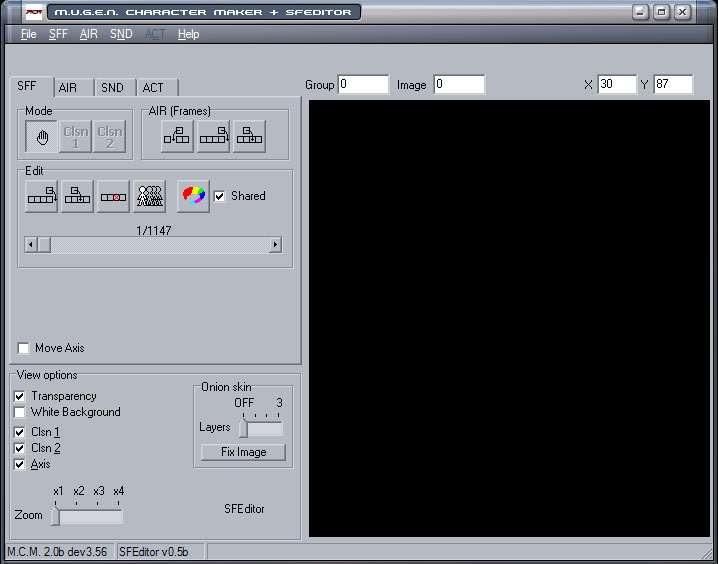
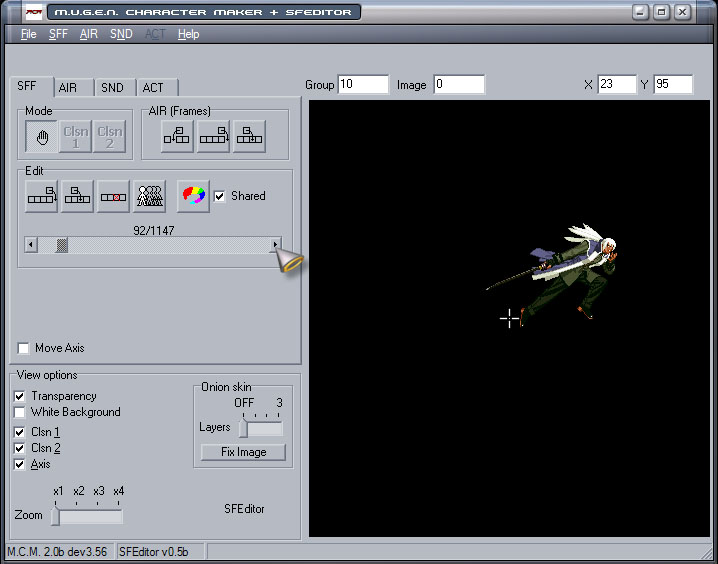
Ah, now for the pictures: Here is Mugen. Image 1
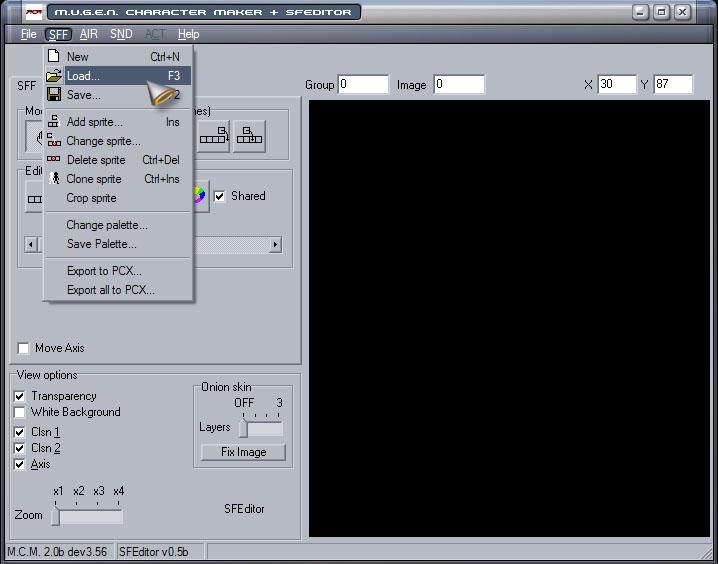
Click on the SFF file at the top. Go to Load and open the folder where you are storing your .sff files. Image 2
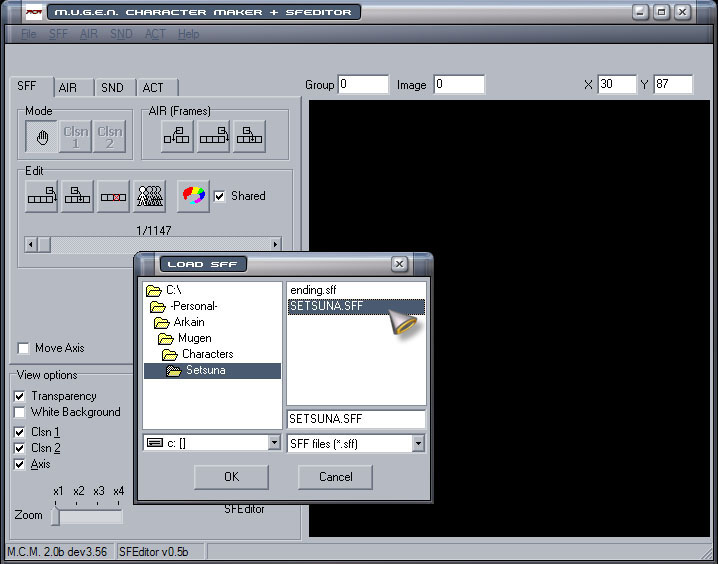
Pick the character you want to use, in this case Setsuna from Last Blade 2. Image 3
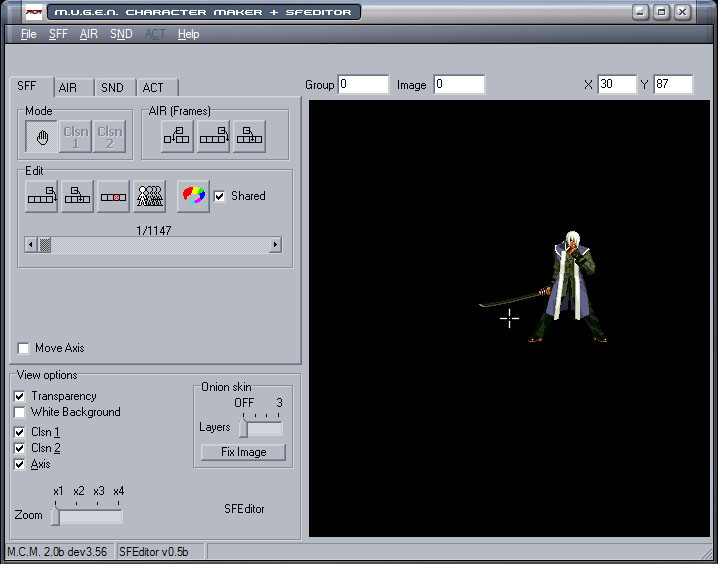
Now comes the fun part. Using your mouse, click on the arrows to move from frame to frame. (If you hold the arrow down, most characters will appear to be moving.) Image 4
When you see a frame you want to use, stop scrolling and move the character away from the axis in the center of the box. Image 5
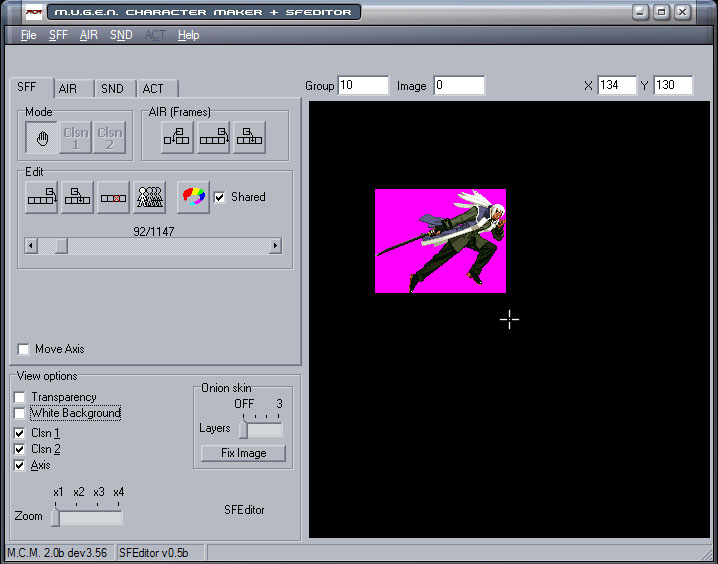
Also, don't forget deselect the transperancy option if the character is too difficult to see. Image 6
Once you get the frame you want, hold 'Alt' and hit the 'Print Screen' key on your keyboard. Now you've copied the Mugen screen. Paste the image in Paint and cut/paste the character from the image. Open a new Paint and make a palette to use for your skinning. Paste the character there. Make sure to leave the other Paint open so you can use it to paste your uncut images. Be careful not to paste over your skinning palette.
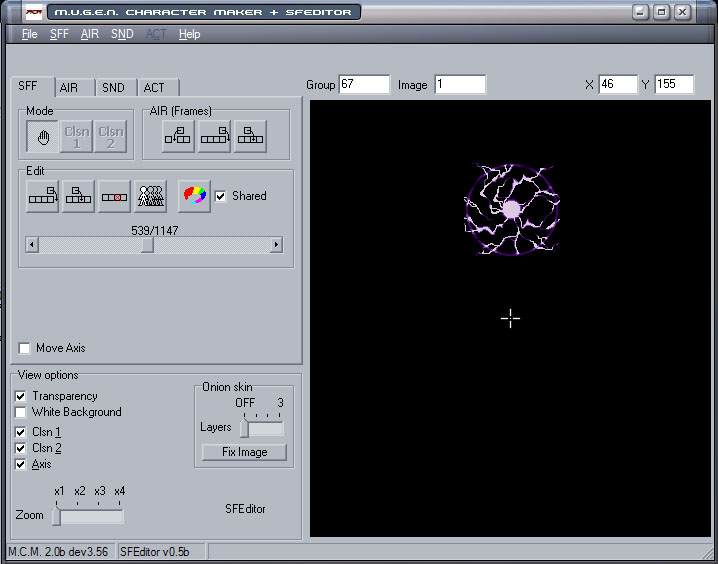
Return to Mugen and continue to copy images until you have enough to make a skin. (Five different stances, unless you don't want to make a Magic frame. If you don't make a Magic frame, the game will automatically use your Attack frame.) You can also use Mugen to copy effects such as Blood, Sword Slashes, and Magic Spells. Image 7
Just copy them the same way you did the character. You will need a Standing Frame, an Attack Frame, an Injury Frame, a Talking Frame, and a Magic Frame (optional). You'll also need stance frames for when you're running around the World Map and a Camping Frame. (Also optional.)
Now you are ready to start the modding. Unless you don't want to mod and just use what you ripped. That's easy enough.
-Setting Up-
As I mentioned before, the easiest way to make
a skin is on a palette. Just make a large .BMP image that you will have enough
room on to move things around. Make sure the background colour is the same as
the colour on the grid you plan to put your skin on. Line up the frames you
plan to use, plus any effects you want to add. If you just want to make a rip,
then the palette is pretty much usless. Just open a skin grid that is the correct
size, make sure you flip the images so that they face the left and place them
where each frame should be. In the bottom center of each grid frame. Unless
your character is jumping, flying, or you just don't want them to be touching
the ground. If you don't at least center the skin in each frame, the images
will overlap into other frames, and well, you don't want that. Make sure your
frames DO NOT go below the shadow line. There will be a line through
your skin. And there you have it, a simple skin.
Now... if you want to do some nifty modding tricks, keep reading. ^_^