How to turn your objects into Groups
Step 1
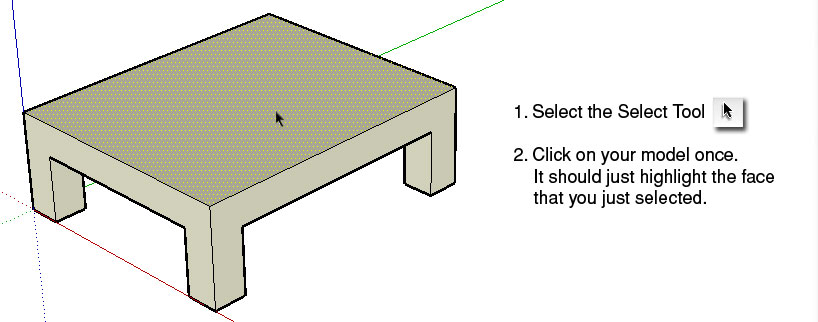
Step 2
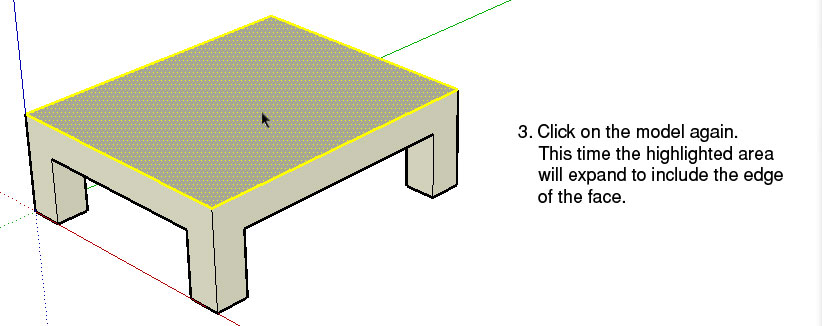
Step 3
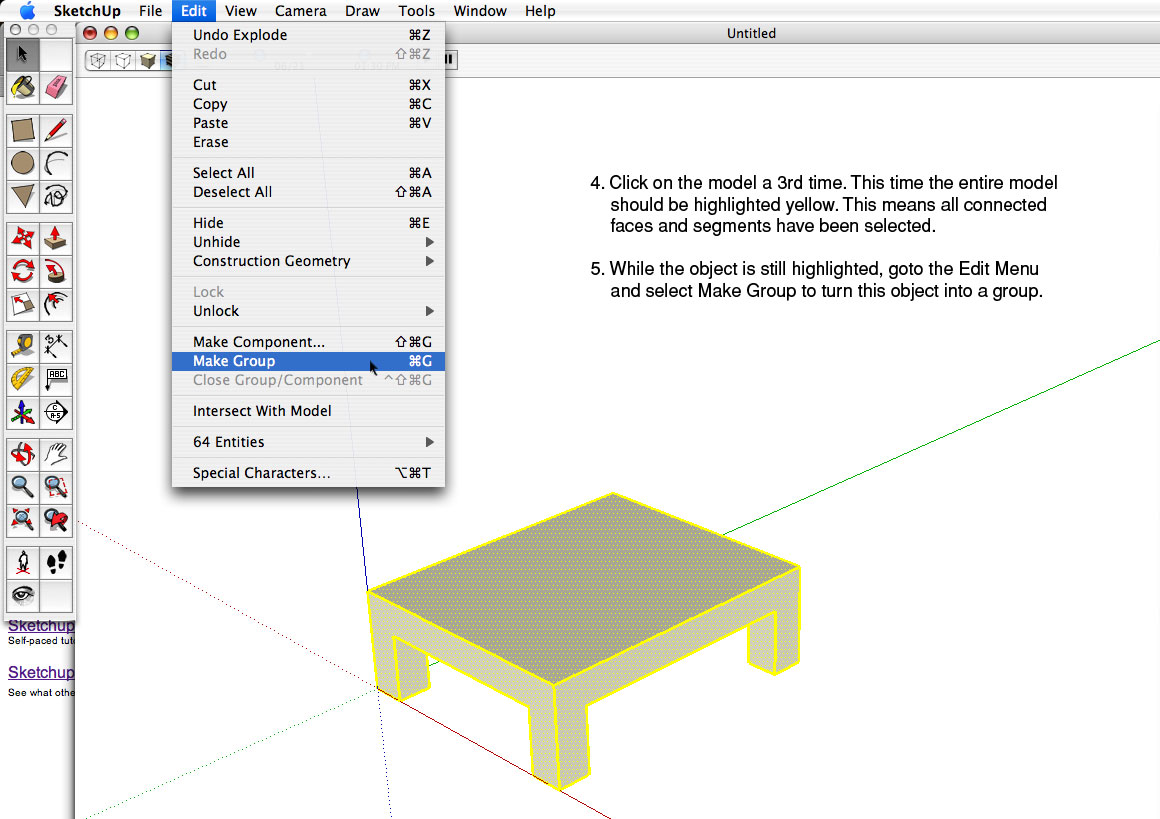
Finish
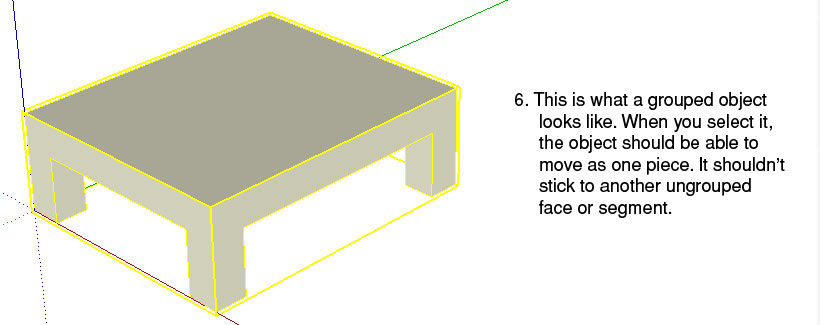
To edit a group, you would double click on it and a dotted grey box will show up around the object. Everything else in the background that is not a part of the group will be ghosted. When you edit a group, you are only making changes to that one unique object.
Click here to return to How To Index