| What Is Yahoo! Filter? | |||||||||||||||||||||||||
| Yahoo Filter is basically use to manage incoming mails. You can select a particular folder to store incoming mails from particular user or with particular subject. For example, mails from [email protected] should be stored in ABC folder when it arrive to the mailbox. After setting up the filter for [email protected], all the mails from this adderess will directly move to the ABC folder, it will not be displayed in the Inbox. So this is really very easy and userfull utility to seperate and manage mails. To create filters, follow the steps given below... |
|||||||||||||||||||||||||
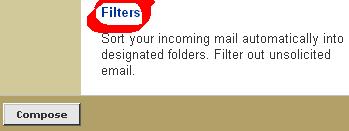
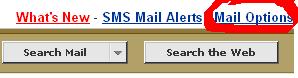
| Step 1) Go To Filters From Mail Options | |||||||||||||||||||||||||
| 1.1) | |||||||||||||||||||||||||
| 1.2) | |||||||||||||||||||||||||
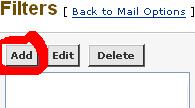
| Step 2) Click on Add Button | |||||||||||||||||||||||||
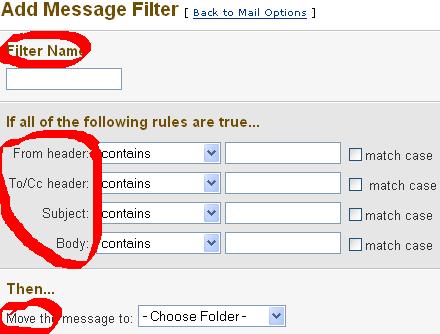
| Step 3) Give Filter Name, Suitable Rules(Conditions), Select Folder To Move And Finally Click On Add Filter | |||||||||||||||||||||||||