Wireless Network Security
Ablah Library Wichita State University
By Syed Shahzad Ali
In a wireless network we can have four
levels of security
1-
SSID
based security
2-
WEP
based security
3-
MAC
Address based Security
4-
RADIUS
Server based (UID/password) Security
It
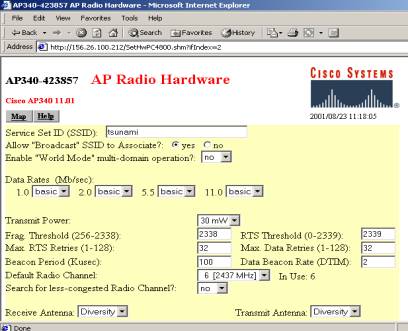
is the most common and basic security measure that is being followed in the
network that we are running in Ablah Library at this point of time.
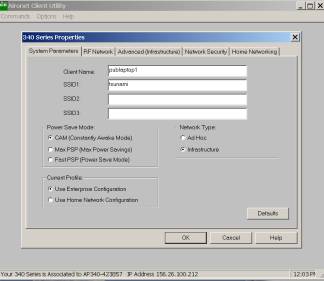
On
the client side we have following setting
WEP Based Security Configuration
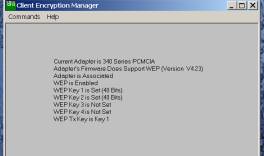
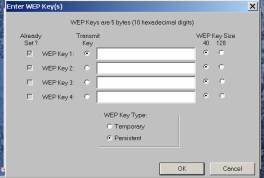
This is the area where we define two
Secret WEP keys, one for transmission and one for reception. Assigning only one
WEP key will not do the job.
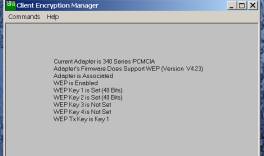
This
screen shot confirms that WEP is enabled and running.
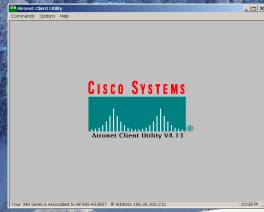
This
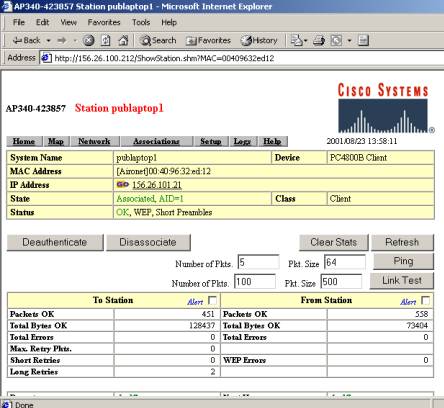
screen shot indicates that the client is associated and authenticated to the
Access Point whose IP Address is 156.26.100.212
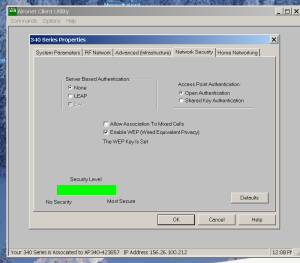
WEP
is the most secure way to protect the wireless network. And this is clearly
depicted by the following screen shot.
On
the Access Point Side
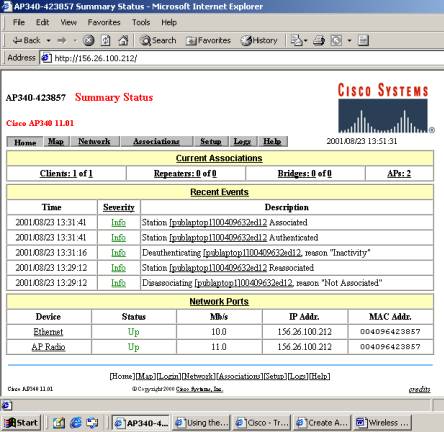
Click
on Setup
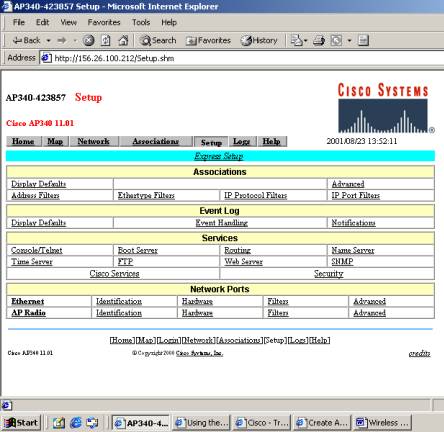
Click
on Security
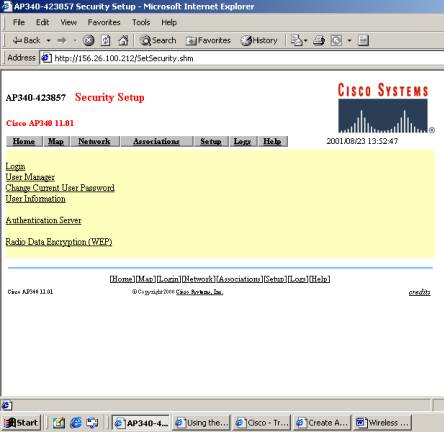
Click
On Radio Data Encryption (WEP)
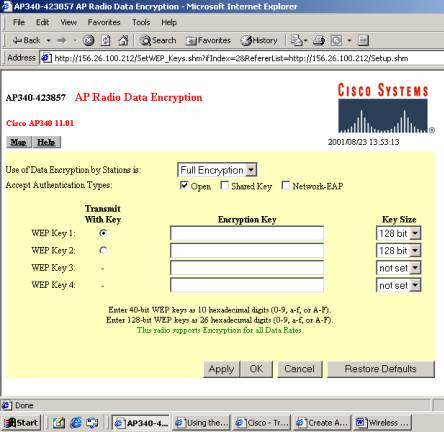
Enter
WEP Key 1 and then WEP Key 2 here.
Make
sure that at least 2 keys must be entered, one for transmission and one for
reception. Otherwise this configuration won’t work at all. The client
information in the following diagram clearly shows that the WEP key is enabled
and running.