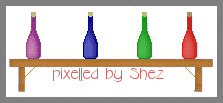
Pixel Bottle
Open up a new canvas size
25 x 60
Select your paint brush size 1
In your materials palette set your stroke to a colour of your choice (this
colour needs to be dark as its the outline.
Pixel out the following picture.
(Both sides of the bottle are exactly the same)
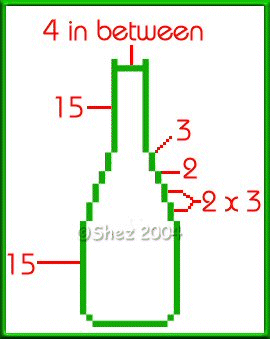
Select inside your bottle
Flood fill with a lighter shade than the outline
Selections
Selections float
Effects
3d
Cut out
V 2
H -2
O 100
B 10
Colour-Same colour as your outline.
Now change your stroke to a gold colour or pattern and pixel the following
for the cork
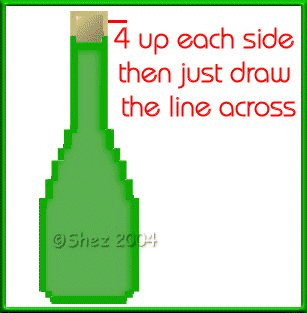
Now using your magic wand select inside your bottle.
Flood fill with a lighter shade of the colour you just used.
Selections
Float
Effects
3d
Cut out
V 2
H -2
O 100
B 10
Colour-Same colour as your outline.
Selections
Select none.
That's your bottle finished.
Now add a label or anything else you wish.
Save in psp format for future use.
ALL Tutorials
copyright of © Shez and may not be copied ,reproduced or passed out in any
way without prior consent