Using Borlandc3.1 With Z88dk
Hello REX developer!
This page is intended for those who wich to use the good old Borlandc 3.1 DOS IDE to develop REX Add-Ins using the Z88dk.
After some small set up it will be possible to compile rex add ins via the BC31 ide, View the results in the message window, and automaticaly jump into compilation error locations by clicking on the apropriate error message.
To do this, first download this Filter and extract it into the "\borlandc\bin" directory.
Goto the project directory where you hold your add-in soueces. Invoke borlandc IDE - bc.
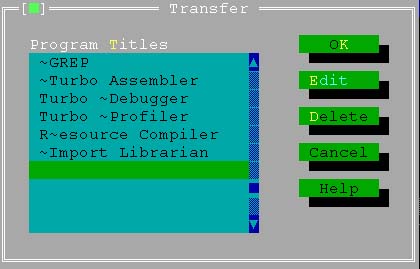
Goto the options menu and select transfer. you will get the following menu:
click on an EMPTY line then click "Edit". Fill the dialog box you get as follows:
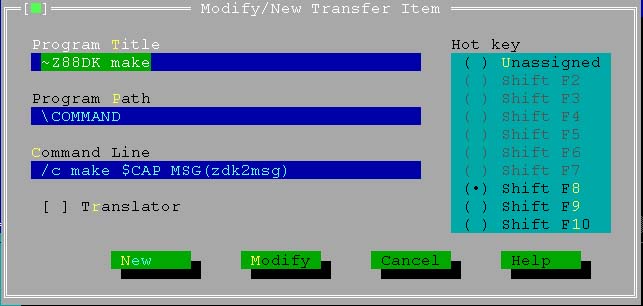
be sure to select a hot key - like "shift-F8" in this example. when you finish, click "modify", then "OK".
Thats about it!
To compile, just use the selected hotkey or use the transfer menue ( the symbol just left to the "File" menu)