MemTurbo
Mem Tubo
(http://www.memturbo.com/)
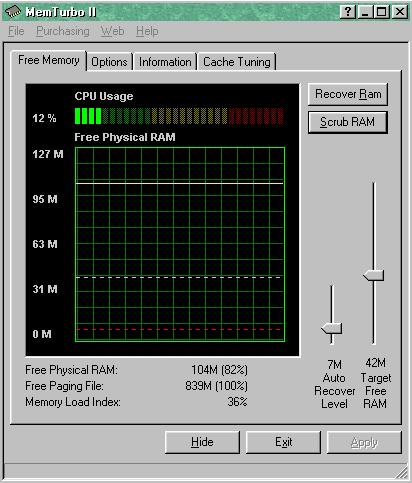
The demo version of MemTurbo has cache tuning disabled,
but the memory management functions work fine,
CAUTION:-
don't be too aggressive in the level of memory you try to free up.
Windows 98 does not unload from memory or notify it's library components to unload themselves after the process which 'called' them to be loaded has finished.
This is what causes so many windows 98 problems.
Scrubbing these libraries out to the swap file naturally improves game performance!
Before you load shogun 'scrub' the ram,
- i have a full version, i think this ooption is functional in the demo,
if not just change the slider to about 70% of your ram,
run it,
and then change it back to the recommended setting for your system.
Close the program BEFORE you load shogun!
This has reduced LAG on my end considerably.
-------------------------------------------------------------------------------------
Taskman.exe, usually located in your windows folder,
can be used to 'end' unwanted tasks that may be running.
However it has limitations.
Pressing ctrl-alt-delete will display many of the programs running in the background,
but it too has limitations.
I prefer Sinfo,
very usefull and can show tasks that are otherwise hidden.
Sinfo (freeware)
Sinfo
(http://tp.lc.ehu.es/jma.html)
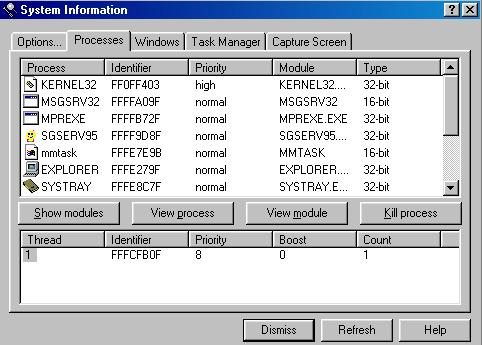
Read the documentation, and all will be made clear.
Basically you can 'unload' frozen tasks
that windows won't let you see using simply ctrl-alt-delete,
AND tasks that are not in use, just clogging your ram.
ddhelp.exe will often be left loaded when nothing else is running
- unload it using sinfo.
It's just part of the help file system.
Performance Index