Instructions on how to get to my hotline server
First a description of what hotline is.
courtesy of downloads.com
The Hotline Connect Client is a simple and elegant application that offers cutting-edge features. It is capable of resuming downloads, real-time chat (even while you are downloading), uploading, finding, and connecting to communities, delivering news, and browsing the Web with another application. The Hotline Client uses very little RAM, leaving your system resources free for multitasking. Version 1.8 introduced full QuickTime support, bug fixes, improved client stability, and better client handling of network tasks. It also added the ability to upload folders. Hotline Client 1.8.5 adds Confirm Quit and Confirm Disconnect features, plus recoverable private messages.

First things first go to www.bigredh.com to get the client. or you can go to download.cnet.com and do a search for hotline.
download and install it.
hotline is basically an ftp client with benefits. very simple to use.
once you have it installed open it up and youll see this image
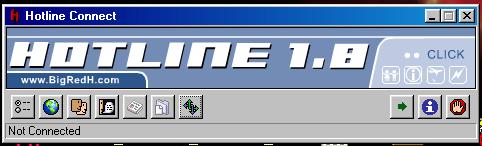
click on the world button and youll get the servers widow to appear
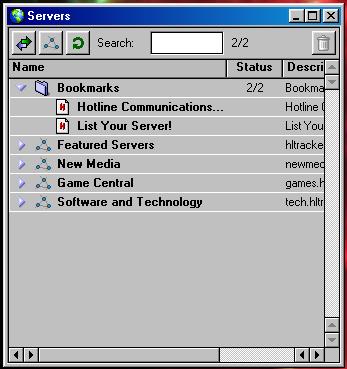
you will get this image.
click on the button in the upper right cornor looks like two arrows to get the connect window. this is where you will put in my server adress.
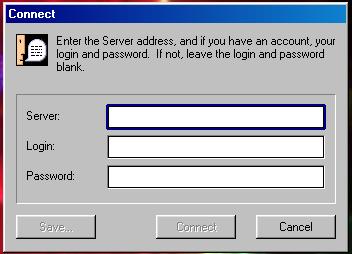
the adress at this time is 68.41.244.139
leave the login name and password blank
at this point you can hit save to book mark my server for easy reconnection later. the name of the bookmark doesnt have to be the ip adress of my server. you can name it whatever will help you remember what it is. go ahead and hit connect and youll be in.
now back to this window. hit the little blue file folder to browse the files. double click them to download them. if you want to see tasks and their progress click the button with the little green arrows to open the task window.
other uses of hotline, or how to find other things. i like to go to www.hotlinehq.com. there is a search engine that searches thousands of servers for files. you can find just about anything there.
a brief list of what i have.
Family Guy: every episode most captured and edited personally (all VCD format)
Simpsons: 12 years worth! mostly real media format (id need several more hard drives to have them in VCD. there is alot there.
Futureramma: 30 to 50 episodes of this in realmedia.
Clerks: all episodes of their caartoon minus 2. sorry
Invader Zim: All episodes of this wonderful cartoon.
Misc. import car racing videos, and some games.
that pretty much covers it.