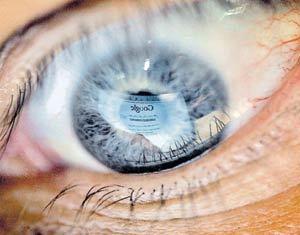
For many people, working in front of a computer monitor means aching eyes, blurred vision and even migraines. Eye and vision problems are fast overtaking sore wrists and hands as one of the most frequently reported health-related complaints among the ever-growing numbers of people who spend time peering at a computer screen.
What can computer users do to guard against vision-related problems?
For computer-related eye problems, doctors sometimes advise a step as simple as blinking, both for patients who wear corrective lenses and those who do not.
>> an ophthalmologist who practices at Columbia-Presbyterian Medical Center in New York City, explained how eye dryness played an important role in causing eyes to ache. "People get so involved with reading material on the computer that they don't blink regularly." he said. "It's very similar to what happens to drivers at night, when they concentrate on the road, forget to blink and experience eyestrain. The cornea isn't lubricated, and then they feel all sorts of sensations as they eye tells them they have a problem."
>>Those who wear contact lenses, in particular, should use lubricants or artificial tears. "The most natural way to treat this is to take a break,"he advised.
>>"People often set brightness inappropriately, unaware that brightness and contrast work together. Turn up the brightness, and eventually the characters get fuzzier d lose contrast; the edges of the image thicken with brightness. A filter helps when circuitry on the computer can't make the screen bright enough for the contrast users want."
>>Looking down at the monitor, typically 0 to 20 degrees below he straight-ahead position of the head�not up�is also a good practice,"And if possible," he added, "make sure you're looking down at a large monitor with high resolution."" Working in the dark is hard on the eyes," he said.
>>"Computer users should look at the entire environment, Glare will add to eyestrain even with the best screen resolution and character-background display, as will eyes that are not properly in focus for the screen distance. All the factors need to be considered."
( I hope this info will be useful to u .. ;;) .. take care of ur eyes :) .. Hmm anyway from now onwards 'm going to follow this things , cos already 'm addicted to my pc screen :D ... Happy Computing -- Selva Seven )
 || ||
 || ||
 || ||
 |