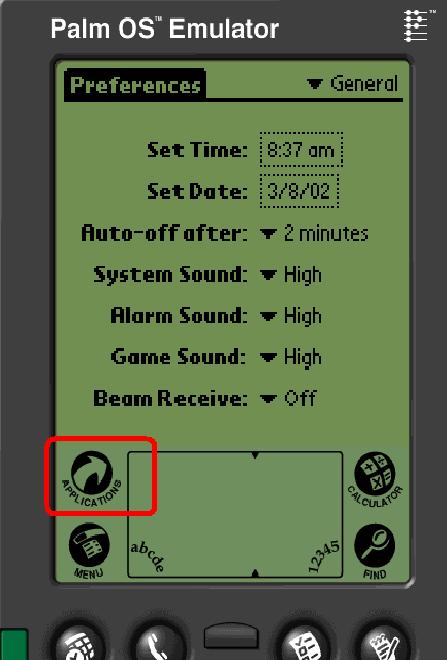
- Open your palm
- Click on Application
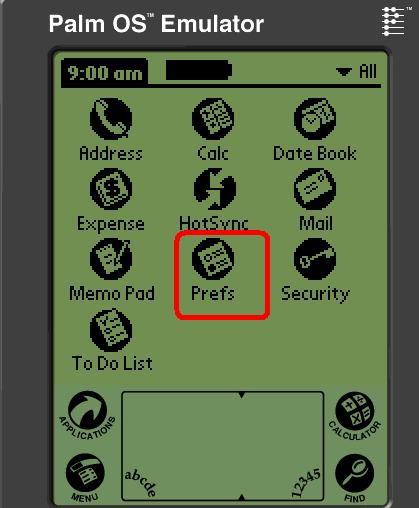
- Click on Prefs
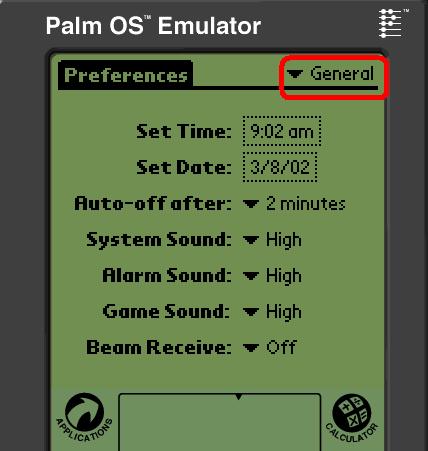
- Click on drop arrowGeneral
- You have to see a menu
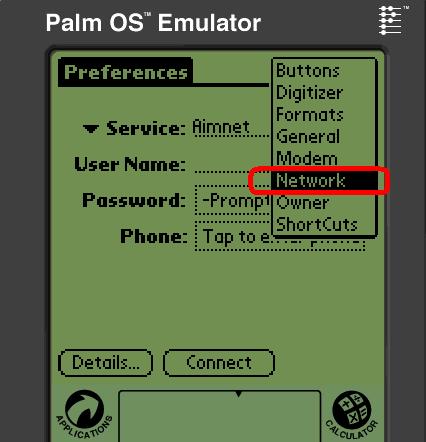
- Select Network
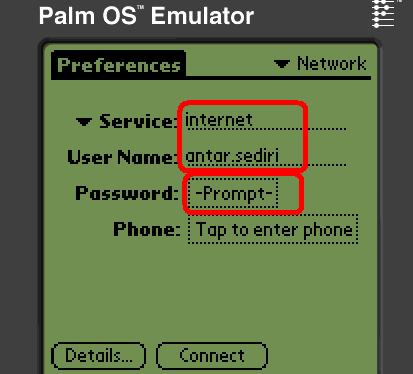
- In the field service Enter internet
- Enter your user name provided by your ISP:antar.sediri
- Click on Prompt ,you will get the following screen
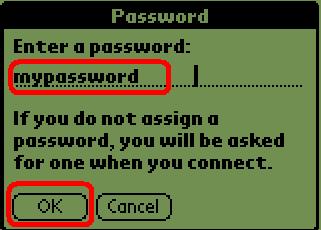
- Enter your password
- Click OK
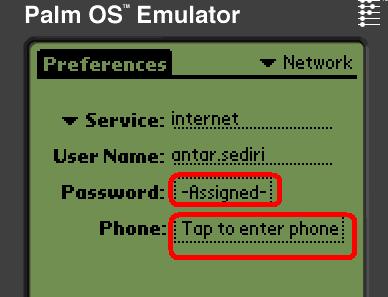
- you see now assigned in password field
- Click on Tap to enter phone
- You will get the following screen
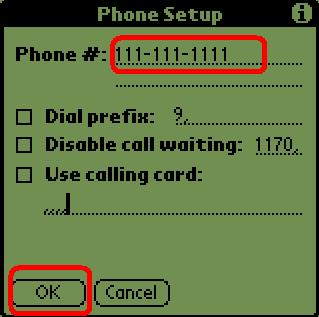
- Enter the phone number to dial to your ISP
- If your are at office or a hotel..and You Need a prefix:so check Dial prefix,and ADDthe prefix number
- If you need to disable the call waiting check the option for that .
- Click on OK
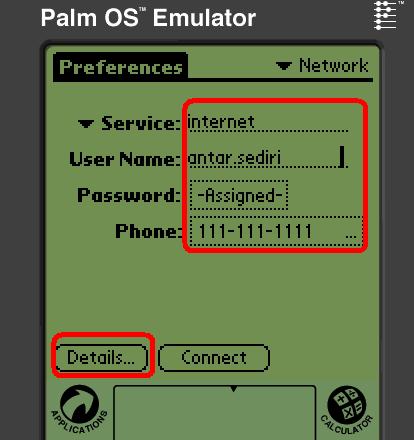
- You have to see all the information now
- Click on Details...
- you will get the following screen
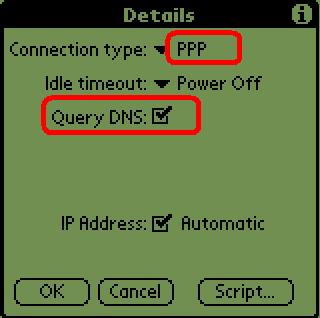
- Select or be sure that you have ppp
- Do you see Query DNS
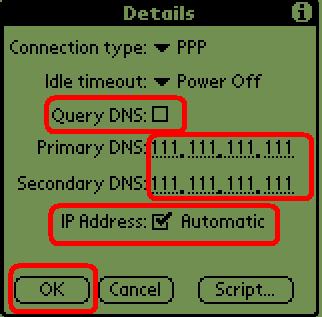
- UncheckQuery DNS
- Enter Primary DNS and Secondary DNSprovided by your ISP
111.111.111.111
111.111.111.111 - Check automatic for IP adress
- Click on ok
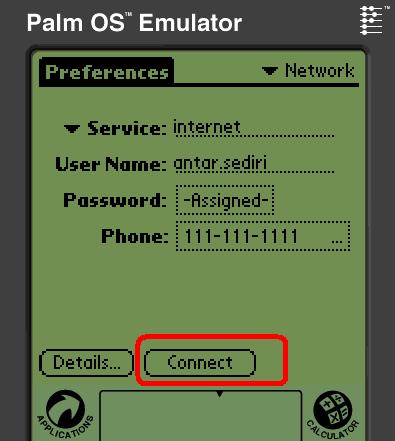
- Click on connect
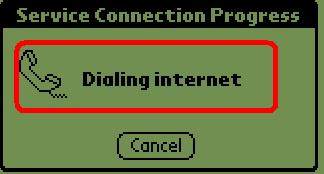
- Process to conect
- ready to be on the internet