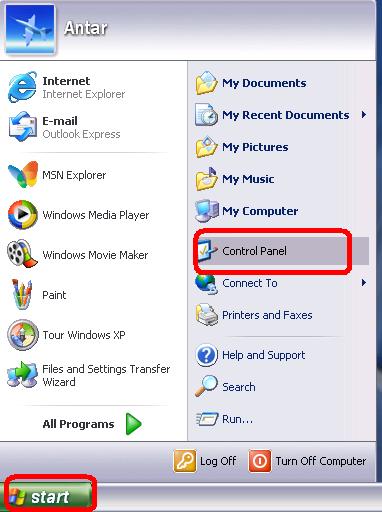
| Step 1
- Click on "start"
- Click on "Control panel"
|
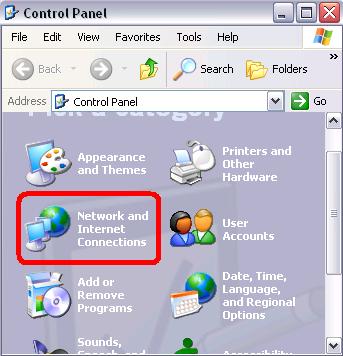
| Step 2
- Click on "Network and internet connections"
|
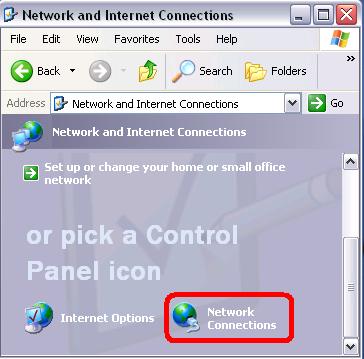
| Step 3
- Click "Network Connections"
|
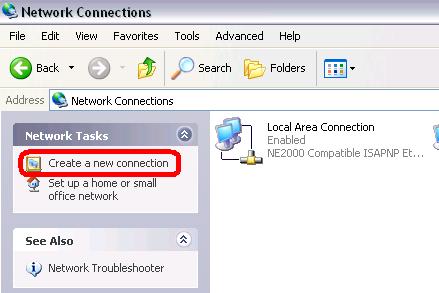
| step 4
- Double click on "create a new connection"
|
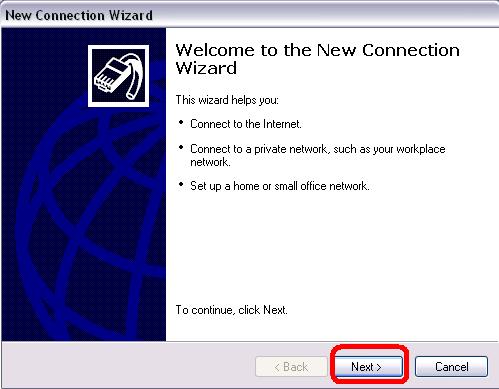
| Step 5
- The internet connection wizard start
- Click "Next"
|
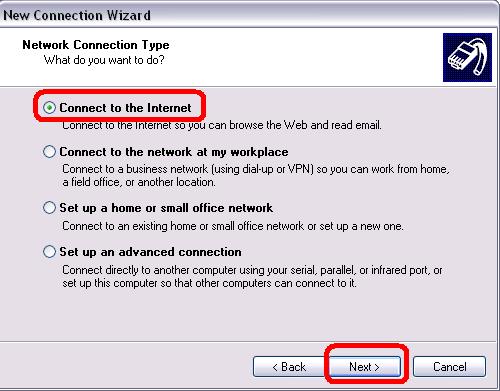
| Step 6
- Choose "connect to the internet"
- Click "Next"
|
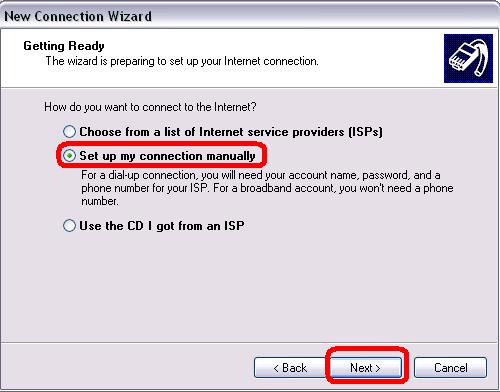
| Step 7
- Choose "set up my connection manually"
- Click "Next"
|
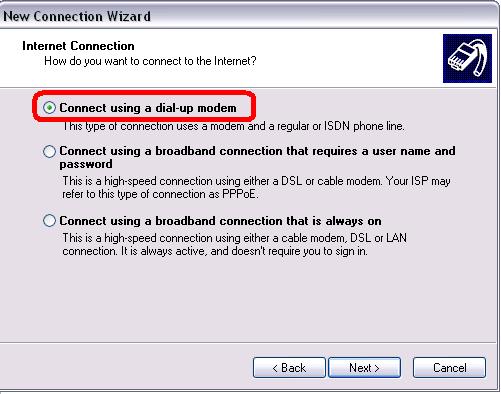
| step 8
- Choose "connect using a dial-up modem"
- Click "Next"
|
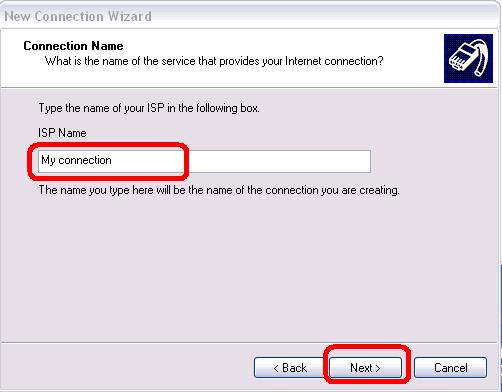
| Step 9
- Enter a name for your connection or keep "My connection" as default name
- Click "next"
|
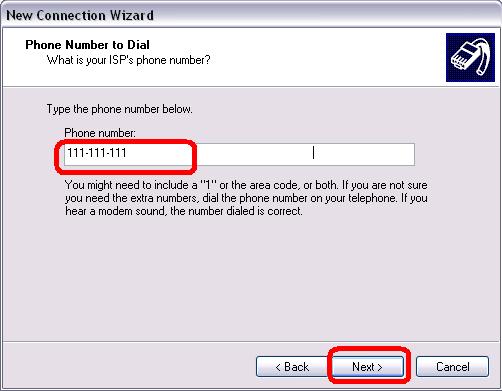
| Step 10
- Enter the phone number to dial
- Click "Next"
|
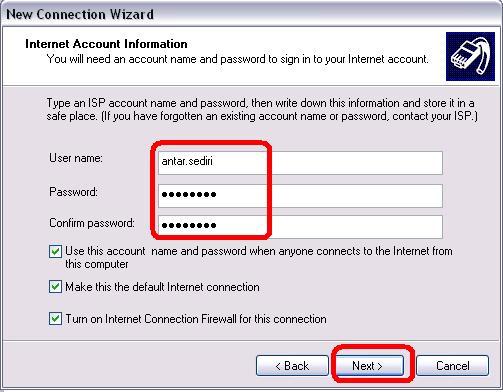
| Step 11
- Enter the user name
- Enter the password and confirm it
- Click "Next"
|
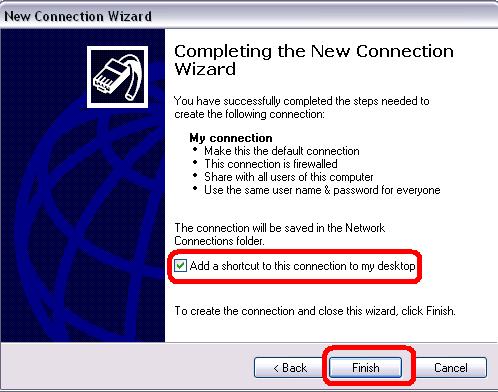
| Step 12
- Check the ption to add a shortcut in your desktop
- Click "Finish"
|
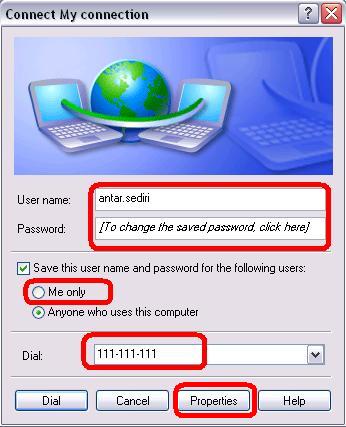
| Step 13
- Verify the username and password
- Verify the number to dial
- Click "Properties"
|
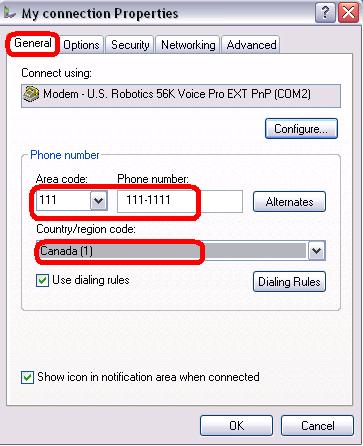
| Step 14
- Verify the number to dial ,you can modify it
- Click on "Networking"
|
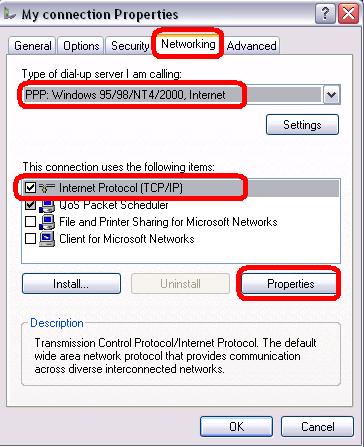
| Step 15
- Verify if "PPP" is selected
- Highlighted "tcp/ip protocol"
- Click on "Properties"
|
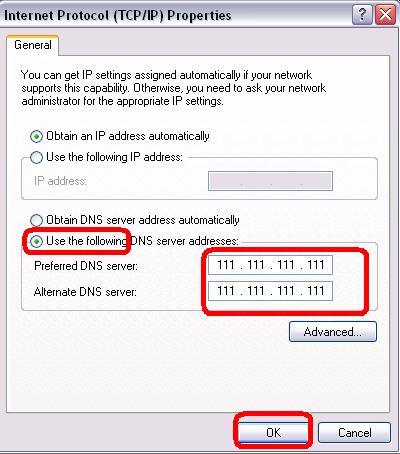
| Step 16
- Click on "use the following DNS server adress"
- Add the DNS provided by your ISP
- Click "OK"
|
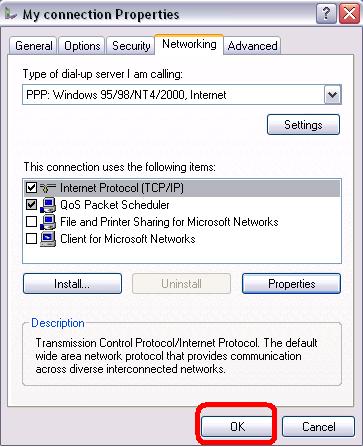
| Step 17
|
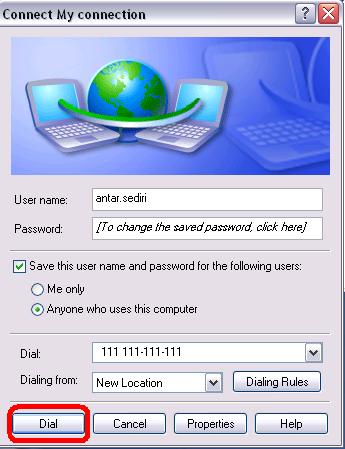
| Step 18
|
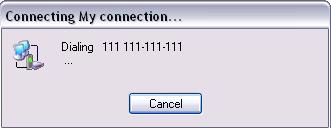
| Step 19
|
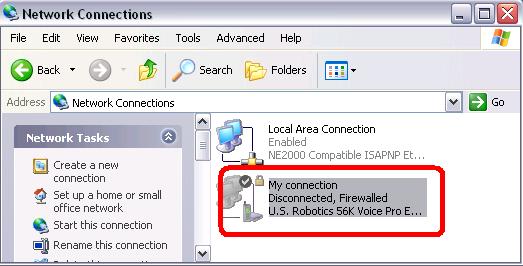
| Step 20
- New icon in your "network connection"
|