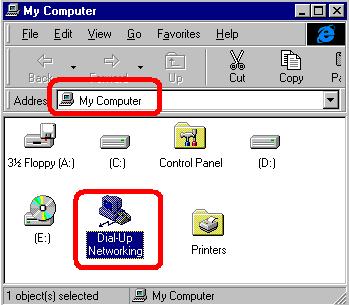
| Step 1
- Double click on "my computer"
- Double click on "Dial-up networking"
|
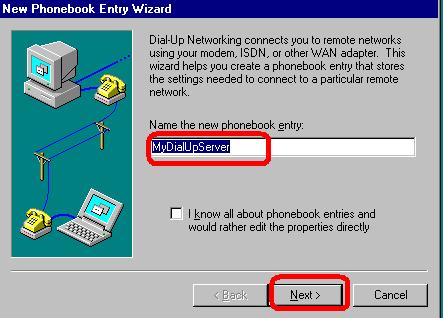
| Step 2
- Enter a name for your connection OR keep the default name
- Click "Next"
|
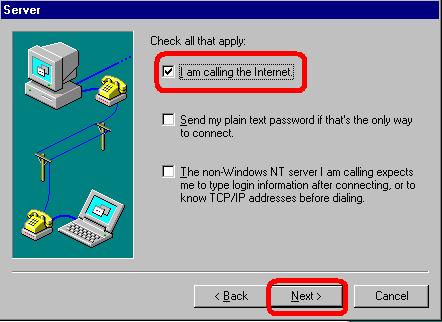
| Step 3
- Check the option "I m calling the internet"
- Click "Next"
|
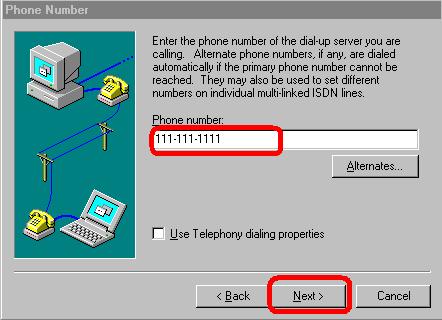
| Step 4
- Enter the phone number to dial for your ISP
- Click "Next"
|
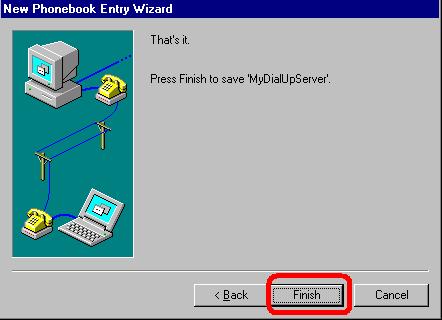
| Step 5
|
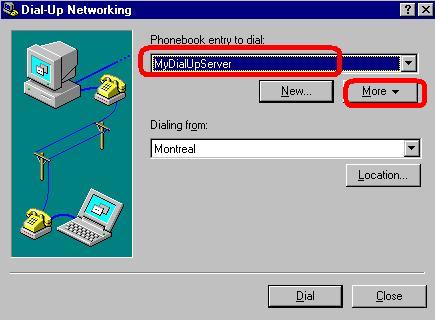
| Step 6
- You can modify the name of your connection ,OR keep the default name
- Click on "More"
|
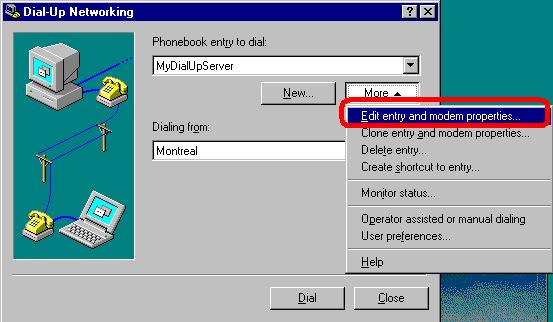
| Step 7
- Click on "edit entry and modem properties"
|
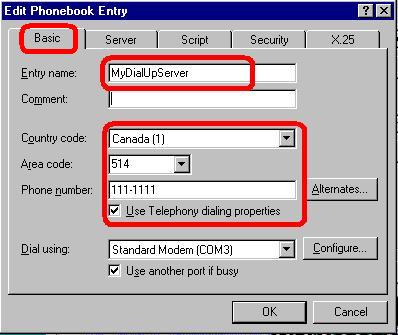
| Step 8
- Click on Basic tab
- Add or Verify the number to dial for your ISP
- Verify the country
- Verify the modem
|
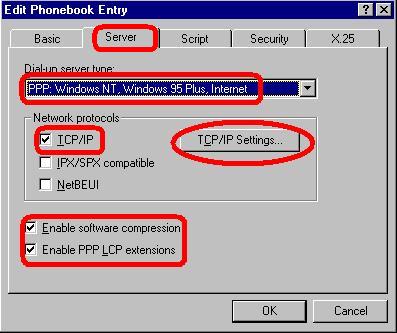
| Step 9
- Click on "Server" tab
- Select "PPP.." as server type
- Check TCP/IP
- Check "Enable sofware compression"
- Check "Enable ppp lcp extensions"
- Click on "TCP/IP Setting"
|
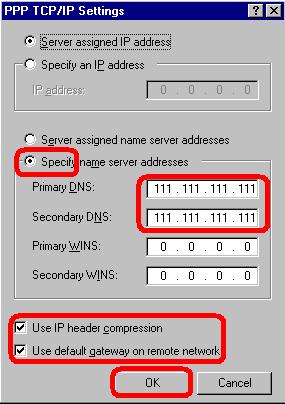
| Step 10
- Click on "Specify name server adresses"
- Enter the DNS provided by your ISP
- Check "use ip header compression"
- Check "Use default gateway on remote network"
- Click "OK"
|
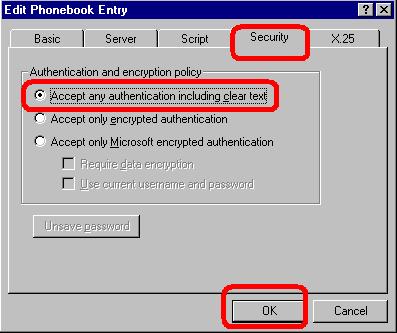
| Step 11
Click on "Security"
Click "Accept any authentication including clear text"
Click "OK"
|
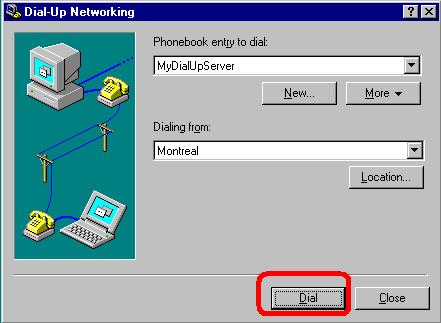
| Step 12
|
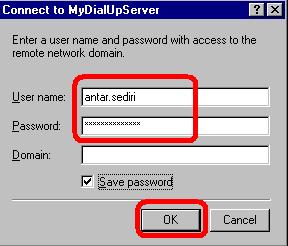
| Step 13
- Enter you user name and password
- Enter your password
- Check "save password"
- Click "OK" to connect
|