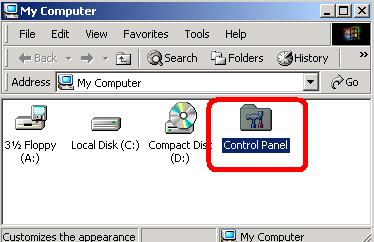
| Step 1
- Double click on "my computer"
- Double click on "control panel"
|
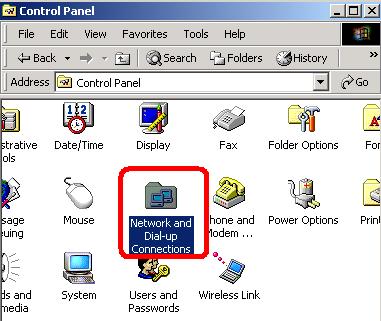
| Step 2
- Double click on "Network and dial-up connection"
|
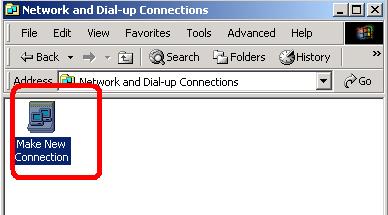
| Step 3
- Double click on "make new connection"
|
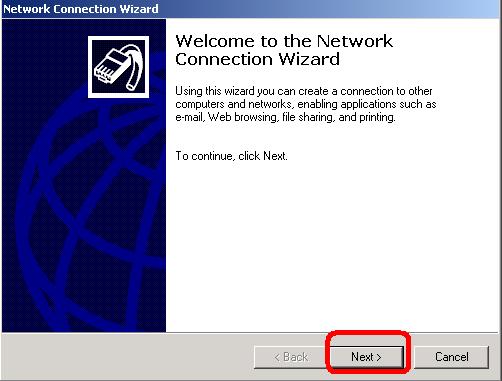
| Step 4
- The internet connection wizard start
- Click "Next"
|
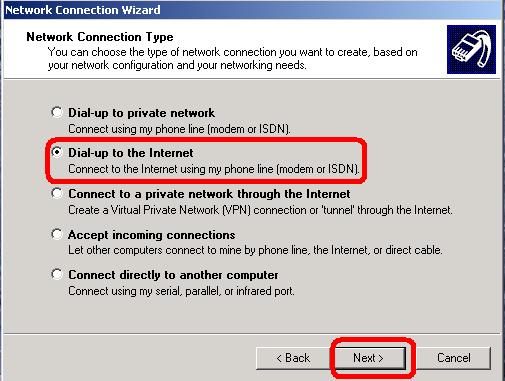
| Step 5
- Choose "dial-up to the internet"
- Click "Next"
|
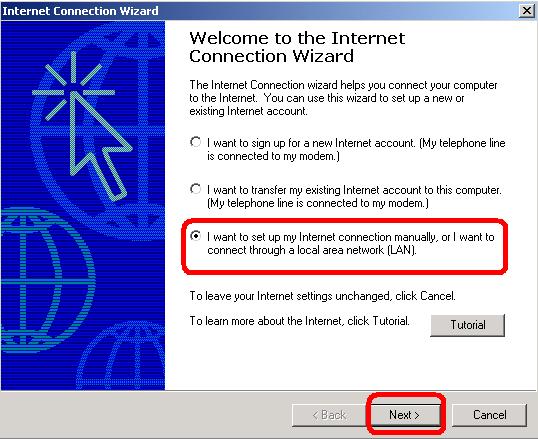
| Step 6
- Choose "i want to set up my internet connection manually"
- Click "Next"
|
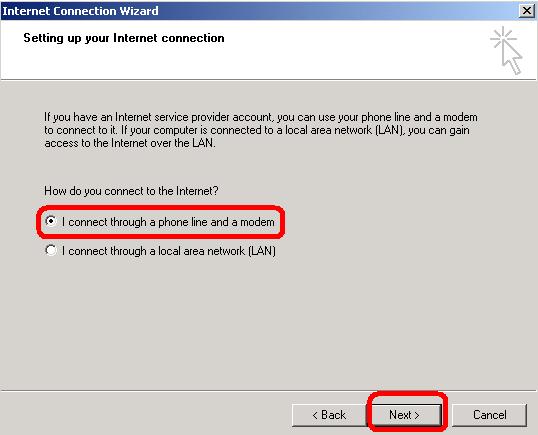
| Step 7
- Choose "I connect through a phone line and modem"
|
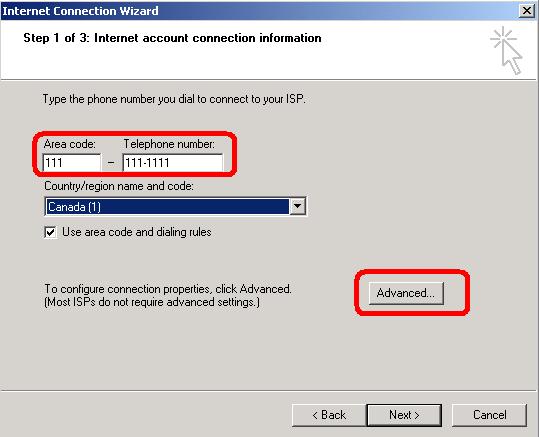
| Step 8
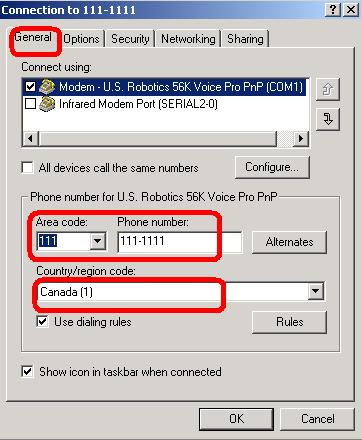
- Enter the number to dial for your ISP
- Select the country
- Click on "advanced"
|
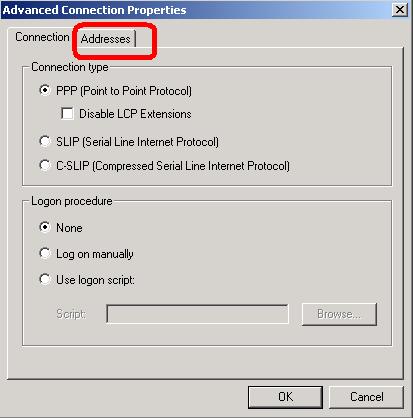
| Step 9
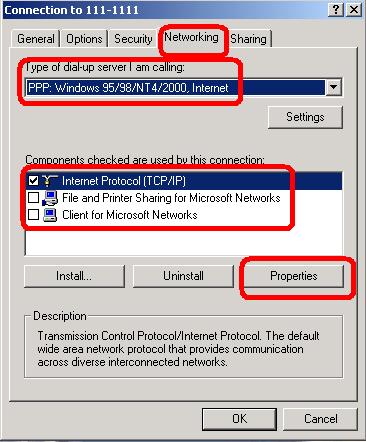
- Verify if "PPP" is on
- Click on "adresses"
|
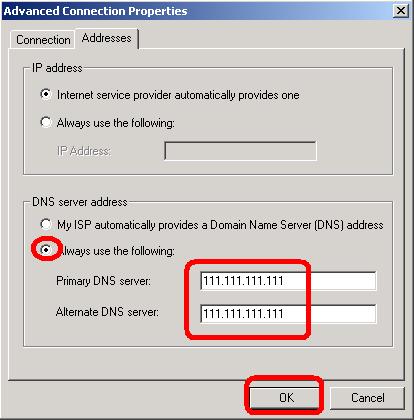
| Step 10
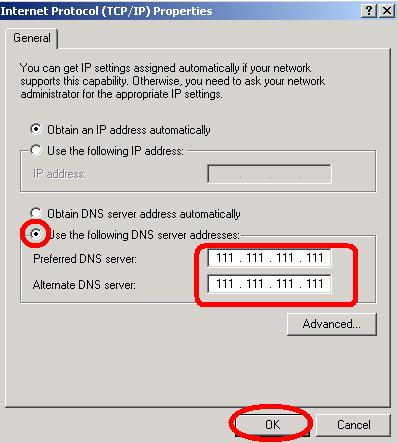
- Click on "always use the following "
- Enter the DNS provided by your ISP
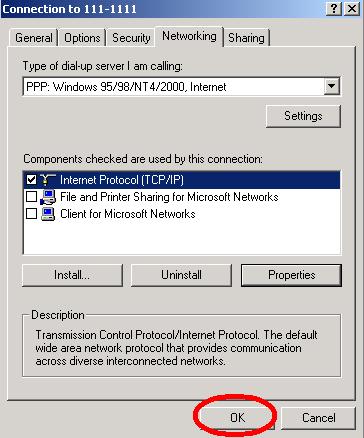
- Click "OK"
|
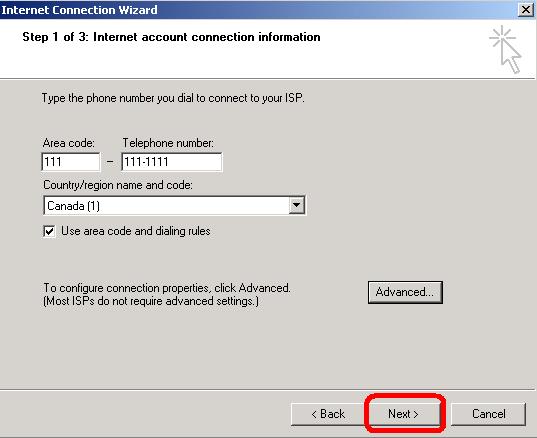
| Step 11
|
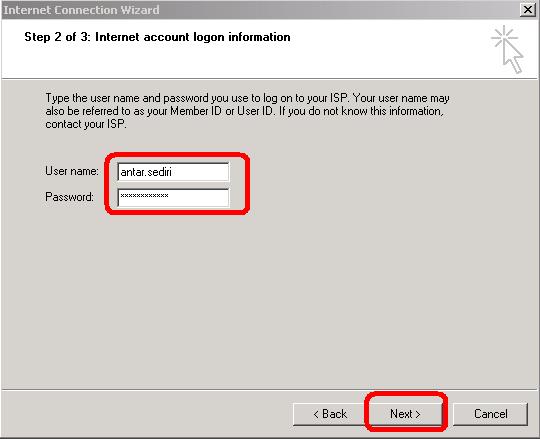
| Step 12
- Enter your username and password
- Click "Next"
|
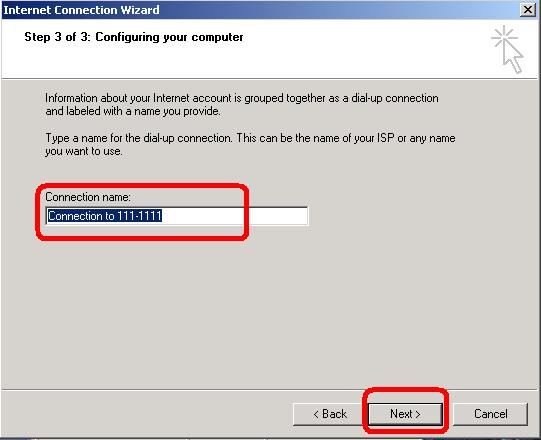
| Step 13
- Enter the name for your connection ,or keep the default name
- Click "Next"
|
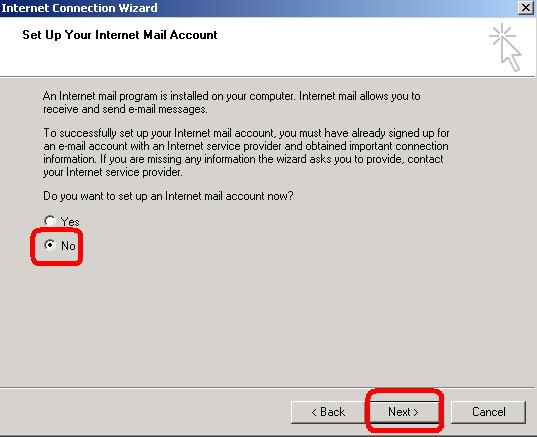
| Step 14
- You don't need an e-mail account Now,so choose "NO"
|
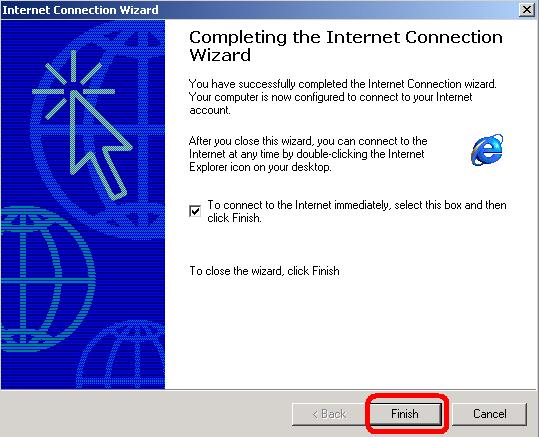
| Step 15
|
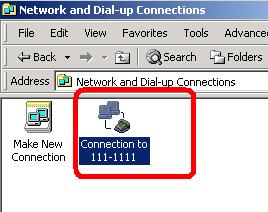
| Step 16
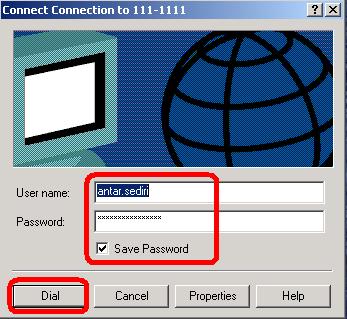
- A new icon in your network and dial up connection
- To connect just :Double click on that connection
|
| Step 17
|