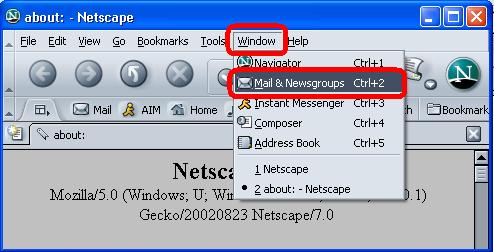
 | Step 1
- Open Netscape 7
- Click on window
- Click on Mail & Newsgroups
|
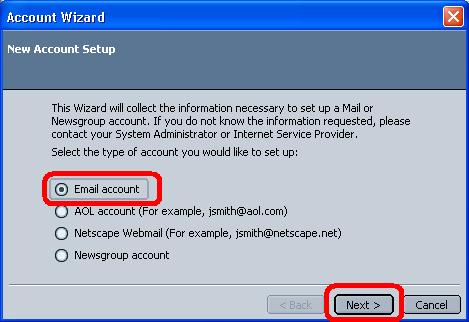 | Step 2
- IF it's the first time ,you run N7, the wizard start to create new account....So Choose e-mail account
- Click on Next
|
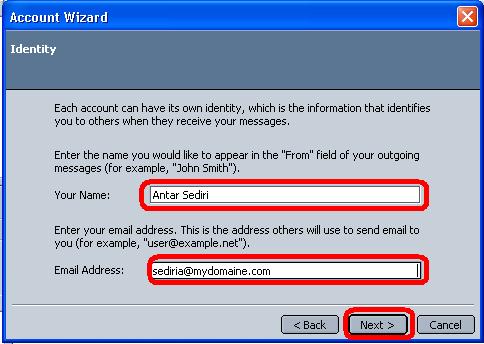 | Step 3
- Enter your Name
- Enter your e-mail adress
- Click on Next
|
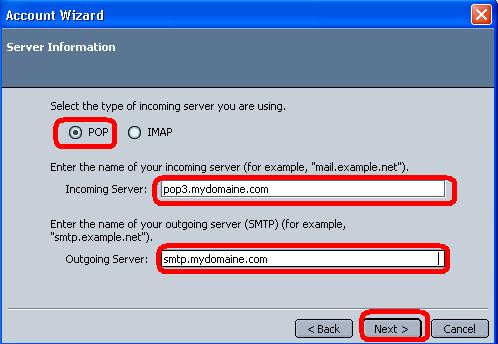 | Step 4
- Select POP
- Enter the incoming mail server provided by your ISP
- Enter the outgoing mail server provided by your ISP
- Click on Next
|
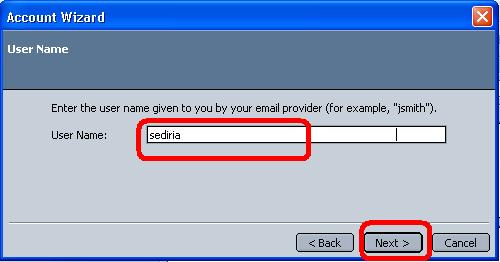 | Step 5
- Enter your username
- Click on Next
|
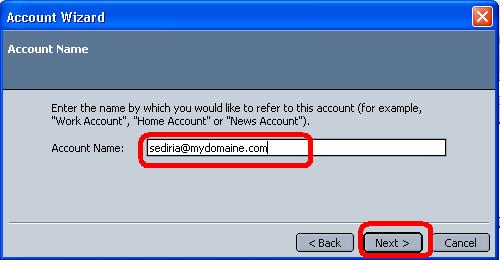 | Step 6
- Enter your e-mail adress
- Click on Next
|
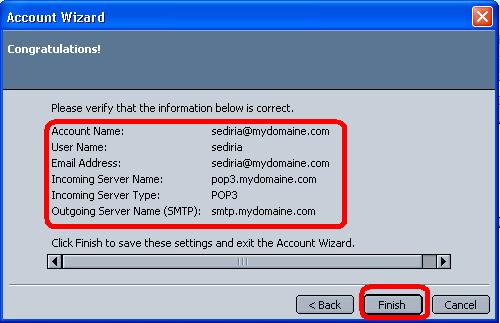 | Step 7
- Verify your e-mail settings,IF something wrong just go back and correct that..if it's correct
- Click Next
|
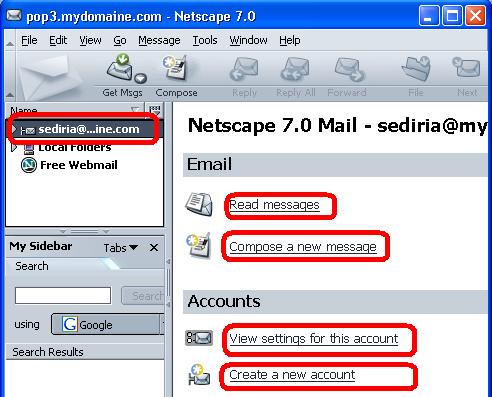 | Step 8
- The account is done
- On the main screen you have some links to read,compose ....
|
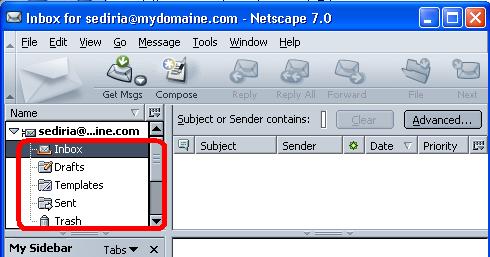 | Step 9
- Click on the inbox to view your mail
- you see all options you need
|
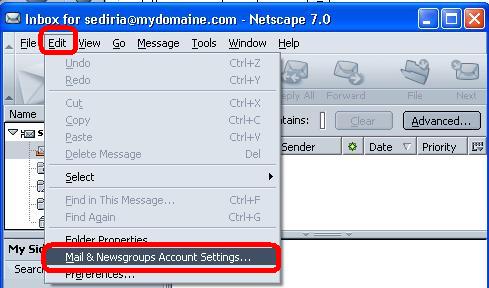 | Step 10
- IF the account is already done
- Click on edit
- Click on Mail&Newsgroups
|
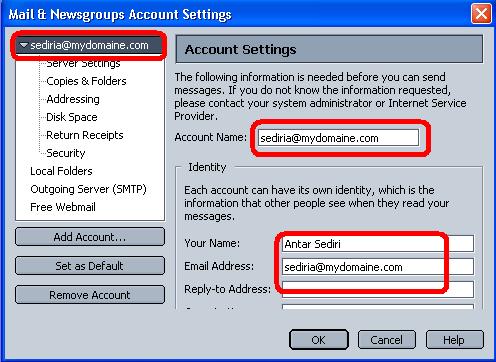 | Step 11
- Select the account
- verify your name
- verify your e-mail adress
|
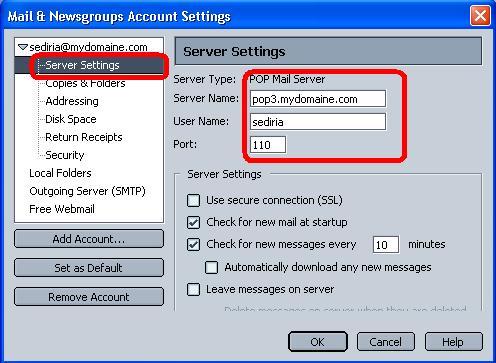 | Step 12
- Select Server settings
- Verify the pop server
- Verify the username
|
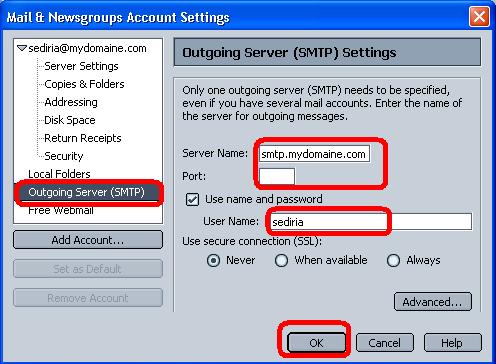 | Step 13
- Select Outgoing mail server
- Verify teh outgoing mail server
- If the settings are correct :click OK
|