Step 1
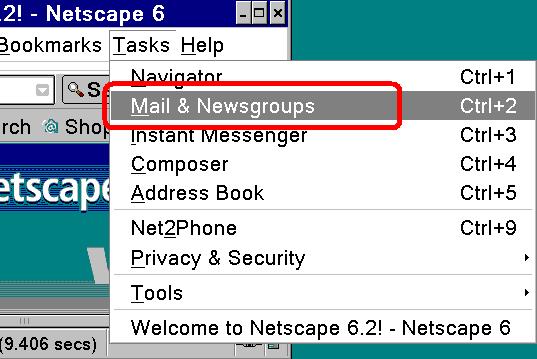
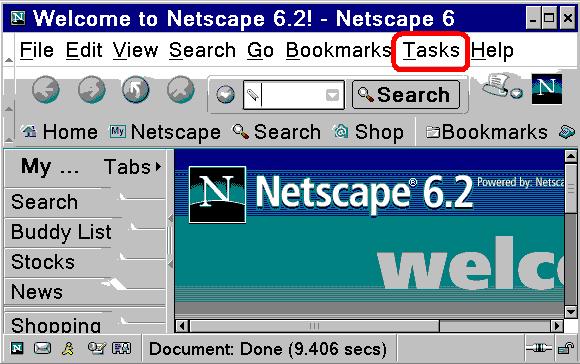
  • Open netscape
  • Click on Tasks
Step 2
  • Click on Mail&Newsgroups
Step 3
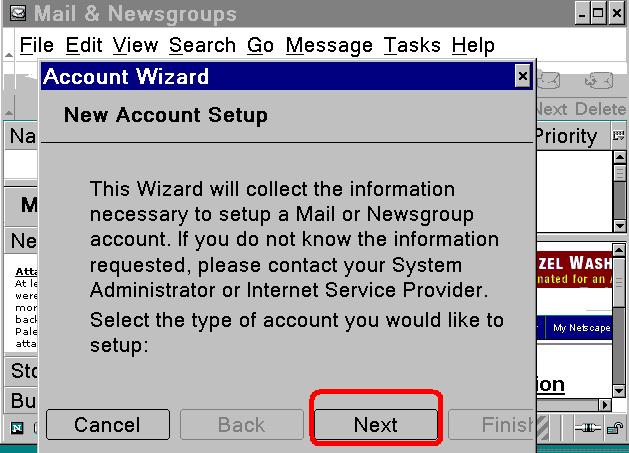
  • IF it is the first time ,so the wizard start to create new account
  • Click Next
Step 4
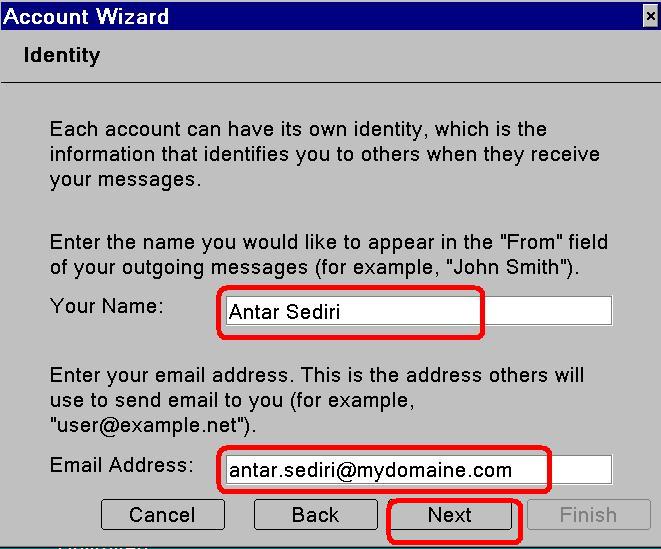
  • Enter your Name
  • Enter your e-mail adress
  • Click Next
Step 5
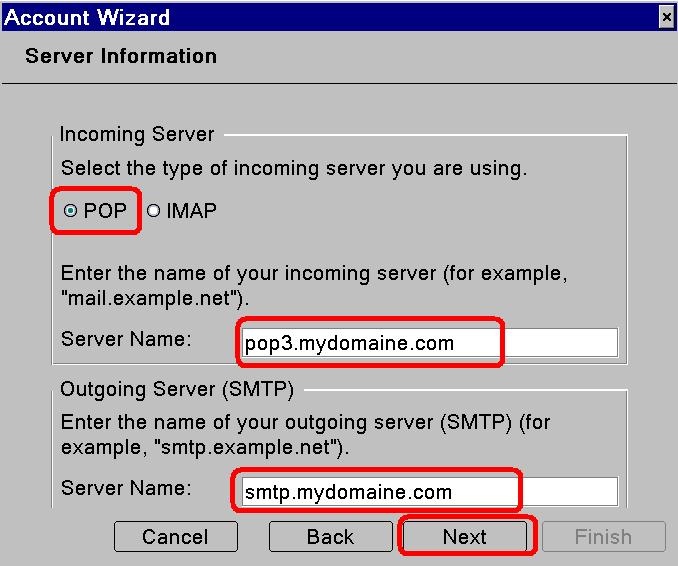
  • Select POP
  • Enter the incoming mail server
  • Enter the outgoing mail server
  • Click Next
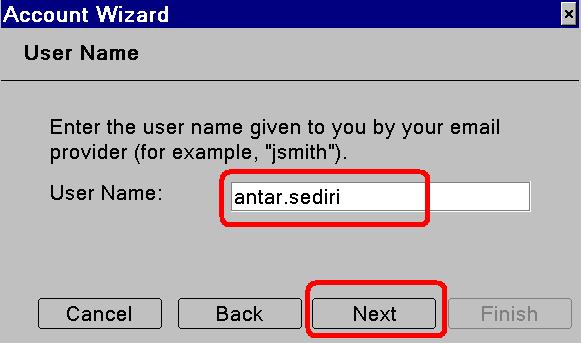
Step 6
  • Enter your User Name
  • Click Next
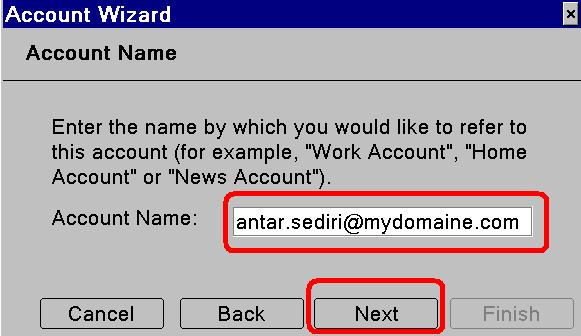
Step 7
  • Enter an account name or leave the default name
  • Click Next
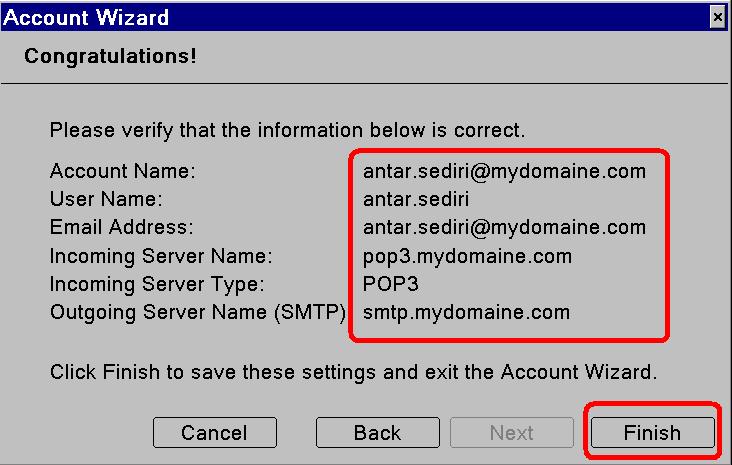
Step 8
  • Verify the information
  • Click Finish
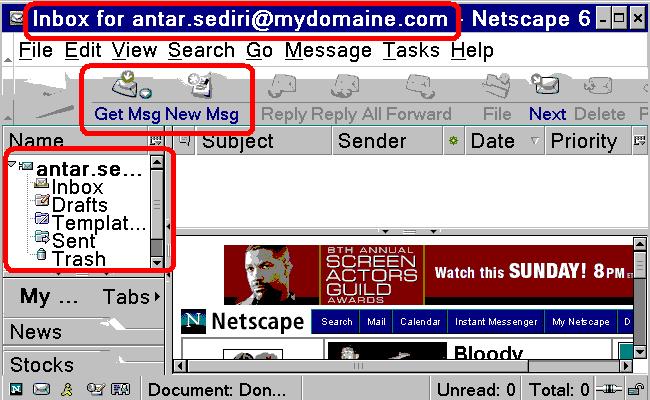
Step 9
  • New account is done
  • Click on get message /new message
  • Verify in the inbox incoming mail

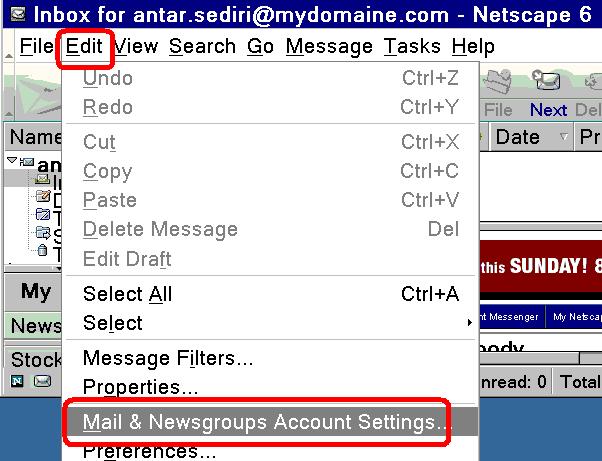
To verify the account settings

Step 10
  • Click on Edit
  • Click on Mail&Newsgroups Account settings
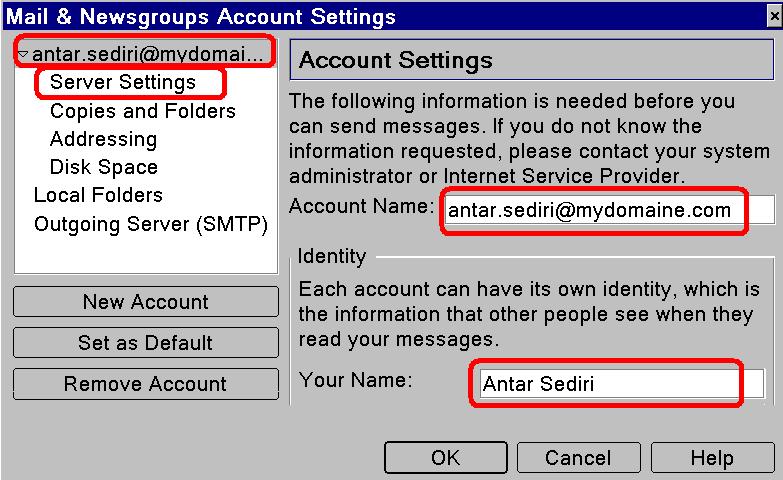
Step 11
  • Account Name and your Name
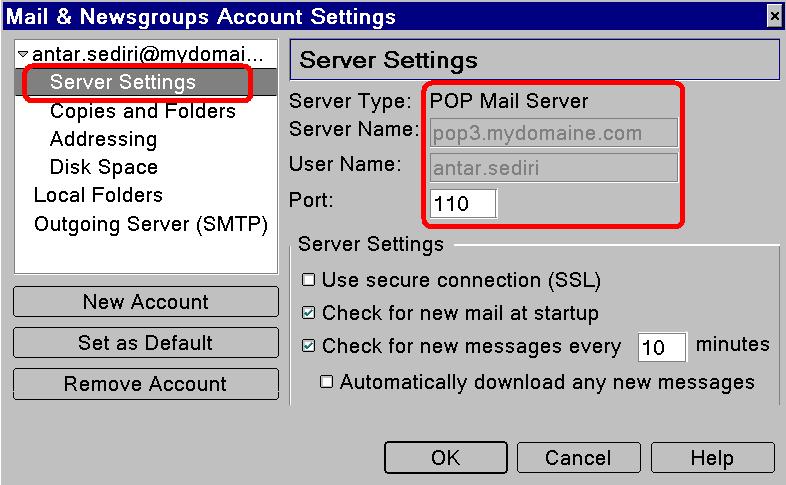
Step 12
  • Click on Server Settings
  • you have to see server name :INCOMING mail server
  • Your username and the port
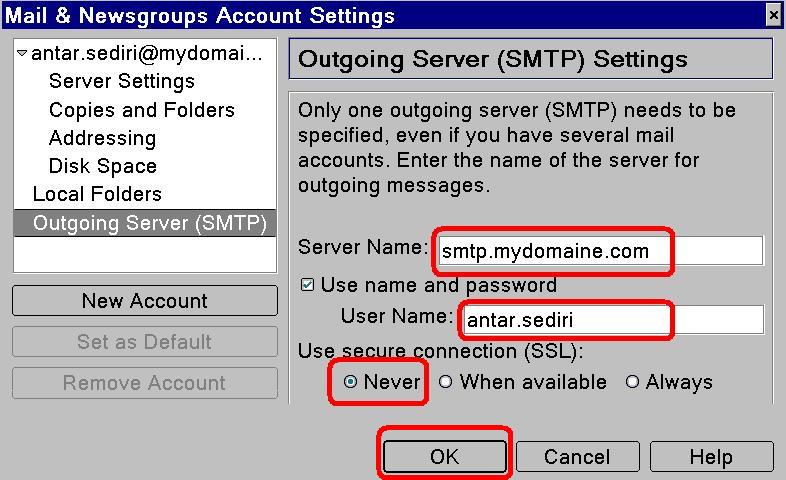
Step 13
  • Click on Outgoing Server(SMTP)
  • You have to see Outgoing mail server(you can change it)
  • Verify Your User name or change it
  • Select Never
  • Click ok IF the account settings are correct
Step 14
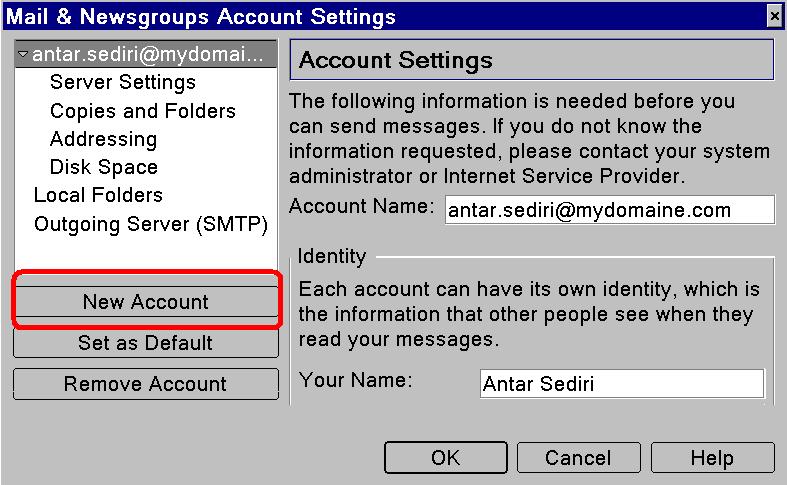
  • Click on New account IF the setting are wrong then that 's better to create new Account
  • and then the wizard start then go back to the Step 2
Hosted by www.Geocities.ws

1