Seawolf Towed Broadband Contacts
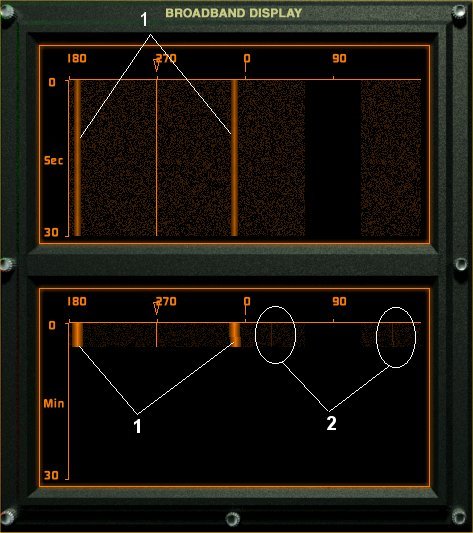 Example A
- In "Example A" you will notice two Towed array Broadband Contacts. Illustrated by the Figures (1) and (2). Contact 2 does not show up on the upper waterfall STA display. This can be a result the ocean enviroment, SSP, distance to contact, speed of contact, ownship platform noise or contacts platform noise. Using ITA (as what is shown Example A) or LTA you can locate quiter, distant contacts.
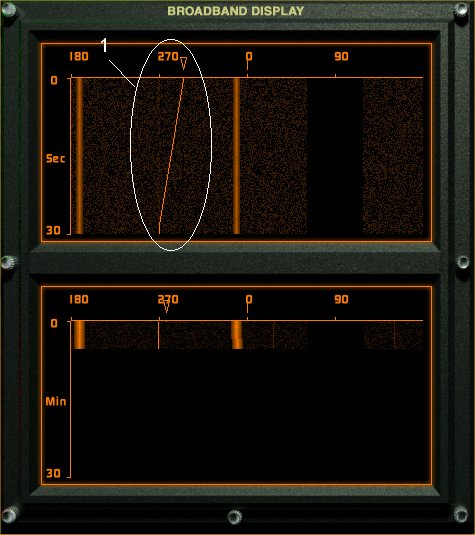 Example B
- Because we are using the towed array, each contact has a mirror image of itself on the waterfall display. To determine which is the true contact and which is the mirror, we need to resolve this ambiguity by changeing are ownships course as shown in "Example B" Figure 1.
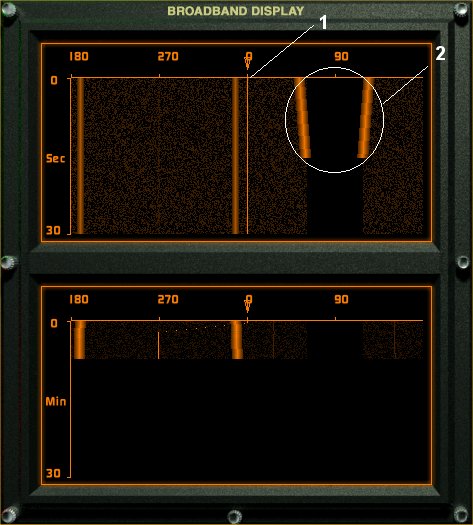 Example C
- In "Example C" Figure 1, you can see that we have completed are turn. Because the towed array is streamed behind our submarine, it will take some time for the towed array to turn onto the new course. Figure 2 shows our ownship leaving the towed arrays blind spot and entering its sensor cone.
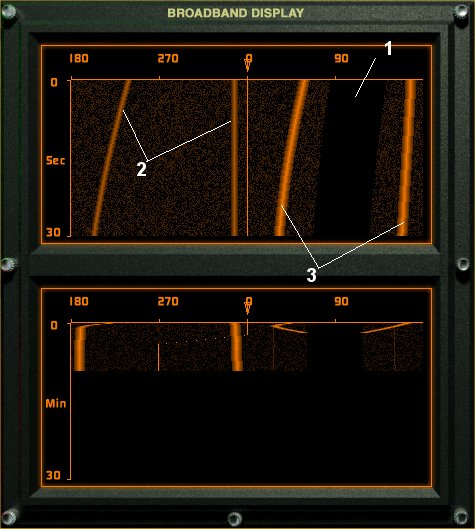 Example D
- In "Example D" figure 1 you can see that towed array has begun to turn onto the new ships course. Figure 2 now shows which is the true contact. Figure 3 is still ownship which will remain till the towed array completes its turn.
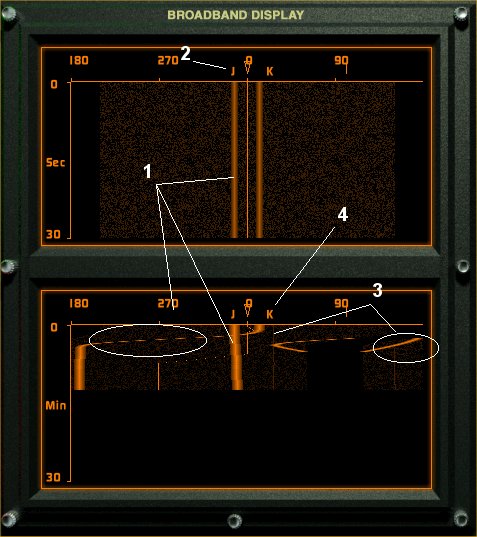 Example E
- In "Example E", we can see that the towed array has completed its turn. The false contacts are now known because the false contacts bearing changed when our sub turned and the true contact remained on the same bearing as shown in Figures 1 and 3. We can now put our cursor over the true contacts and assign a tracker to them. As shown with figures 2 and 4.
Proceed to Narrowband Display and Narrowband Classification.