Seawolf Narrowband Display
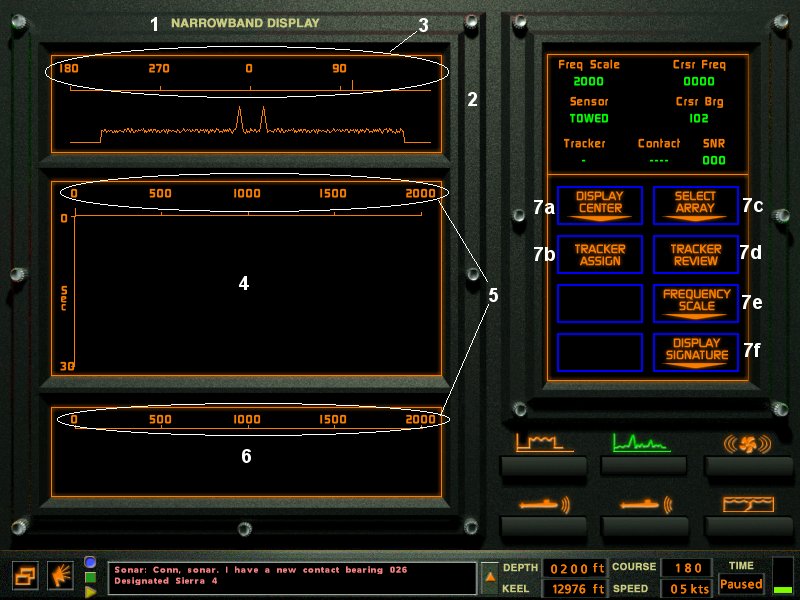
- 1-Station name. Also Auto crew can be turned on/off by clicking here.
- 2-Narrowband Search Display.
- 3-Bearing Indicator. All Bearing's are True, not relative to your sub.
- 4-Narrowband Waterfall Display.
- 5-Frequency Scale.
- 6-Ship Classification Window.
- 7a-Display Center. Changes the waterfall center to North or South.
- 7b-Tracker Assign. Assign's a Tracker to the contact at the location of the cursor.
- 7c-Select Array. Sphere, Hull or Towed arrays can be selected in Narrowband.
- 7d-Tracker Review. Displays contact Information the the data display.
- 7e-Frequency Scale.
- 7f-Display Signature.