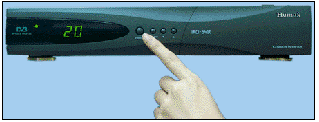
Stop the reciver by pressing STANDBY button on the
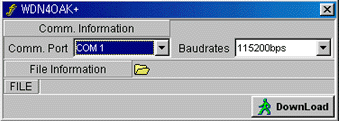
reciver.Start up WDN40AK+, you will now get this picture at your PC:
 Click to select your
Comm.port setting
Click to select your
Comm.port setting
 Click to select your
baudrates
Click to select your
baudrates
 Click to select hdf file for
downloading
Click to select hdf file for
downloading
 Click to start downloading
and press the STANDBY button to make STB operating
Click to start downloading
and press the STANDBY button to make STB operating
The program will now update your firmware to the
version that you have loaded.
Tnx to PiratDK for this instructions