Most digital hexfiles are for card with 24(L)c16/16F84 (goldcard). For programming a goldcard you need a programmer which handles eeprom and pic, and you can use your old goldcard programmer for digital files. Only if your programmer can program eeprom through pic you can do as you always have done, otherwise you have to use a loader and a pic binfile + an ee.hex.
If you need a new programmer for D2MAC or
digital, try the
Voonix Mark III Phoenix, Smartmouse and PIC progger
This fine piece of equipment have three functions: As a pic programmer, a phoenix and as a
smartmouse. Get it from http://www.geronimo.nu/shop/index.html
Software to be used together with Voonix:
One of the best pieces of software to be used together with the Voonix is
Winexplorer.
If you do not have the program download Winexplorer H E R E.
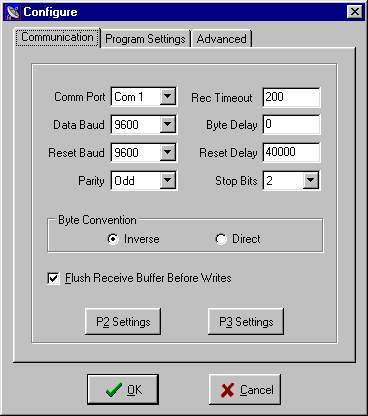
Use the following settings:
|
|
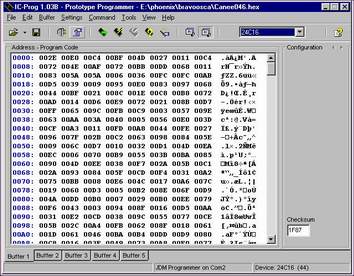
When programming gold cards you need another programm called IC Prog
 |
Programming a gold card
|
|
When programming gold cards we first have
to program the EEPROM, so we have to make the following changes to the setting:
The Switch Down (pic) should be UP
2 and 3 should be closed
Load the eeprom file and select the setting 24C16. Press then: Program All
Next you have to program the pic file.
Make the following changes to your Voonix:
The Switch should be DOWN
and 2 and 3 open.
Select PIC 16F84 and the fuses should be PWRT ON and XT selected. Then Program All
If using the tool as a phoenix
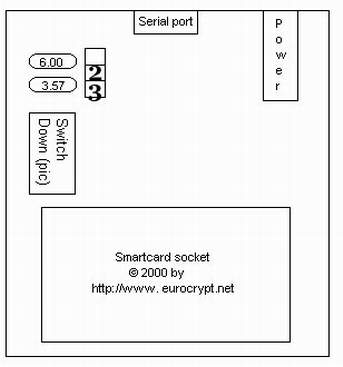 Switch 2 and 3 should be connected. Switch down (pic) should be UP. Power up the tool. Then start up Winexplorer.
We have some samples H E R E |
|
How to make scripts for the phoenix This
explains how to use VB (Visual Basic) inside Winexplorer. |