| Example: Identification of the Quickbird image on the Google Earth around Aranya Prathet | ||
Google Earth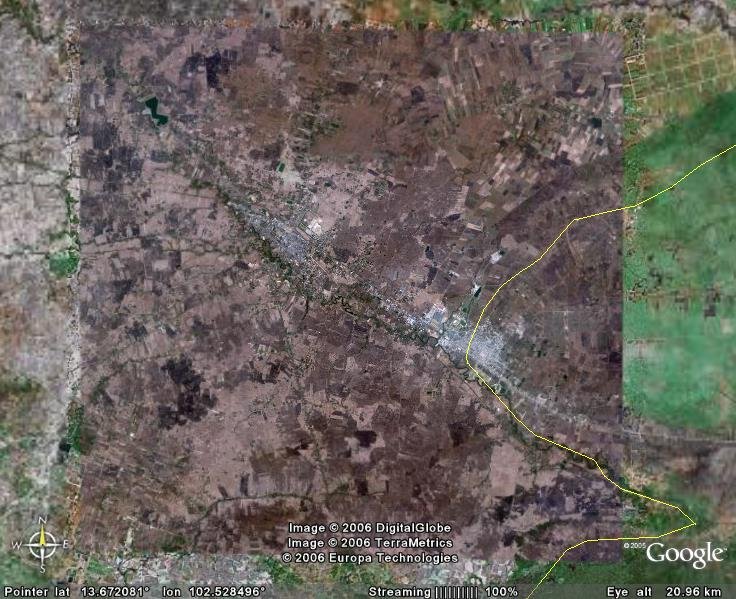 |
Corresponding Quickbird catalog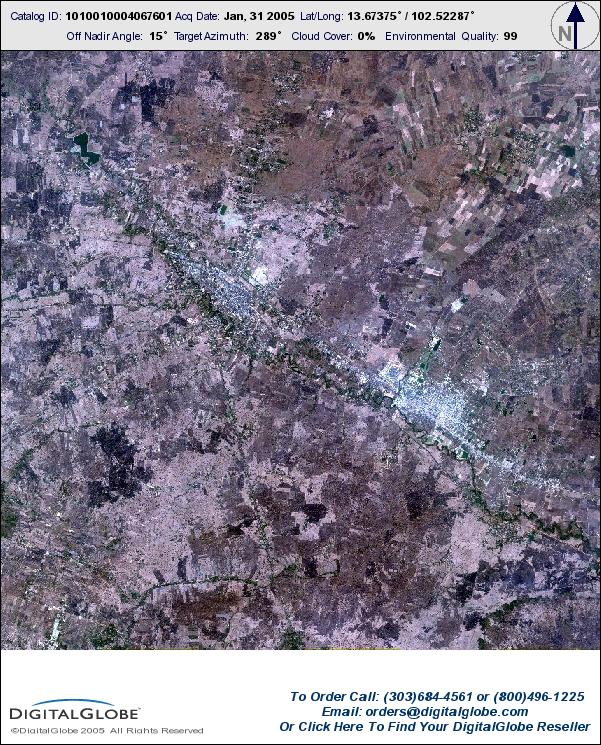 |
|
Satellite Exploration of Thailand > Satellite Image Resources
Much has been written and detailed about Google Earth and, to a lesser extent, Google Maps. Following are a few technical notes for satellite explorers.
1. Both Google Earth and Google Maps use the same satellite image data set. Other than where the high-resolution Quickbird image is available, Landsat image (RGB=321?, Band 8 enhanced) is provided. The Landsat image is mostly composed from freely distributed data set (as available at the ESDI) and not necessarily the newest or the clearest.
2. Adjoining Google Maps images can be stitched pixel-for-pixel to compose a larger image. Google Earth images, on the other hand, are subject to following irregularities:
3. It is possible to identify the acquisition date of a specific image by comparing with corresponding images from other sources. Exercise deduction and observation. The distribution pattern of the cloud is a definitive clue. For Quickbird images, you can browse the Digital Globe Archive Search and compare with their catalog images.
| Example: Identification of the Quickbird image on the Google Earth around Aranya Prathet | ||
|
Google Earth |
Corresponding Quickbird catalog |
|
--
See also Keyhole - the precursor to Google Earth