<!DOCTYPE html>
<html>

<meta charset="UTF-8">
<meta name="viewport" content="width=device-width, initial-scale=1">
<link rel="stylesheet" href="https://www.w3schools.com/w3css/4/w3.css">
<link rel="stylesheet" href="https://fonts.googleapis.com/css?family=Lato">
<link rel="stylesheet" href="https://cdnjs.cloudflare.com/ajax/libs/font-awesome/4.7.0/css/font-awesome.min.css">
<style>
body {font-family: "Lato", sans-serif}
.mySlides {display: none}
</style>
<body>
  
<!-- Navbar -->
<div class="top">
  <div class="w3-bar w3-black w3-card-2">
    <a class="w3-bar-item w3-button w3-padding-large w3-hide-medium w3-hide-large w3-right" href="javascript:void(0)" onclick="myFunction()" title="Toggle Navigation Menu"><i class="fa fa-bars"></i></a>
    <a href="#" class="w3-bar-item w3-button w3-padding-large">HOME</a>
    <a href="http://www.geocities.ws/sarahhostetter/GRA-310/About.html" class="w3-bar-item w3-button w3-padding-large w3-hide-small">ABOUT</a>
    <a href="http://www.geocities.ws/sarahhostetter/GRA-310/Menu.html" class="w3-bar-item w3-button w3-padding-large w3-hide-small">MENU</a>
    <a href="#contact" class="w3-bar-item w3-button w3-padding-large w3-hide-small">CONTACT</a>
    <div class="w3-dropdown-hover w3-hide-small">
      <button class="w3-padding-large w3-button" title="More">MORE <i class="fa fa-caret-down"></i></button>     
      <div class="w3-dropdown-content w3-bar-block w3-card-4">
        <a href="#" class="w3-bar-item w3-button">Location</a>
        <a href="#" class="w3-bar-item w3-button">Reservation</a>
    
      </div>
    </div>
    <a href="javascript:void(0)" class="w3-padding-large w3-hover-red w3-hide-small w3-right"><i class="fa fa-search"></i></a>
  </div>
</div>
  
  <!-- The Restaurant Section -->
  <div class="w3-container w3-content w3-center w3-padding-64" style="max-width:800px" id="band">
    <h2 class="w3-wide">Pasta Amore</h2>
    <p class="w3-opacity"><i>Fresh Classic Cuisine</i></p>
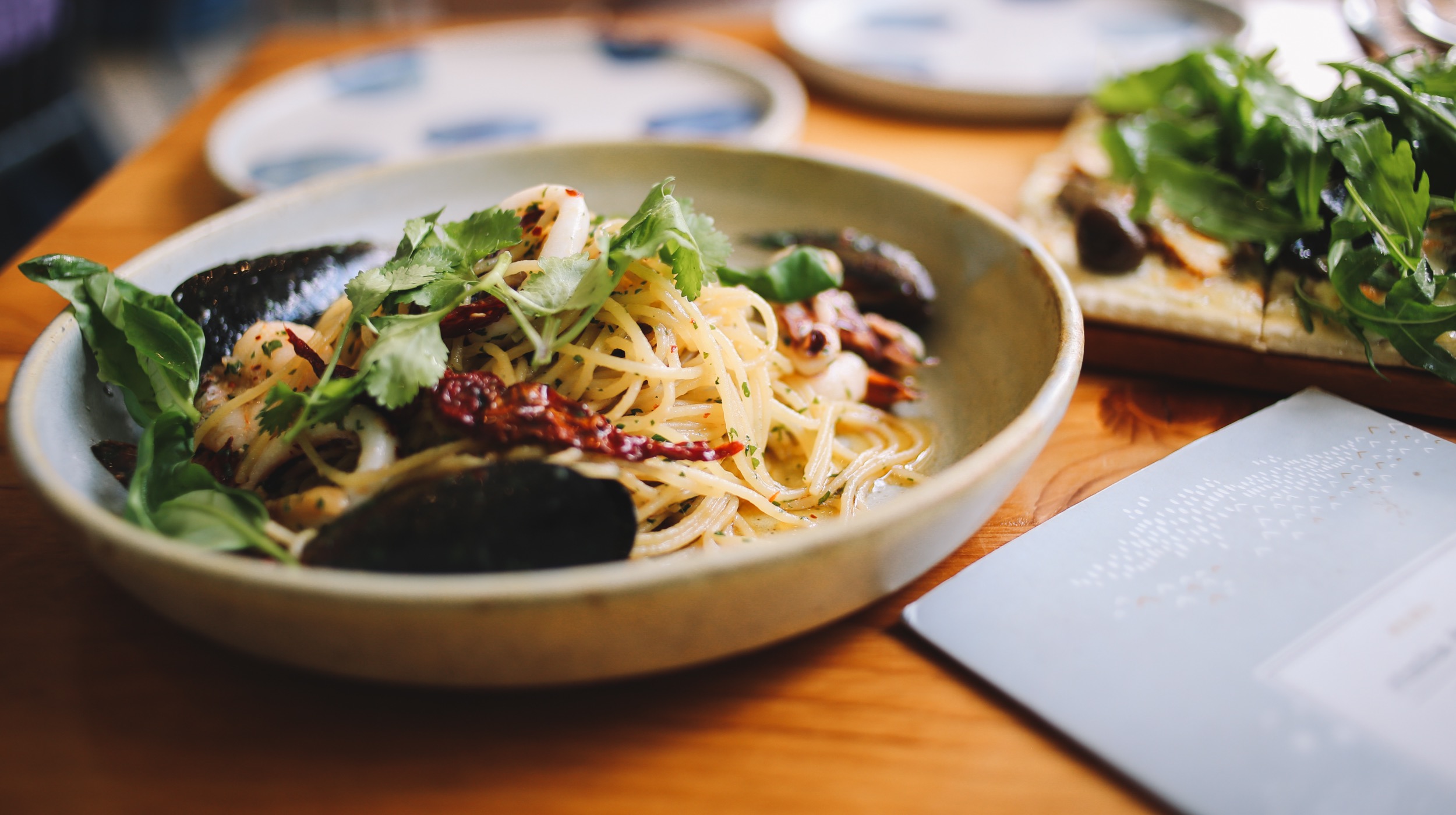
    <p class="w3-justify"> Pasta Amore combines the cooking traditions and ingredients of Italy with creativity, providing a modern twist on timeless classics. Our vision for the future is to grow and learn along with our customers. In doing so, we aim to provide an atmosphere that enables this growth and fuels the passion that lives within the essence of the brand. The approach of Pasta Amore is to develop our brand with the understanding of both our culture and consumer insights. Within our vision always lives the promise of inspiring creativity, conversation and quality.</p>


      <!-- Page content -->
<div class="w3-content" style="max-width:2000px;margin-top:46px">
    
 <!-- Automatic Slideshow Images -->
  <div class="mySlides w3-display-container w3-center">
    <img src="Image/pasta1.jpg" style="width:100%">
    <div class="w3-display-bottommiddle w3-container w3-text-white w3-padding-32 w3-hide-small">
      <h3>Pasta</h3>
      <p><b>Homemade Noodles and Sauce</b></p>   
    </div>
  </div>
  <div class="mySlides w3-display-container w3-center">
    <img src="" style="width:100%">
    <div class="w3-display-bottommiddle w3-container w3-text-white w3-padding-32 w3-hide-small">
      <h3>New York</h3>
      <p><b>The atmosphere in New York is lorem ipsum.</b></p>    
    </div>
  </div>
  <div class="mySlides w3-display-container w3-center">
    <img src="" style="width:100%">
    <div class="w3-display-bottommiddle w3-container w3-text-white w3-padding-32 w3-hide-small">
      <h3>Chicago</h3>
      <p><b>Thank you, Chicago - A night we won't forget.</b></p>    
    </div>
  </div>


  <!-- End Page Content -->
</div>
<!-- Add Google Maps -->
<div id="googleMap" style="height:400px;" class="w3-grayscale-max"></div>
<script>
function myMap() {
  myCenter=new google.maps.LatLng(41.878114, -87.629798);
  var mapOptions= {
    center:myCenter,
    zoom:12, scrollwheel: false, draggable: false,
    mapTypeId:google.maps.MapTypeId.ROADMAP
  };
  var map=new google.maps.Map(document.getElementById("googleMap"),mapOptions);
  google.maps.event.addDomListener(window, 'load', initialize);

  var marker = new google.maps.Marker({
    position: myCenter,
  });
  marker.setMap(map);
}
  function loadScript() {
  var script = document.createElement("script");
  script.src = "http://maps.googleapis.com/maps/api/js?callback=initialize";
  document.body.appendChild(script);
}

window.onload = loadScript;
  </script>
<script src="https://maps.googleapis.com/maps/api/js?key=</script>
AIzaSyCje4CJnlauMITaWeTsmZSagHNJesJkGvA_kDIKU0aU&callback=myMap"></script>


     <!-- The Contact Section -->
  <div class="w3-container w3-content w3-padding-64" style="max-width:800px" id="contact">
    <h2 class="w3-wide w3-center">CONTACT US</h2>
    <p class="w3-opacity w3-center"><i>Reservations</i></p>
    <div class="w3-row w3-padding-32">
      <div class="w3-col m6 w3-large w3-margin-bottom">
        <i class="fa fa-map-marker" style="width:30px"></i> Chicago, US<br>
        <i class="fa fa-phone" style="width:30px"></i> Phone: +00 151515<br>
        <i class="fa fa-envelope" style="width:30px"> </i> Email: mail@mail.com<br>
      </div>
      <div class="w3-col m6">
        <form action="/action_page.php" target="_blank">
          <div class="w3-row-padding" style="margin:0 -16px 8px -16px">
            <div class="w3-half">
              <input class="w3-input w3-border" type="text" placeholder="Name" required name="Name">
            </div>
            <div class="w3-half">
              <input class="w3-input w3-border" type="text" placeholder="Email" required name="Email">
            </div>
          </div>
          <input class="w3-input w3-border" type="text" placeholder="Message" required name="Message">
          <button class="w3-button w3-black w3-section w3-right" type="submit">SEND</button>
        </form>
      </div>
    </div>
  </div>
    
<!-- Footer -->
<footer class="w3-container w3-padding-64 w3-center w3-opacity w3-light-grey w3-xlarge">
  <i class="fa fa-facebook-official w3-hover-opacity"></i>
  <i class="fa fa-instagram w3-hover-opacity"></i>
  <i class="fa fa-snapchat w3-hover-opacity"></i>
  <i class="fa fa-pinterest-p w3-hover-opacity"></i>
  <i class="fa fa-twitter w3-hover-opacity"></i>
  <p class="w3-medium"><a href="https://www.w3schools.com/w3css/default.asp" target="_blank"></a></p>
</footer>