
~SaN~
How to retexture a map
In this tutorial, I will cover "how to retexture a map". This is probably one of the easiest mods to do, if you have the right tools.
The RSB plugin
The first thing you will need is the .rsb plugin off the RS cd. It is located in the plugins folder on your RS cd. The file is called "RSBBitmap.8bi". All you need to do is to copy and paste this file into the plugins folder in your paint program. Which brings us to the 2nd tool you will need. Either Photoshop or paintshop pro. The RSB plugin will work with either of these programs. ( i am partial to Photoshop, cause that is what i use, word up). So in this tutorial i will refer to photshop as PS from here out, but if you use Paintshop pro, you will know what i mean.
Now that you have the RSB plugin pasted into the proper folder, this will allow you to open and edit the rsb files in RS. It will also allow you to save files in the .rsb format. This will allow you to retexture maps, edit skins and so on.
RSB<->BMP Conversion Utility
If you do not have Photoshop or Paintshop pro, it's all good bro, because you can still edit the .rsb files with a program written by Clint Kennedy called the "RSB<->BMP Conversion Utility". This utility will allow you to convert the rsb file into a normal bmp file that you can open and edit in a normal windows paint program. You can obtain this program here.
The first thing you need to do is to open the RS/data/maps folder.
Create a new folder inside of the maps folder, and name it anything you want. (a list of all the RS/UO maps)
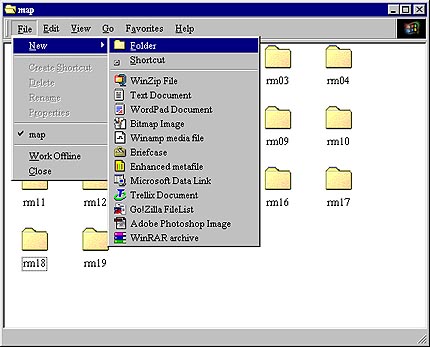
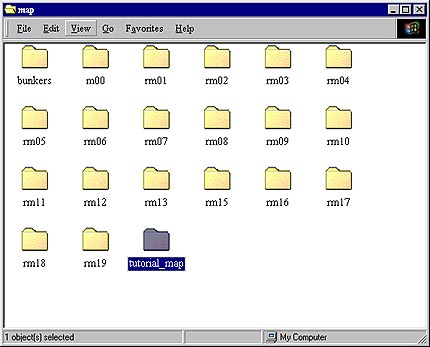
Here you see the new folder i created. i named it "tutorial_map".
Now open the folder of the map you want to retexture ( i am using the bunkers map in this tutorial). Select ALL (ctrl+A) and copy (ctrl+C).
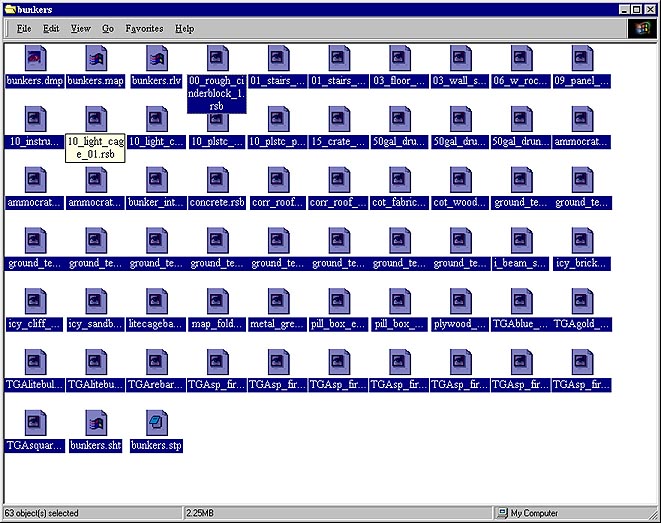
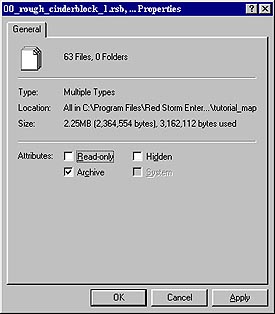
Now open the new folder you created and paste (ctrl+V) into this new folder. With all the files still selected, right click one of them and goto properties.

This window will appear. MAKE SURE that the read-only block in UNCHECKED. This will allow you to edit and save the files you want to. Click apply and close out that window.
Now you are ready to open your paint program and start to edit the rsb files to retexture the map. I won't go into that in this tutorial because you can find tutorials on how to use PS on the net which are far more indepth than i could ever go. I will leave you with some pointers that i find helpful.
Once you have PS open, open all the *.rsb files in the folder you created. (This will allow you to get a feel for all of the files and how many you will have to edit).
When editing the *.rsb file. DO NOT CHANGE THE FILE NAME OR IMAGE SIZE!. if a file is called sand_1.rsb, 128x128 pixels. LEAVE IT LIKE THAT!!! You can make the texture dayglo yellow if you want as long it stays 128x128 pixels ( or whatever the picture size is) and you do not change the file name.

After you have changed all the textures on the map you want, find a file inside your folder you created called "*.stp". This is a very important file you need to edit with a text editor (notepad/wordpad.....) This file tells the game how to treat all the textures on the map. such as... ground_temp_01.bmp SNW . this is telling the game that this texture is snow. So when an operative walks on it, it will leave a footprint and sound like snow. So if you retextured this to look like sand, you would change it from SNW to SND. Just open all of the "*.stp" files and you will see what i am talking about. It adds another level of realism to your map that most people don't bother with when retexturing maps.

So now that you have retextured your map, and edited the stp file... All you have to do is create a single or MP mission for it. when you open the RS editor and choose new mission, just select your new map from the list. NOTE: to play this map online everyone in the game needs to have it also. it is a server/client sided map now. they don't need to have the mission, just the new map folder you created. File genie is a good way to upload your maps so other people can d/l them.
There you have it... If anyone feels i left out anything important let me know. Or if you are still having problems with your maps, e-mail me or catch me on the zone. My zone name is SaN_wunderbread. I will more than happy to HBO (help a brutha out).