Entry for September 8, 2007
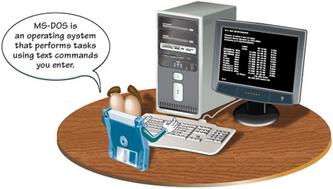
So, for all you Macin-toshers, I'll put some damn near irrelevant stuff up so you can get a 100percent grip on DOS. Alright? Damnit ! (Pretend it's Patrick Stewart speaking) These software rivalries are over, undertand!? There's no more US vs THEM anymore! Feel free to use Windows as if it was system 6 or 7 for all I care! No! We will not close the door on misunderstood code or file systems! This work is relevant to the Federation and as such MUST be embraced by every jerry-monker coder in the galaxy, understood? So, ...make it so!
MS-DOS
MS-DOS stands for Microsoft Disk Operating System.
Commands
The command prompt (C:\>) tells you that MS-DOS is ready to accept a command. You enter a command to perform a task or start a program. A single command can usually tell the computer what you want to accomplish. For example, the DATE command tells the computer to display the current date. The cursor, which appears as a flashing line on the screen, indicates where the text you type will appear.
File Names
When you store a file on a computer, you must give the file a name. An MS-DOS file name consists of a name and an extension separated by a period and cannot contain any spaces. The name describes the contents of the file and can have up to eight characters. The extension identifies the type of file and consists of three characters.
File Organization
Like folders in a filing cabinet, MS-DOS uses directories to organize the data stored on a computer.
The root directory (C:\) is the main directory. All other directories are located within this directory.
A path describes the location of a file.
The path for this file is C:\letters\personal\john.let
_________________________________________________
n Windows 3.1, you use a mouse to navigate the screen and choose icons to perform tasks. An icon is a small picture on the screen that represents an item on the computer. A program icon allows you to start a program, such as a word processor. A group icon contains similar program icons. For example, the Games group icon contains several games.
Windows
Windows 3.1 uses windows, or small rectangles, to display icons on the screen. For example, the Accessories window displays all the icons for the available accessory applications, such as a calendar and a calculator. Each window has a title bar that displays the name of the window.
File Management
Windows 3.1's File Manager allows you to view and organize all the files stored on your computer. Windows 3.1 uses directories to organize information, just as you would use folders to organize papers in a filing cab
______________________________________________
na na na na na...na TOLD YOU SO...
________________________________________________
Windows 95, 98 and Me
Windows 95, Windows 98 and Windows Me, also known as the Windows 9x operating systems, all have a similar look and feel.
[View full size image]
Windows 95
Windows 95 is the successor to Windows 3.1.
Desktop and Taskbar
Windows 95 introduced an enhanced desktop, which is the background area of the screen. You can save files and folders on the desktop or place shortcuts on the desktop for easy access. A shortcut provides a quick way to open a document or program you use regularly.
Windows 95 also provides a taskbar at the bottom of the desktop. The taskbar contains the Start button, which lets you quickly access programs and documents, and displays the name of each open window on the screen.
Network Capabilities
Windows 95 includes built-in networking capabilities, such as Network Neighborhood, which allows you to view the folders and files available on your network.
Windows 98
Windows 98 is the successor to Windows 95. There are two versions of Windows 98. Windows 98 SE (Second Edition) includes many enhancements and updates to the original version of Windows 98.
Internet Capabilities
Windows 98 includes several programs that allow you to view and exchange information on the Internet, including Internet Explorer and Outlook Express. Internet Explorer lets you browse through information on the Web, while Outlook Express lets you exchange electronic mail with people around the world.
FAT32
FAT32 is a file system that better manages data on large hard drives to reduce wasted space. Windows 98 can convert your hard drive to FAT32 without disrupting the programs and documents currently on your computer.
Windows Me
Windows Me is the successor to Windows 98.
Windows Me stands for Windows Millennium Edition.
Multimedia Capabilities
Windows Me allows you to record, edit and save videos on your computer using Windows Movie Maker. Windows Me also includes a version of Windows Media Player, which helps you manage your multimedia files and allows you to listen to radio stations over the Internet.
Restore Your Computer
If you are experiencing problems with your computer, Windows Me includes a System Restore feature which allows you to return your computer to a time before the problems occurred. For example, if you have accidentally deleted program files, you can restore your computer to a time before you deleted the files.
___________________________________________________________
EASY AS CHOCOLATE PIE...
_________________________________________________________
Operating Systems > Windows NT
Windows NT
Windows NT is available in two main versions.
Workstation
Windows NT Workstation is a version of the Windows NT operating system that is used on client/server and some peer-to-peer networks.
Many powerful applications are designed specifically to run on Windows NT Workstation.
Server
Windows NT Server is a version of the Windows NT operating system that is used on client/server networks. Windows NT Server is designed to support the heavy processing demands of a network server.
The client computers on a network running Windows NT Server can use a variety of operating systems, such as Linux, Windows XP and Mac OS X
__________________________________________________________
SEE? SEE? SEE? SSISISISISISISIISISIIIIIIIIIIIIIISSSSSSSSSSSSSSSSII
_________________________________________________________
indows XP
Windows XP has a newly designed desktop and is more stable and reliable than previous versions of the Windows operating system.
Windows XP Features
Multimedia Capabilities
Windows XP allows you to play music and watch DVDs on your computer as well as copy songs to a recordable CD. You can also transfer your home movies to your computer so you can organize and edit the movies before sharing them with your friends and family.
Computer Sharing
If you share your computer with other people, you can create user accounts to keep the personal files and settings for each person separate. You can also choose to keep your programs and files open while another person uses the computer. This allows you to return quickly to your programs and files after the other person finishes using the computer.
Remote Assistance
Windows XP's Remote Assistance feature allows you to ask a friend who is online at another computer to view your computer screen and chat with you to help you solve a computer problem. With your permission, the other person can even control your computer to help you fix the problem.
Popular Windows XP Versions
There are several versions of Windows XP available, including Home Edition, Professional Edition and Media Center Edition.
Windows XP Home Edition
Windows XP Home Edition is the successor to Windows Me and is marketed toward home users. The Home Edition includes advanced digital media features that allow you to work with digital music, photos and movies.
Windows XP Professional Edition
Windows XP Professional Edition is the successor to Windows 2000 and is ideal for business use. The Professional Edition has the same look and feel as the Home Edition, but provides more advanced features and is more reliable. The Professional Edition offers more security and privacy options than Windows XP Home Edition.
Windows XP Media Center Edition
Windows XP Media Center Edition is ideal for home entertainment use, including features that allow you to record television programs, play DVDs and organize and listen to music. This edition of Windows XP is only available with the purchase of a Media Center computer, which is specially designed for home entertainment use and includes a keyboard and a remote control.
The Future of Windows
Within the next few years, Microsoft will be launching the next version of the Windows operating system. The next version will be a 64-bit operating system, which makes it up to twice as fast as today's operating systems, most of which are 32-bit. Other upgrades to the new operating system will include improved security features and more efficient ways of saving and finding files on your computer.
_____________________________________________________________
VVVVVVVVVVVVIIIIIIIIIIIISSSSSSSSSSSTTTTTTTTTTTTTTTAAAAAAAAA
__________________________________________________
NEXT TIME..