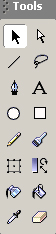
Knowing the interface is probably the first thing you will want to learn, but what good will it do if you only know the name of those windows and not what they do? You will be wanting to use the tools, view, colors, options, and the stage. Let's start by minimizing any unnessary windows for now.
Tools|View|Colors|Options|Task
These are the tools that are used to draw with. Below are shortcuts to the descriptions of each tool.
| Tool | | Bar |
| Arrow | Subselect | |
| Line | Lasso | |
| Pen | Text | |
| Oval | Rectangle | |
| Pencil | Brush | |
| Scale | Transform Fill | |
| Ink Bottle | Paint Bucket | |
| Dropper | Eraser |
 Arrow Tool
 Subselect Tool
 Line Tool
 Lasso Tool
 Pen Tool
 Text Tool
 Oval Tool
 Rectangle Tool
 Pencil Tool
 Brush Tool
 Scale Tool
 Transform Fill Tool
 Ink Bottle Tool
 Paint Bucket Tool
 Dropper Tool
 Eraser Tool
There are only two tools under view, hand and zoom. The hand tool changes the view of the stage by moving it. The zoom tool zooms in or out of the stage.
There are two colors to use at one time. The stroke color and the fill color. To change a color, click on the box with the color you with to change. There are three buttons to help change colors, which are default, no color, and swap colors.
Many of the tools have different options when you select them. When you click on a tool, check the options to see how you can use the tool. If you aren't sure what an icon represents, put your mouse pointer over it and read the tip that shows up.
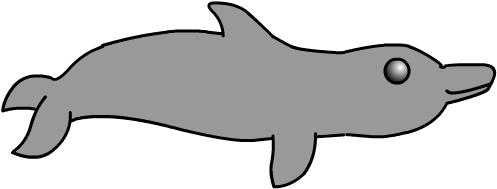
Use any of the tools you want to draw a dolphin.
"Flash For Beginners" was created by Rachel Bliss for the purpose of course design
and shall not be redistributed/edited without consent.
Flash is a product of Macromedia.