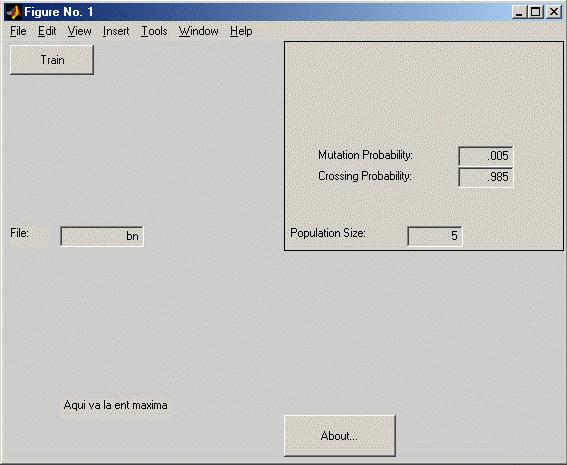
This document explains how to use AGBN and its features. This user manual should be complete enough to allow different tests and extensions to the tool.
To start using AGBN, first install BNT and decompress the files of agnb.zip into a folder. Then, start Matlab and set the path to the folder where the files were placed. After that, simply type
agbn
in the command line. This will bring out a window where you can set the parameters for the Genetic Algorithm.
The parameters are preconfigured to run over a sample BN, so you may just press the Train button to run the GA. You can see the progress on the lower part of the window, where two number separated by a "-" appear. The first number shows the number of generations created so far, the second the expected entropy of the best individual in the last generation.
The program will work for 100 generations. After it finishes, new buttons will appear on the window, allowing you to Continue training, Show the best individual found, or Graph the progress in the expected entropy through the generations.
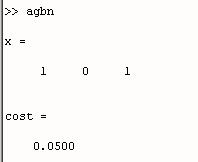
If you press the Show button, then the best individual will be shown on the Matlab console, along with the cost of making such observations. In the case shown before, it means that the first and third nodes representing the possible observations on the BN, according to the used ancestral numbering, should be tested; and its associated cost is 0.05
Try pressing the other buttons, or changing the training parameters to find out how they work.
NOTE: In version 1.0, population size must be an odd number; otherwise, an error will appear while trying to run the tool. I will try to fix this in a future release.
AGBN takes all the information regarding the Bayesian Network to be used and the parameters needed for the optimization - like the costs vector or the nodes over which the inference will be made - from the file whose name appears on the File edit-box.
The standard example uses a script named bn.m, which is placed in the same folder as the rest of the files. This script exemplifies all the elements that must be defined for the tool to work.