
Check out some of my dolls for other ground ideas.


|
|
|
|
|
|
|
|
|
|
|
|
|
|
|
|
|
|
|
|
|
|
|
|
| We are going to add some grass to a doll so that she is not standing out in the middle of space hehe. | |||||||||||||||||||||||
|
|||||||||||||||||||||||
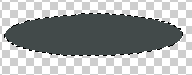
| Using your shape tool make a longated circle..oval..or whatever shape you like. Select it with your magic wand or lock the transpacency of the layer. | |||||||||||||||||||||||
|
|||||||||||||||||||||||
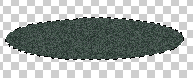
| Let's add some noise. I added 10%. It looks pretty flat but as you add your doll and other props you shade around them giving the ground more texture and depth. | |||||||||||||||||||||||
|
|||||||||||||||||||||||
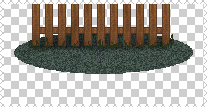
| Here I have added a fence. I select a very dark color from the color palette I am using and with my paintbrush setting on darken 40% I add shadows behind the fence and right accross the front. You can also add stray blades of grass. | |||||||||||||||||||||||
|
|||||||||||||||||||||||
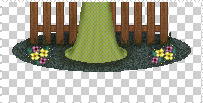
| Now I have added the doll and some flowers. Using the same method as above shade around the doll and under and around the flowers. Stay close to them and follow their outline. |
|||||||||||||||||||||||
| Now that beautiful doll you have made is not haning out in the middle of space anymore. Check out some of my dolls for other ground ideas. |
|||||||||||||||||||||||
|
|||||||||||||||||||||||
|
|||||||||||||||||||||||