 |
|
|
|
|
|
|
|
|
|
|
|
|
|
|
|
|
|
|
|
|
|
|
|
|
|
|
|
|
|
|
|
|
|
|
|
|
|
|
|
|
|
|
|
|
|
Dress Tutorial
base by ILCK
|
|
|
|
 |
|
|
|
Palette by Xandorra |
|
|
|
 |
|
|
|
Palette by Watermelon Bubblegum |
|
|
|
This style of shading combines both pixel and tool. Pixel to get the dress shadows and highlights in and the tool to smooth it out. |
|
|
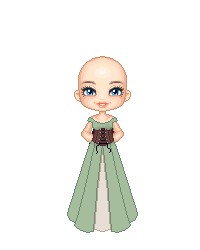
You might want to copy these into your paint program and zoom in on them to get a better view. |
|
|
|
|
|
|
 |
|
|
 |
|
|
|
|
|
|
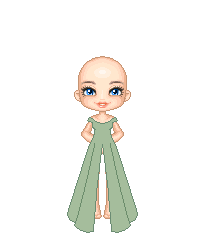
I am adding a corset to the dress.Put it on a seperate layer. I do this now before I trart to shade so I will know how high to draw the creases in the dress. Choose a palette that you like.
You can leave it like this or use the smudge brush to soften it.
The inner part of the dress is also on it's on layer. |
|
|
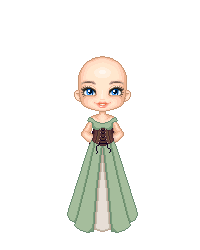
Basic Dress outline
Outline in darkest(1st) color. Fill with 4th color. |
|
|
|
|
|
|
 |
|
|
|
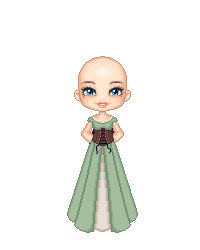
To save time I am showing all of the pixel shading in one picture here for both the green and tan areas. But you will want to do each layer seperatly. |
|
|
|
|
|
Using the second color in your palette srat adding the shadows as shown. |
|
|
|
|
|
 |
|
|
|
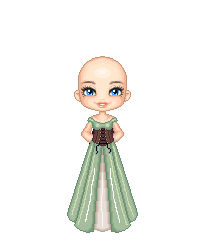
Using the 3rd color add some more shadows.This time to the outer parts of the dress too. |
|
|
|
|
|
 |
|
|
|
Using the last and lightest color in your palette make some hightlights. I used white for the hightlights down the very front of the dress..in both the green and sections |
|
|
|
|
|
Save your doll at this point so you can go back to it if you mess up the smudging |
|
|
|
Make sure to lock all your layers transparency before you start to smudge or you will have a mess and alot of stray pixels. |
|
|
|
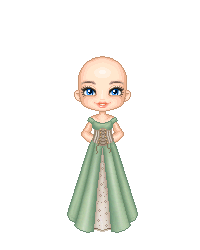
What settings you use on your smudge brush might depend on your program. I am using PhotoPlus and set mine to
20% opacity
Brush set to 9 or 13 round. Smaller size for the smaller folds and the bigger size for the bigger fold areas. |
|
|
|
 |
|
|
|
Take your time and go slow. Follow the shadows you created and the dress outline. If you are not getting the look you want or it is looking to smudged either undo or open up the saved doll. |
|
|
|
|
|
Now you can add patterns and details. I do this on a sperate layer just in case I don't like it.I can delete the layer and start over. I also lightened the corset.
Now she just needs some hair and jewelry and she is all set! |
|
|
|
|
|
 |
|
|
|
 |
|