|
 |
 |
|
|
|
| 4Daily's Manual | |||||||||||||||||||||||||||||||||||||||||||||||||
|
|||||||||||||||||||||||||||||||||||||||||||||||||
How to create a 4Daily account |
|||||||||||||||||||||||||||||||||||||||||||||||||
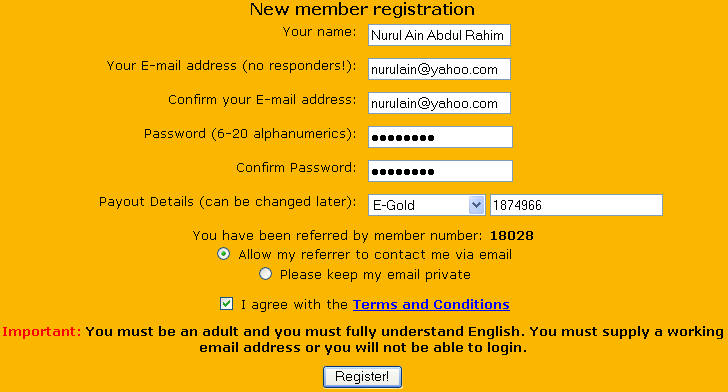
Step 1 : Click here to register a new account. Step 2 : Click on Signup. You will see a form like below. Please fill in the form.
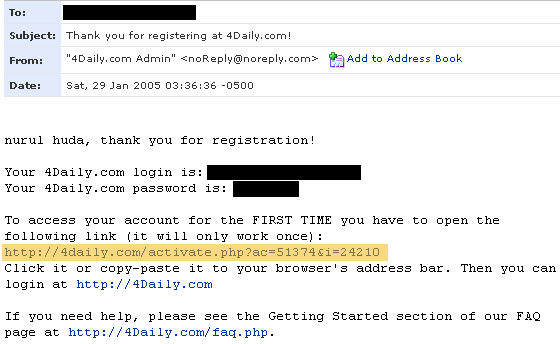
Step 3 : You will receive a confirmation e-mail from 4Daily just like below. You must click on the link to activate your account.
|
|||||||||||||||||||||||||||||||||||||||||||||||||
How to do the autosurfing |
|||||||||||||||||||||||||||||||||||||||||||||||||
Step 1 : Login your 4Daily account. Step 2 : Click on the Start Surfing link at the top of the page. Step 3 : You will get to a page like below. You must surf 40 sites daily to get 4% from your member level. When you have surfed 40 sites, click on Return to Account to stop surfing. You can surf up to 80 sites(maximum) to receive credits.
|
|||||||||||||||||||||||||||||||||||||||||||||||||
How do i earn cash from this autosurf program |
|||||||||||||||||||||||||||||||||||||||||||||||||
You earn cash from... A - 4% of member level View at least 40 sites every day for 50 days and watch your Cash Balance grow. You will earn a little less if you miss any days, but there is no other penalty.
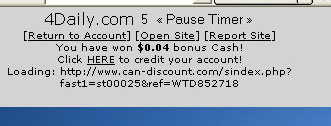
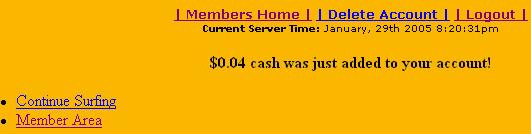
B - bonus cash while surfing While you surf, you will notice that bonus cash appears randomly just like below. You must click HERE to claim the bonus cash.
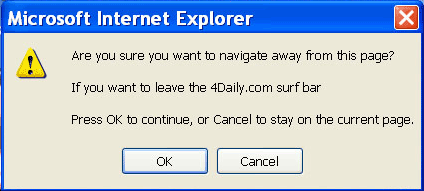
A pop-up will appear just like below. Just click OK.
You will get to a page like below. Click Continue Surfing to continue.
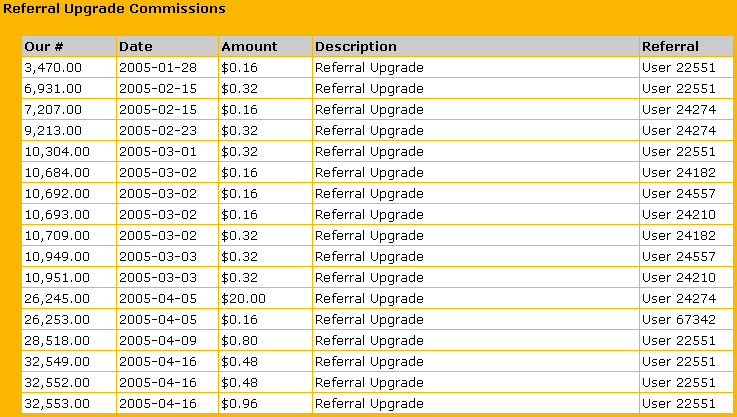
C - commision from referrals You can check how much you earn from your referrals on the Referral link.
|
|||||||||||||||||||||||||||||||||||||||||||||||||
How to check how much i earn so far in this program |
|||||||||||||||||||||||||||||||||||||||||||||||||
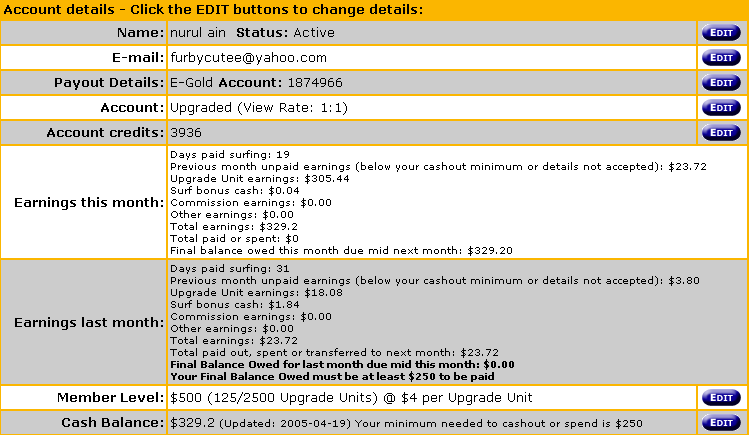
Click on Members Home link and look at the Cash Balance.
|
|||||||||||||||||||||||||||||||||||||||||||||||||
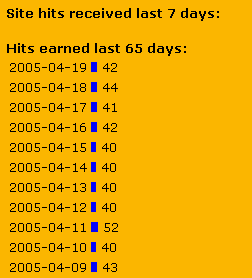
| I'm not sure whether i surfed yesterday. What should i do? | |||||||||||||||||||||||||||||||||||||||||||||||||
|
|||||||||||||||||||||||||||||||||||||||||||||||||
| How do i upgrade my account? | |||||||||||||||||||||||||||||||||||||||||||||||||
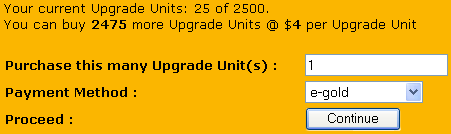
A - using e-gold(your own money) You can upgrade anytime using e-gold. Let's say you want to upgrade 1 unit or $4. Step 1 : Click on Upgrade/Buy link. Please fill in the form just like below.
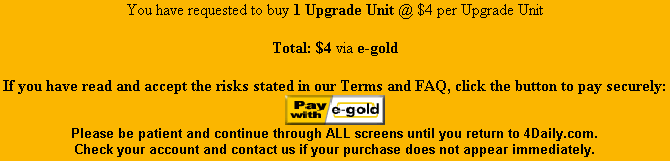
Step 2 : Click on Continue and you will get to a page like below.
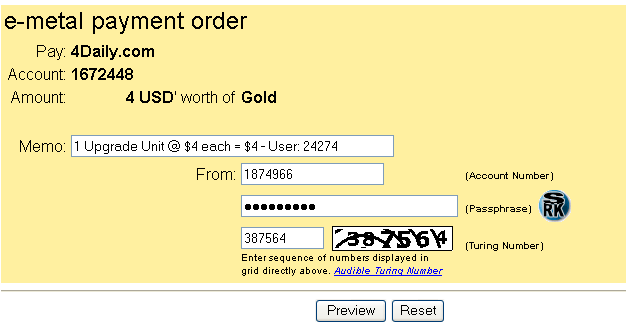
Step 3 : Click the Pay with e-gold button to continue. You will get to a payment order form like below. Fill in your account number, passphrase/password and the turing number. Click Preview to continue.
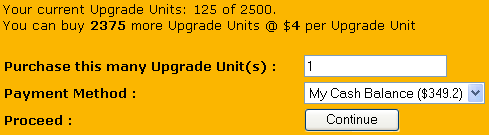
Step 4 : Click Confirm to proceed. B - using cash balance(money you earn from 4Daily) You can upgrade only if your cash balance is at least half your member level and more than $8. On the Upgrade/Buy page, it will state whether you meet the criteria to upgrade using your cash balance or not.
Step 1 : Let's say you want to upgrade 1 unit or $4. Click on Upgrade/Buy link. Please fill in the form just like below.
Step 2 : Click on Continue and you're done.
|
|||||||||||||||||||||||||||||||||||||||||||||||||
| What happen after my upgrade expired | |||||||||||||||||||||||||||||||||||||||||||||||||
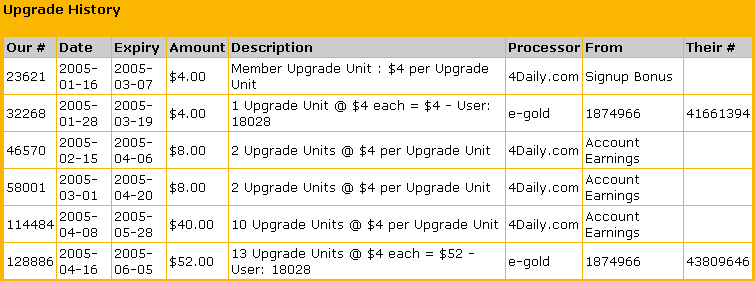
Every upgrade units will expire after 50 days(no matter how), even your free signup bonus $4. When you upgrade your account, your member level increase, when your upgrade expires, your member level decrease. For a better example, take a look at this spreadsheet(excel).
|
|||||||||||||||||||||||||||||||||||||||||||||||||
| When can i receive the payment? | |||||||||||||||||||||||||||||||||||||||||||||||||
Read the Terms & FAQ. You will receive payment automatically on every 15th of each month if you meet the criteria. Criteria : 1. Payout details on your account is valid. Let's look at these two examples.
$49.60 + $ 30.40 = $80.00
$17.60 + $62.40 + $17.60 = $80.00
|
|||||||||||||||||||||||||||||||||||||||||||||||||
| How do i refer people to join | |||||||||||||||||||||||||||||||||||||||||||||||||
Click on Referrals. Give your referral URL to your friends who want to join so that you will get commisions from them.
|
|||||||||||||||||||||||||||||||||||||||||||||||||
|
|||||||||||||||||||||||||||||||||||||||||||||||||