
|
|
|
|
|
|
|
|
VB6 Tomb Raider Level Analysing and Editing Programs I have to abandon any efforts at programming for TombRaider for I cannot keep trying to liberate Lara.
I had decided I could help free Lara. You can still download my humble efforts at making us more able to give her the environment she needed to be free herself and by this agent, make us a little more free ourselves, to wit: LevelAnalyser and TextureAssign. Luckily, a groud swell movement picked up and ran farther than I ever could as age and endurance were for them. The public now have a collection of tools to really free her. Plus the release by Eidos of the LevelEditor helped immensely.
But something strange happened. In my efforts to open the bottle in which that butterfly was caugth, and so taken up in my effort to open it, I had not given any thoughts to what would happen after she was freed. Confronted with the fait-accompli, I sat down and watched as, its bottle opened, the butterfly just did not take fligth. Then it hit me.
I have to abandon any efforts at programming for TombRaider for I cannot keep trying to liberate Lara.
You see, for me, she died that day in Egypt.
And the most fitting epitaph is still that Time level where at the end she walks up into the light and disappears, a tomb raider to the very end.
All that is left now is some user-animated polygonal screen manikin that jumps and runs around in singular, stand-alone "levels", picking up "secrets" and "keys" without rhymes or for any other reasons than to open some doors to yet another corridor or room and on to the next door....
Lara died that day in Egypt and I felt an emptyness. Emptyness created by the final disappearance of something that filled a need I never knew I had, a need for safe, intellectual adventuring. You could say Lara lived adventurously where I could or would not dare.
On her I projected my need for escape and had her staring back at me with my own eyes, twinkling, reflecting a facet previously hidden by some trick of light that was defeated by that presence on screen.
Then as time passed, an emptyness that resulted from the manipulation of Eidos for marketing purpose of that animated pixelated lady.
Lara had a big effect on my life, in quality if not in quantity as it colored eerything in it. Now is the time to let her go.
Goodbye, Lara. Fare thee well, in whatever dimensions you now roam.
For a time, you will still find here all the tools I have made to analyse, edit and (later) build new level so She could roam in a wider world made just for Her.
I have also included the Rosetta, that document without which no editing would be possible.
I've included all the notes refering to that document that I had to draw up in order to understand exactly what I was dealing with.To anybody who ask, I will send the source code.
Any bug or comments can be sent to me: put the word "BRAID" as the first word in the subject.
|
|
|
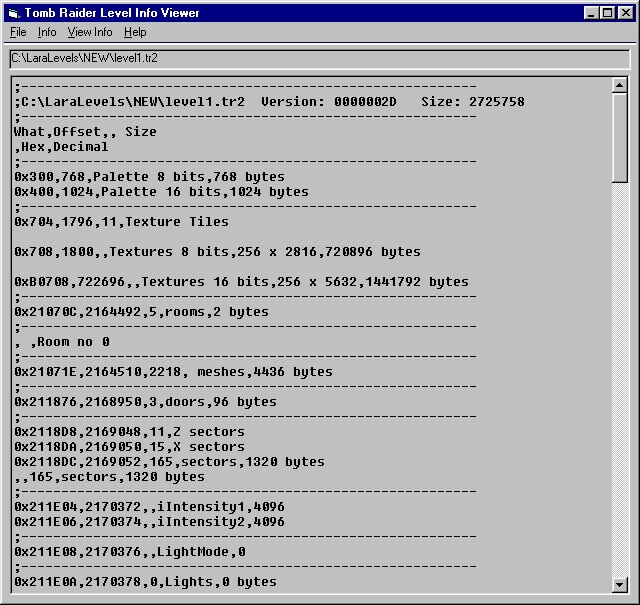
This VB program will open any Tomb Raider 2 or 3 level file and output its content to a screen report. The level of detail that this report will list can be set in the menus. All texture tiles can be extracted (a long process) to a collection of bitmaps. The report itself can be saved to a CSV (comma separated value) file that makes it human readable. It can also be opened by any text utilities, by MS Excel and can be manipulated by the code routines used to deal with BINARY type files or SEQUENTIAL, variable lenght record files. I found it invaluable in making my TextureAssign program since I could read the exact values stored in the level file. |
|
 Install Zip
|
|
|
|
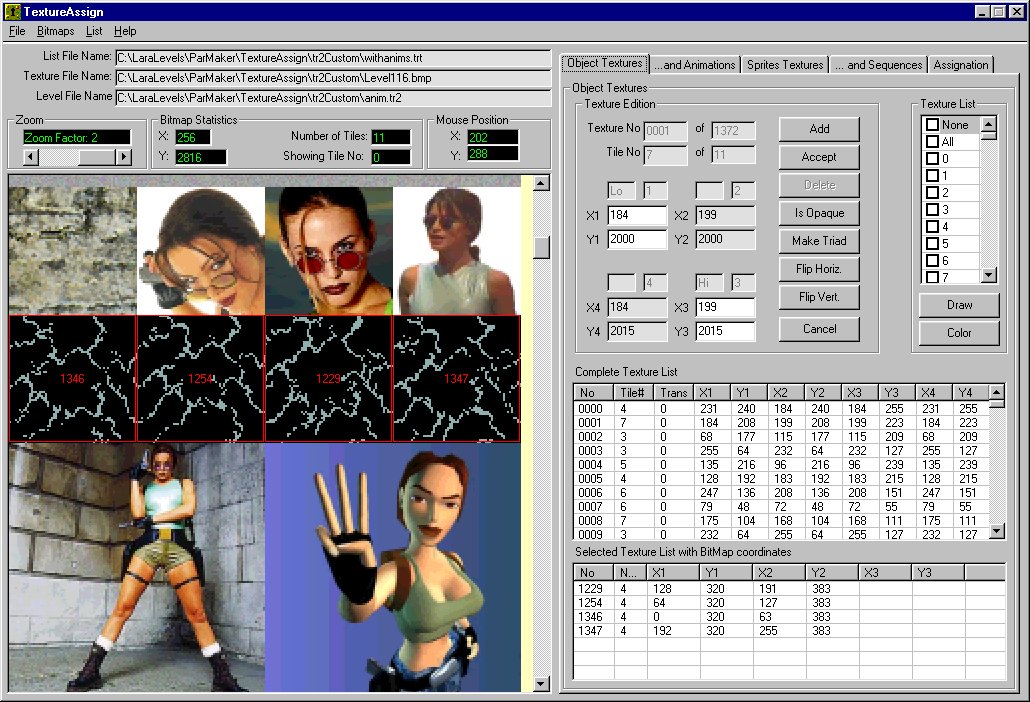
This VB program will open any Tomb Raider 2 or 3 level and list the content of all object textures, animated textures, sprite textures and sprite sequences (animation). It will permit the following edition: adding a new texture, editing or deleting an existing one; adding, editing or deleting any texture animation; adding, editing or deleting any sprite texture (please, prettyplease, read the HelpFile on this); and finally adding, editing or deleting any sprite sequence (please, PLEASE, READ the HelpFile, OK ?). Partial work can be saved to a special list file which structure follows exactly the internal structure of the TR objects being edited. This list file can be later inserted in the selected level to make a new, immediately playable, level file. The fileformat is completely described in an included text file. |
|
|
Install Zip
|
|
|
|
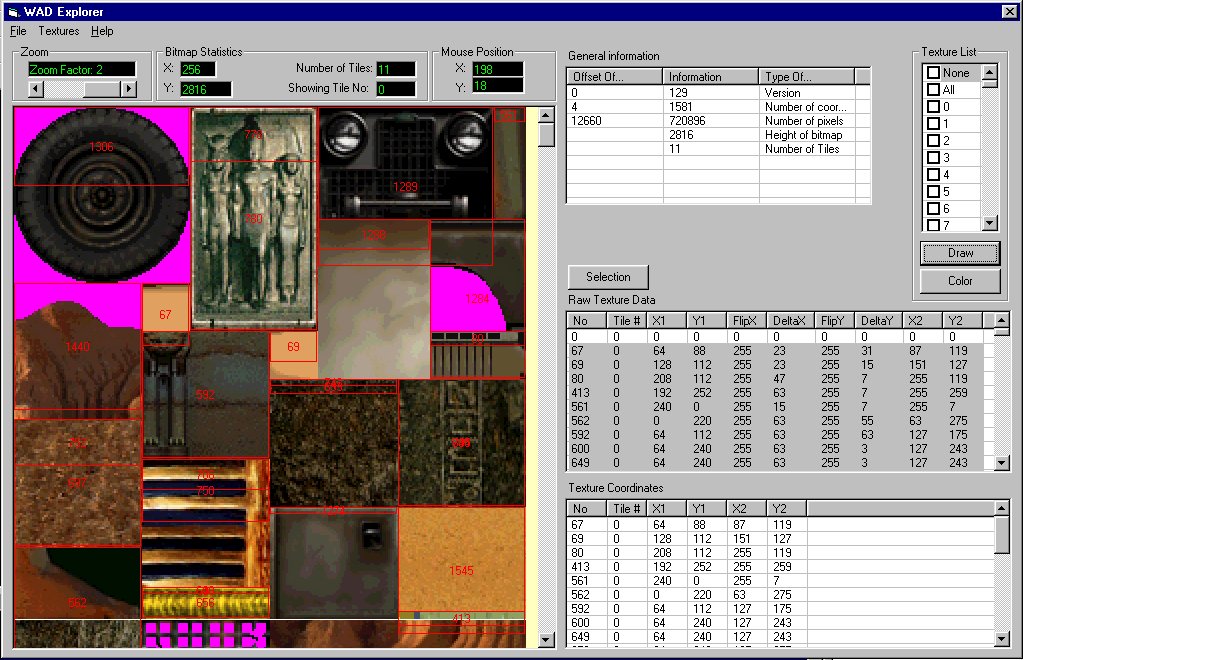
This VB program will open Tomb Raider 4 Level Editor WAD files and will, at this stage, list the object texture coordinates. It will also draw those texture on the bitmap extracted from that WAD. Update, 2001/02/04 The WADinfo can now edit WAD object texture coordinates, save the changes correctly and will make an immediatly useable WAD file. In short, move textures around! Tutorial included! However, please make back-ups :-) |
|
|
Install 1,
Install 2,
Install 3
|
|
|
|
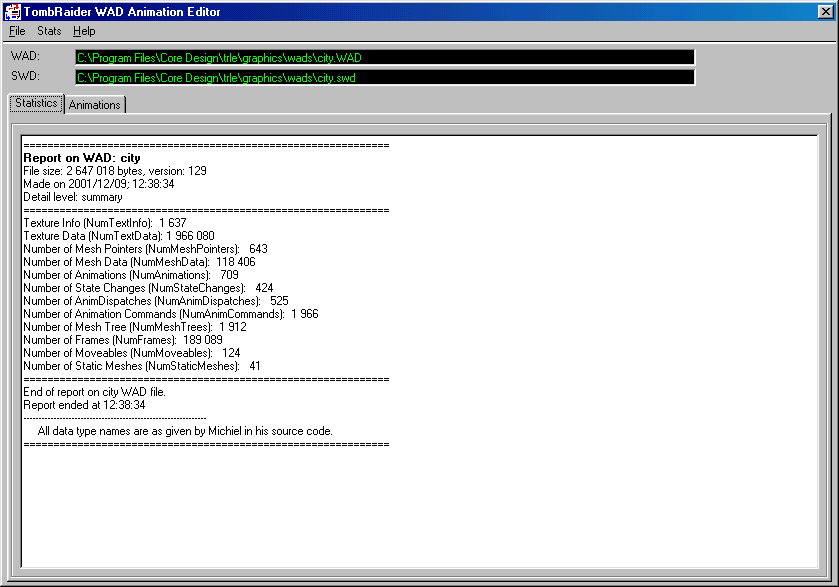
This VB program will open Tomb Raider 4 Level Editor WAD files and will, at this stage, list all animation related data. This list is printable and can be saved in a variety of formats, including the CSV which can be opened in Excel. Ultimately this program will aid animation edition and will rebuild new immediately useable WADs. |
|
|
Install
|
|
|
|
|
This is the custom level made by Stone, playable by the Demo Gold version of TR2. It shows what the textureassign utility can do. |
||
 Dowload.Zip
|
||
Page by richmann. Copyrighted, 2000/06/25
Last update: 2001/12/09