The Voodoo 5 PCI card is a little over 9" long so I had to move a number of cables out of the way in order to slide the MB in all the way.� I linked the Y power cable through the Zip's connector in the upper bay. I had to take off the left side cover and metal frame of the box in order to install.
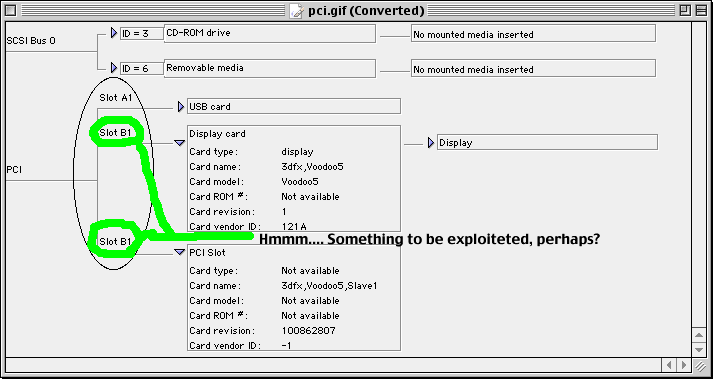
����� Upon the first start up, (I had the drivers installed before hand) I received an alarming sight: my monitor would wake up, then go into sleep mode; I did not receive the "no input" message as though it was disconnected, the monitor simply didn't have any image data coming to it. Even though the computer was doing its regular start-up clicking and whirring, the monitor, while technically on, was appearing as though it was off or asleep. I started up again with the stock video port and tinkered with my settings, but nothing worked. Finally, after the fifth or sixth restart, I tried flashing the PRAM, and lo an behold, there I was, with a normal start up screen albeit at 640x480 instead of the 800x600 I had it set at. Grey at first, then the welcoming image of a happy Mac startup icon appeared. After a few seconds into the Welcome to Mac OS screen, the screen bwomped into the 1024x768 card default. NOTE: when I flashed the pram, I had to hold down command+option+P+R for ten or eleven startup chimes, ensuring a thorough flashage. As I later came to learn, every time I have a cold start up, that is, a start up after a long enough period of time for the machine to completely cool down i.e. overnight, I have to flash the pram in order to get the monitor to display anything. I do not understand this problem and it is quite aggravating and should be noted for future reference.
UPDATE:I don't think flashing the pram is what fixed it.. I think it had something to do with the temperature change becuase of the multiple startups. Metal expansion issues or contact quality are probably the culprets. I took a little space heater and turned it on right into the exposed innards of my computer. A few minutes later I hit the startup button on the keyboard and viola! It started up. This poses some questions about 3dfx and their use of vacuume tubes however...
Game Compatibility/Anomalies etc. When attempting to open Terminus, the computer crashed every time. There would be, for an instant, a flash of the load screen, then black and a hard freeze would ensue. I eventually determined that this was caused solely by Norton Utilities Disklight extension, which worked fine with my old ATI Xclaim VR PRO 4mb card. It is highly recommended that if you are doing ANY gaming, you should disable this extension, or better yet, throw it away completely. It has caused issues with not only Voodoo cards, but also ATI Radons and others. It also caused load up anomalies in Descent I and III, Diablo II and Wingnuts.
About Wingnuts, it doesn't display its startup screen or splash screens normally with anti aliasing turned on, and the same for Diablo II.
Game play was full of bizzare visuals while playing Diablo II with anti aliasing; the two are completely incompatable. DII played best with virtual memory off, using the Glide drivers and the card set on fastest performance, although still not quite perfectly smooth and liquid. I suspect this is due to a poor port job when Blizzard North moved it to the Macintosh. Open GL played, but poorly. I expect an update will fix most of the problems. (LATER: Yes, the 1.03 to 1.09 update I installed made every thing generally smoother and fixed a gamma problem I han't realized existed.)
Unreal Tournament and Quake III Arena played marvelously albeit best at 640x480, although both were just barely playable all the way through 1024x768 at any detail level and with 4x Anti Aliasing. My recomendation: 2x AA @800x600; 640x480 is too much a resolution sacrifice to justify 4xAA
Monitor Resolution
| Card Setting | 1600x1200�������� | 1280x1024�������� | 1024x768�������� | 800x600�������� | 640x480�������� | 512x384�������� |
|
4x Anti-Aliasing (Eyecandy=Orgasmic) |
Unplayable 1-8* fps |
Watchable, still unplayable 1-12 fps |
Playable, unwinable 1-14 fps |
Playable, how good are you? 4-20 fps |
Playable, winable 6-20 fps |
Why would you want to? -Always liquid -gfx quality=sux 10-20 fps? |
| 2x Anti Aliasing (Eyecandy=Oooh, Aaah) |
Playable, very hard to win -gets slow and jumpy when action gets fast and furious 4-16 fps |
Playable, frags possible -slows when action gets intense 6-20 fps |
Same as 1280x1024, marginal improvement |
Winable 7-22 fps |
Winable, never slow so much it gets real jumpy :) 9-22 fps? |
Why would you want to? |
| Fastest Performance (Eyecandy=Nice!) |
Bizzare draw anomaly -Draws only every 4-6 lines every other 4-6 lines -unplayable -Action appears smoothish |
Playable, how good are you? -fairly winable -Smooth when not in intense action 14-20 fps |
No significant inmprovement 15-24 fps |
Keeps up well enough in intense action 16-26 fps? |
Marginally more fluid than 800x600, no significant improvement -Serious resolution and gfx sacrifice for minimal fps improvement. |
Get Outta My Site! -The very suggestion that I should play this game at 512x384! (grumblemuttermutter) |
Daniel McDougall[email protected]
322 Duncan Dunn
Pullman, WA 99163