-=[Using Shear]=-


Curvey text Using SHEAR


EXAMPLE 1:::To make your wavy fonts. You need to start by opening a NEW image. CLick on File, then new, then for size (Example Only) Type in Width = 154, Height=154.. Box should be transparent and at 6.7 millions colors.

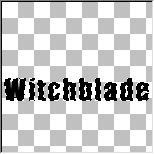
EXAMPLE 2:::Now for using your psp text.. type in the name Witchblade (For learning purposes Only) using the ARIEL font, text should be Size 22..no bigger or it will not fit in this box.

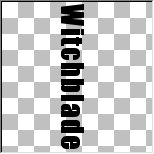
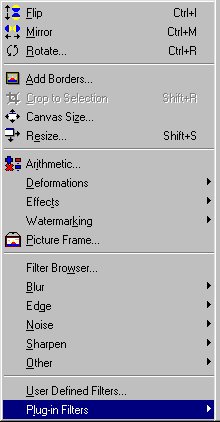
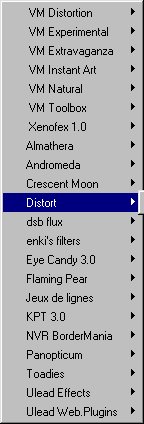
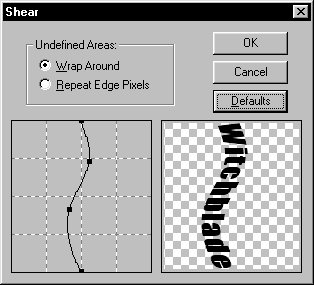
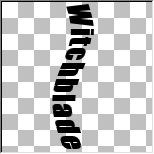
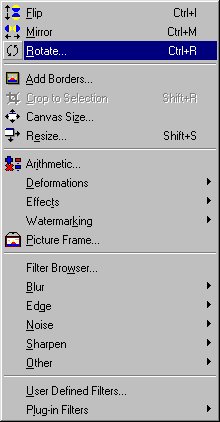
EXAMPLE 3:::Now at top of your psp click on IMAGE, then ROTATE, then click on RIGHT and 90 degrees..Make sure nothing else is checked. then click OK. Now you will see your text is sideways.Right click on the text to make the outlines around the text disappear. Now below use the Picture examples To make your word wavy.

EXAMPLE 4:::If you do not have 'Shear' program

Click here to download

EXAMPLE 5:::

EXAMPLE 6:::

EXAMPLE 7:::

EXAMPLE 8:::

EXAMPLE 9:::Now at TOP of your psp Click on IMAGE, then ROTATE, then click on LEFT and 90 degrees..Make sure nothing else is checked. then click ok. Now you will see your text is Horizontal.

EXAMPLE 10:::Wala..Now that you have succeeded so far. You will need to cut out the text and add to your graphic Image. I dont have an example.. but i am sure you can figure out how to do this). Click on Image at top of program.then click on Cut, then click on the image you want to add your new text to, then again click on image again (at top of your psp), then click COPY, click on your image you are adding the new wavy font to, then again click on image, then PASTE then AS NEW SELECTION. Now, right click to get rid of outlines and you are done. Then Wala... you have your new bendy font on your new image.. :-) Feel Free to email me anytime if you have any Questions  Click here to email me


This Tutorial brought to you by 2sXy
@ www.2sXy.net


Hosted by www.Geocities.ws

1 1