|
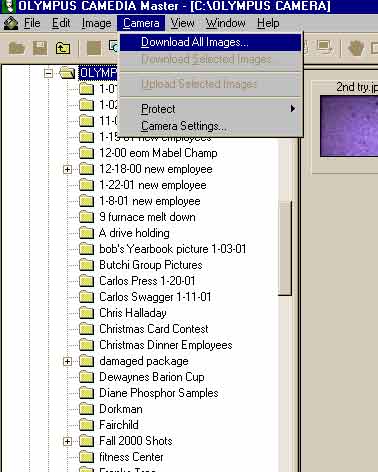
To download pictures, begin by left clicking on camera and then on Download all images. Be sure camera is turned on and set to "green" or download position. |
|
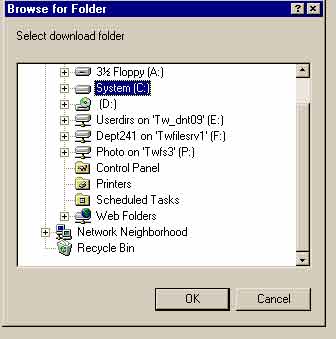
This menu will come up which is where you pick where you would like to place the pictures that are to be downloaded. You would left click on "System C" |
|
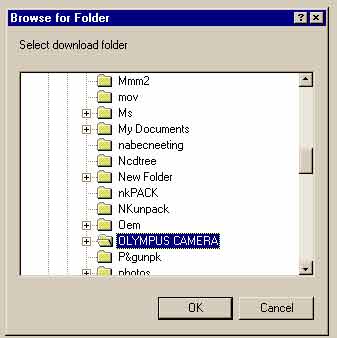
You can place pictures in "Olympus Camera" folder if it is on your C drive. |
|
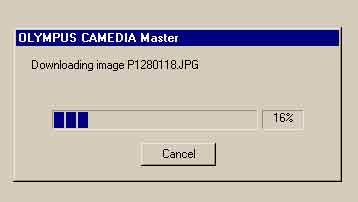
Once you have the folder you wish to place your pictures in then, left click on ok as shown above. Pictures will start to unload from camera and download to the folder you have selected. |
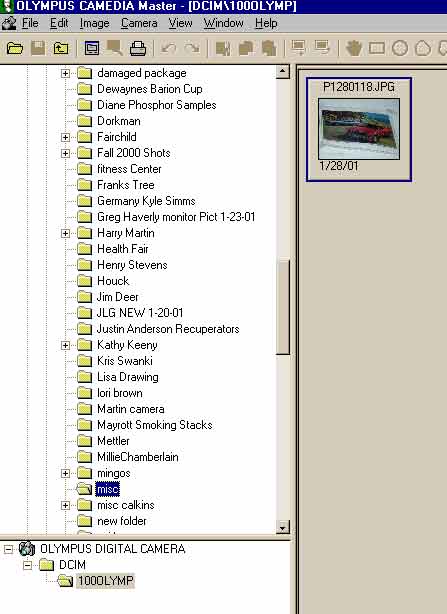 |
You can also place pictures into a choosen folder by highlighting the picture (by right clicking one time) and then right clicking or holding down the left mouse key over the picture as shown on the left and then dragging the picture over the folder (to the left) of your choice on the left. In this example "Misc" is choosen |
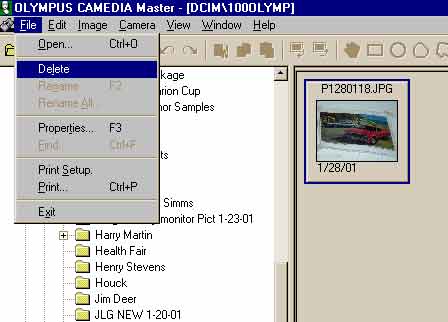 |
To delete the pictures on your camera, highlight them by right clicking (one time) on any one of the pictures and then pushing "control & A" this should highlight all of the pictures that are on the memory card of the camera. Now either (the easiest) is to hit the Delete key to the right of your keys. Or click on file and delete. The delete key is the easiest way to clean off your memory card. good luck. |