
It works on a 360 degree basis.. So + would be 90, 180, 270, 360 around the Plus sign.. starting at the top...
Now you know X,Y, and Z coordinates so think like this..
X will transform on the X axis.
Y will transform on the Y axis.. and so on for Z
Z is the Top down view also.. so if you want to rotate something around to the other side facing opposite then use z- 180....
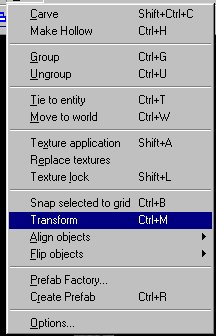
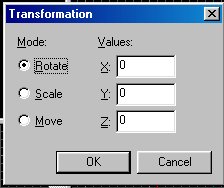
I use only rotate but there are two other options.. play around with those too and see what kind of damage you can do.. : )
Ok fairly simple.. X,Y,and Z as I said above.. now say you want to rotate something just type in the degrees in the box and it will rotate it depending on the axis.