| Lighting. The ultimate expression. |
| I find lighting to be alot of fun. There are many various types that can be used. Regular lighting, Emergency lighting, Flashing lights, and strobes... and so on. To start with make a Entity with the Entity Tool. Now Press Alt-Enter at the same time. This will bring up a box with some items. |
 |
 |
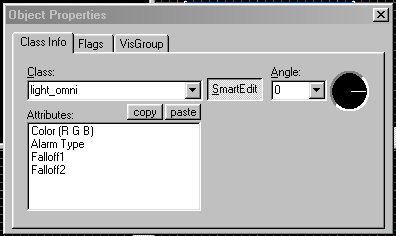 |
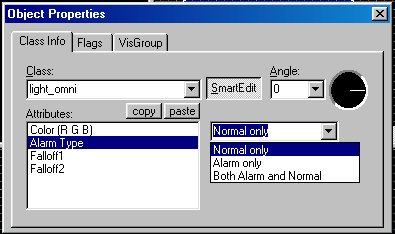
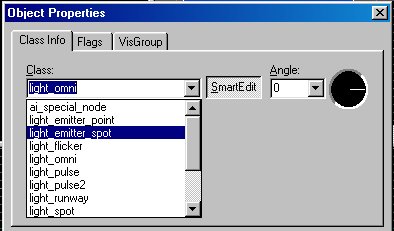
| Ok this is the box that you get when you alt-enter. Default normally is light_omni. I say normally as mine start with something different after I went to hammer. Ok first off is the Color (R G B) double click this and you will get a color box.. choose your color or use the default which is white. Next is alarm type, There are two types you can use although there are three choices. Both alarm and normal wont work with Tribes 2. dont ask me.. : ) Use one and then make a ssecond entity next the first and make it the opposite of the first. IE one alarm, second Normal or vice versa. now on to Falloffs.... 1st falloff is how it back lights I believe. anyways make this 64.... now 2nd one is how far away you see it... Best to do 512 and work up from there. Now as you can see there are many other options and you can just do what I do and play with them and see what happens.. I have given you the first basic run on lights, the rest is up to you.. : ) Have fun.. : ) Tips.................................................... 1. You can make one entity/light and copy and paste it around where you want and it will keep all the info of the first light you copied.. Much easier then making new ones all the time. 2. You must have a normal and a alarm light for it to work with gens in Tribes 2. 3. Some lights dont work and some do. If you cant make it work in your object then it probably wasnt meant to be. : ) 4. I find light placement is key. Look at the textures, if it is a light texture then it has an alpha channel.. Placing a light entity right in front of it will reflect light off the surface and back into the room.. Hence a bigger light dispersement. If no light textures are present place lights as close to the middle as you can..Ie in the middle of a hallway.. Place them in regular intervals to create an even lighting through the whole hall... 5. Choose the color that suites the scheme.. Placing a red light over a green texture is ugly and rude.. : P LOL... I try to choose a color that complements the light.. IE blue lights for blue textures and red lights for emergency lighting.. Now I use either yellow or white for white lighting... |