| Face Splitting |
| Vertex Manipulation |
 |
| Vertex manipulation allows you to move individual vertices and edges of a solid, easily creating irregular shapes. One of these is the Face splitting mode. This allows you to add faces to a brush. I will show an example of such, and walk you through it. |
 |
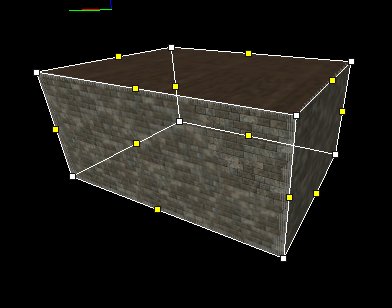 |
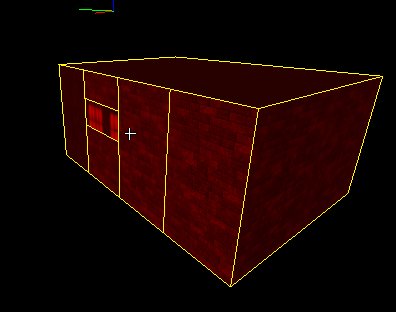
| 1. Make a shape. I did a box. And highlight it by clicking on it. 2. Click on this button. This should make it look like Fig A. 3. Now hold CTRL- and right click on two of the yellow boxes (must be opposite each other) and then use CTRL-F to complete the split. 4. Fig B shows the completed object. This helps reduce faces due to clipping and carving. Hence only one brush but has areas for different textures. * Tip- holding CTRL will enable you to select 2 or more handles. If you want the whole object just right click and create a bounding box around the whole object. This box will be light blue and when you hit enter it will highlight everything. * Tip- If you make an error you will have to exit vertex manipulating mode to correct it. |
|
| Fig A |
| Fig B |
| ********Warning******** You can play with this but it is buggy for tribes 2... So back up your work often. As a error could mean starting over again. |