Instructions
The Joyport:
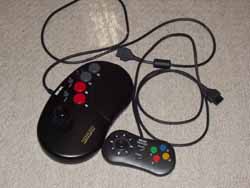
Bottom line, I chose NeoGeo because I'm lazy. They're the only system I can name that doesn't use a timing chip in their controllers. Timing chips are used by game system manufacturers to reduce the number of pins on the controller and make it harder to make pirate controllers.
Since the Neo Geo doesn't have this, there is one pin for every control on the stick. Neo Geo controllers also use a standard d-sub 15 controller port. Remember the midi/joyport on your soundcard? yep, one of those. All any of this means, is that I can connect these sticks without modifying the controller. You might want to consider taking the easy way if you have a Neo Geo controller around. Otherwise, they're a bit on the $expensive$ side to buy.
But fear not you can use that SNES, Saturn, or anything-else controller. You simply have to either obtain the specs on your timing chip (like from gamesx.com) or just trace what pin on the timing chip goes to what button on the controller and solder a wire on it. Go to your local home depot and ask for 6 feet or so of cat 5e (6 twisted pairs) and use that as your controller cable. 10 wires will be needed for the actual controls, 1 for ground and possibly one for power. Then just throw whatever kind of port you like on the end, and WHAM, you're done.
Now for those lazy sorts who don't have a multimeter, here is the gba, with grounds marked in blue. On the back, the L & R buttons, the right pin is ground, the left is the control. The L & R buttons have a sturdy place to solder the ground wire for your controller port.
For those using Neo Geo controllers, print out This page from gamesx.com and keep it handy when soldering. Despite what it says, the Neo Geo controller does not need all +5v. The +3v off of the GBA power supply is more than enough. And for the original Neo Geo stick it's unnecessary.
The Game Wallet:
We can't have the Game Wallet Connected through the Network Port in the standard fashion as it stands vertical like this:
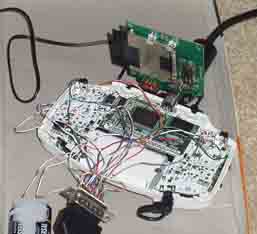
Solder your the pins of the GBA network port to the pins on the Gamewallet together like this:
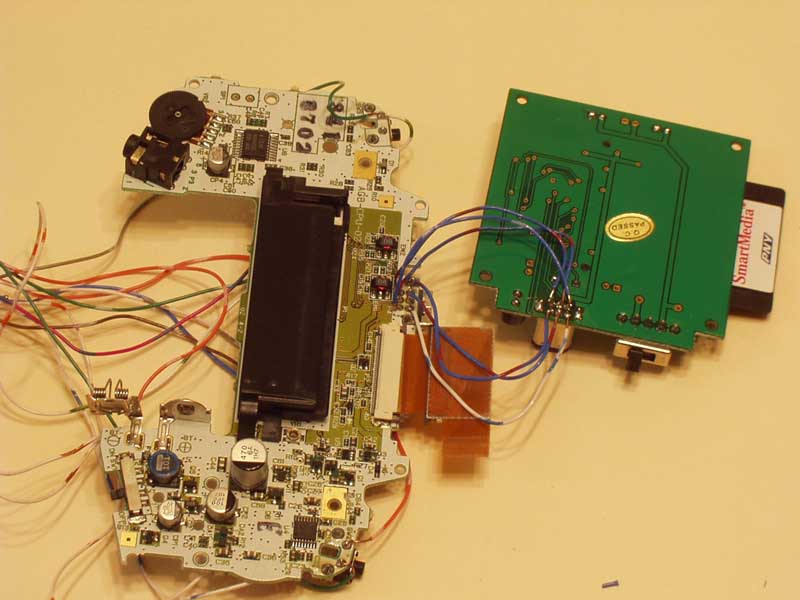
More instructions to come
Check This site for more information on connecting GBA to Psone LCD using RGB.