Jpeg vs. Gif


Photos as Jpegs

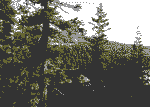
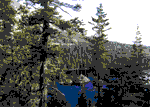
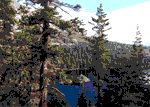
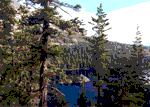
Jpg format allows for more colors than gif, but it is a lossy compression, meaning you'll lose pixel information when you save something in as small a file as possible. Jpg format is best for photo images as well as other images which use a lot of color and for saving images with gradients. Gif format is best for clip art or other images which use solid blocks of color. Gif uses numbers of colors when saving so the smaller size file that you want, the more colors are going to be thrown out. The examples at the bottom show the problems gif format has in trying to save a photograph in as small a file as possible. Below, notice the blurry images for the smaller size jpgs compared to the larger, some pixel information has been lost.

Low quality 2% Jpg, 1.989K,
2 sec @ 28.8 Kbps,
Non-Progressive,
Optimized
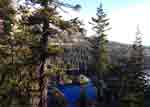
Lake Tahoe's Emerald Bay

Low quality 15% Jpg, 2.633K,
2 sec @ 28.8 Kbps,
Non-Progressive,
Optimized
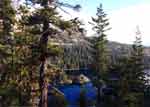
Lake Tahoe's Emerald Bay

Medium quality 30% Jpg, 4.084K,
4 sec @ 28.8 Kbps,
Non-Progressive,
Optimized
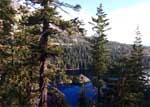
Lake Tahoe's Emerald Bay

High quality 60% Jpg, 7.595K,
7 sec @ 28.8 Kbps,
Non-Progressive,
Optimized
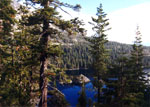
Lake Tahoe's Emerald Bay

Note: Non-Progessive jpegs are different from progressive jpegs in that the image comes in all at once when a viewer visits the page where the jpeg is located. A progressive jpeg would come in gradually, at first blurry but slowly improving in quality as the image continues to load. Progessive is better when the jpeg you plan to use is rather large, that way the visitor begins to see the image as it loads instead of forcing the visitor to wait for something that can't yet be seen.


Photos as Gifs

The images below show some of the problems that are encountered when trying to save images with a large number of different colors. The smallest size Gif images use the smallest number of colors, but that becomes a problem when trying to save photographs. The image below and to the left uses only four colors and is less than half the size as the largest Gif, but the loss in color leaves a bad photo. Clearly Jpeg format is best when it comes to photographic images.

4 Colors, Web Palette,
2.104K, 2 sec @ 28.8 Kbps,
Diffusion, Interlaced,
100% Dither

Lake Tahoe's Emerald Bay

16 Colors, Web Palette,
3.94K, 2 sec @ 28.8 Kbps,
Diffusion, 0% Dither,
Non-Interlaced

Lake Tahoe's Emerald Bay

32 Colors, Web Palette,
4.706K, 3 sec @ 28.8 Kbps,
Diffusion, 0% Dither,
Non-Interlaced

Lake Tahoe's Emerald Bay

64 Colors, Web Palette,
5.656K, 3 sec @ 28.8 Kbps,
Diffusion, Interlaced,
0% Dither

Lake Tahoe's Emerald Bay

[Directory] [Part 1] [Part 2]


copyright © 2000, 2003 Broken Helix Web Productions All rights reserved
Most recent update: 23 Jun 03
For more information contact [email protected]

Hosted by www.Geocities.ws

1