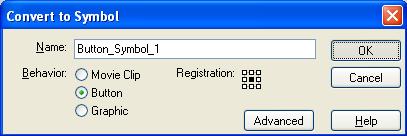
First of all you need to make sure your image is a button, by converting the symbol. Next you are going to want to click the image on the stage and select the Actions Panel. |
 |
In the Actions panel there are thousands of commands that can be utilized for Flash Documents, for the above action you are going to want to locate and click on On and GetURL. This is the command that allows you to have your button send the user, or more technically have the Flash document get the webpage on the click of the button.
So your flash document actions panel should read
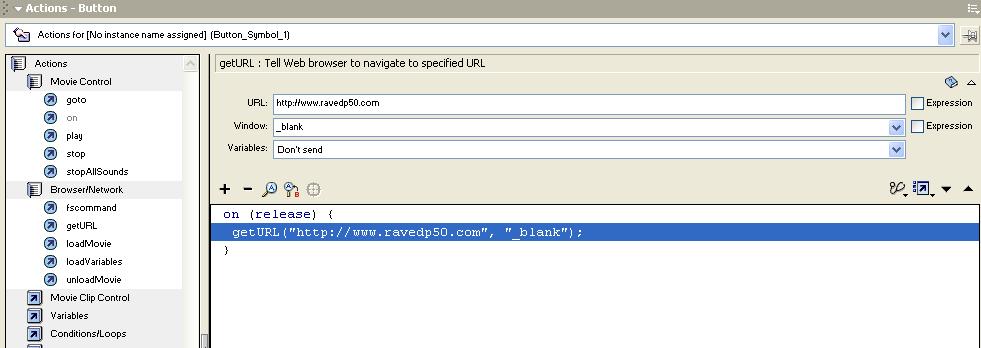
With your URL in the corresponding box.
So the above information would translate to:
When the user clicks the image( Button_Symbol_1) get the URL, Http://www.ravedp50.com, in a new, or blank, window.
But let's say you wanted to have a contact button in your Flash movies, so that people could email you problems, or information.
If you know basic HTML code, then you would use the Mailto:youremailaddress command. In flash all you need to do is all the above steps but instead of having a website, just simply put in the URL box, Mailto:youremailaddress, For example,
mailto:[email protected]
and that's all you need to do for that.