| CSIS-111A Home | Class Info | Class Notes | Schedule | Grades | Feedback | Search |
Class Information - Mr. Ron Lehr - Spring, 2003
The course textbook is from Prentice Hall Publishing titled:
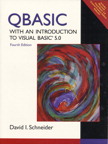
QBASIC – With an Introduction to Visual
Basic 5.0 [Fourth Edition], by David I. Schneider.
(Prentice Hall, 1999)
[ISBN:
0-13-973876-2]
Prentice Hall online: www.prenhall.com
Please read the preface for full information.
|
|
The QBASIC ~ With an Introduction to Visual Basic 5.0 textbook contains 12 chapters: |
Textbook Table of Contents
· Chapter 1. An Introduction to Computers and QBasic
§ Getting Started
§ Using Diskettes and DOS
§ Biographical History of Computing
· Chapter 2. Problem Solving
§ Program Development Life Cycle
§ Programming Tools
· Chapter 3. Fundamentals of Programming in QBasic
§ Numbers
§ Strings
§ Data Input
§ Built-In Functions
· Chapter 4. Procedures
§ Subprograms
§ Functions
§ Modular design
· Chapter 5. Decisions
§ Relational and Logical Operators
§ If Blocks
§ SELECT CASE Blocks
· Chapter 6. Repetition
§ Do Loops
§ Processing Lists of Data with DO Loops
§ FOR,. .NEXT Loops
· Chapter 7. FOR Loops, Arrays, Sorting, and Table Processing
§ Creating and Accessing Arrays
§ Using Arrays
§ Sorting and Searching
§ Two-Dimensional Arrays
· Chapter 8. More on Strings and Functions
§ Sequential Files
· Chapter 9. File Maintenance, Random File Processing, and Simulated-Indexed Files
§ Data Types
§ Random-Access Files
· Chapter 10. Computer Graphics and Sound
§ Introduction to Graphics Modes
§ Specifying a Coordinate System
§ Line, Bar and Pie Charts
· Chapter 11. Subprograms, Functions, and Chaining
§ Generating Random Numbers
· Chapter 12. An Introduction to Visual Basic
The textbook is in the form of a tutorial - a “step-by-step” process of using a computer while reading and doing the steps described.
It begins with two hands-on tutorial projects on Microsoft’s Windows 2000 Operating System. Since we use Windows XP, these two projects are not used [See Microsoft Windows XP Brief Concepts and Techniques. (Shelly, Cashman, and Forsyth; Course Technology - International Thomson Publishing Company, 2002) below.]
The textbook follows with eleven hands-on tutorial projects designed to teach the fundamentals of Microsoft’s Office XP.
These projects are designed to provide the student with the basic understanding for creating word processing documents, spreadsheets, databases, and presentation files. It also provides a knowledge base in using application software on which students can build upon.
Textbook features include:
Ø
Exercises for Most Sections:
Each
section that teaches programming has an exercise set. The exercises both reinforce
the understanding of the key ideas of the section and challenge the student
to explore applications. Most of the exercise sets require the student to trace
programs, find errors, and write programs. The answers to all the
odd-numbered exercises in Chapters 2 through 8 and selected odd-numbered
exercises from Chapters 9 through 12 are given at the end of the text.
Ø
Practice
Problems:
Practice
problems are carefully selected exercises located at the end of a section, just
before the exercise set. Complete solutions are given following the exercise
set. The practice problems often focus on points that are potentially
confusing or are best appreciated after the student has worked on them. The
reader should seriously attempt the practice problems and study their solutions
before moving on to the exercises in the chapter.
Ø
Programming
Projects:
Beginning
with Chapter 3, every chapter contains programming projects. The programming
projects not only reflect the variety of ways that computers are used in the
business and engineering communities, but also present some games and
general-interest topics. The large number and range of difficulty of the
programming projects allow adapting the course to the students’ interests and
abilities. Some programming projects in Chapters 7 through 12 may be assigned
as end-of-the-semester projects.
Ø
Comments:
Extensions
and fine points of new topics are deferred to the “Comments” portion at
the end of each section so that they will not interfere with the flow of the
presentation.
Ø
Case
Studies:
Each
of the five case studies focuses on an important programming application.
The problems are analyzed and the programs are developed with top-down charts
and pseudocode. The programs can be found in the EXAMPLES directory of the
enclosed CD.
Ø
Chapter
Summaries:
In Chapters
3 through 12 the key results are stated and the important terms are
highlighted.
Ø
Strings
Used Throughout Text:
The
introduction of strings in Chapter 3 and their regular use from then on prepare
the student for substantial string-handling programs.
Ø
Procedures:
The
early introduction of procedures in Chapter 4 allows structured programming to
be used in simple situations before being applied to complex problems. However,
the text is written so that the presentation of procedures can easily be
postponed until decision and repetition structures have been presented. In
Chapters 5 and 6 (and Sections 7.1 and 7.2) all programs using procedures appear
at the ends of sections and can be deferred or omitted.
Ø
Arrays:
Arrays
are introduced gently in two sections. The first section presents the basic
definitions and avoids procedures. The second section presents the techniques
for manipulating arrays and shows how to pass arrays to procedures.
Ø
Visual
Basic:
Chapter 12 provides an introduction
to Visual Basic, the programming language most used on PCs. Since Visual
Basic uses essentially the same programming constructs as QBasic, students can
leverage their knowledge of QBasic and make themselves more marketable.
(Why more marketable? Because its extraordinary combination of power and ease of
use has made Visual Basic the tool of choice for developing user-friendly
applications in the business world. In addition, Microsoft has made Visual Basic
the language used to take full control of its best-selling Windows application,
Microsoft Office.) Another good point of Visual Basic is — it’s fun!
Learning Visual Basic will be exciting to most students when they see how easy
it is to build powerful visual interfaces using it.
Ø
Appendix
on Debugging:
Placing
the discussion of QBasic’s sophisticated debugger in an appendix allows
flexibility for the student to review as required.
Ø
Reference
Appendices:
The
Appendices serve as a compact reference manual for the environments and
statements of both QBasic and Visual Basic.
Ø
Chapter Review Examples / Solutions on CD-ROM:
This is a CD included with the
textbook and intended as a supplement to the primary text. The CD contains all
the examples and case studies from the text and also contains a copy of the
"Control Creation Edition of Visual Basic 5.0." which is used for
Chapter 12.
Additional Student Aids used in the course:
Ø
Course Test Manager:
Course Test Manager is a testing and
assessment package that allows MSJC instructors to administer, grade, and track
tests over our LAN for CSIS-111A sections.
MSJC students can use Course Test Manager to take online practice
tests, which generate customized study guides that the student can
use to find more information for each question.
[Note: Course Test Manager is available at MSJC campus only. This is
not a supplement to the textbook that a student can obtain.]
Ø
Online Learning - Blackboard
System:
The
Blackboard web site is designed as a complete Distance Learning web site. For
our class, we use only part of it's capabilities - such as testing, e-mail
lists, chat room, document exchange, etc. Please see me for additional
information on Blackboard.
The course is designed to be very informative. It contains quite a bit of technical information - which will be new to most students.
The course requires quite a bit of reading and computer time. (The hands-on projects may sometimes be very time consuming.)
Lab hours are a must for this class. Doing all the assignments is critical.
A clear mind and a good nights sleep are definitely required for this class.
In the end . . . It will be worth it!

Falling behind? Ask yourself these questions [no particular order]:
Ø How motivated are you?
Ø When did you get your textbook - the first week? the second week? the third week? Still don’t have the textbook?
Ø Did you read the preface the textbook? Did you try to familiarize yourself with the general layout and format of each textbook?
Ø Did you get the phone numbers and/or e-mail address of three other students in our class - as suggested?
Ø Did you read and understand all sections of the syllabus?
Ø Did you enroll late? Did you make up past work?
Ø Did you read and understand all additional hand-outs?
Ø Did you get a 3-ring binder - as suggested?
Ø When did you have your diskettes for class? Do you bring them to each class meeting? Is a label on them with your name and course?
Ø Do you read assigned Chapters before we review in class? Do you read the “Index” of the chapter before you read the chapter - then re-read after you’ve studied the chapter?
Ø Do you read and DO THE STEPS for assigned Tutorials before we review in class? Do you read the “OBJECTIVES” of the project before you read and do the steps in the tutorial - then re-read after you’ve studied the project?
Ø How many class meetings have you missed? How much class time? - late? - leave early?
Ø Are you trying to use software at home that isn’t the same as the one we use in class? - If so, don’t! See next question:
Ø Do you use the MSJC Computer Lab? How much time?
Ø Do you take ‘Course Test Manager’ practice tests?
Ø Do you go to my web pages frequently? [No Internet access at home? - the Computer Lab is connected!]
Ø Do you go to Blackboard web pages and use the various web-based interactivity found there? (Like additional references, various notes, chat room, drop-box, etc.) [No Internet access at home? - the Computer Lab is connected!]
Ø Have you used my reference links on SchoolNotes.com or CSIS-111 - Notes web pages? How about links like: “QBasic Home Page”? or “Site of the Week”? [No Internet access at home? - the Computer Lab is connected!]
Ø Do you pay attention in class? [Playing solitaire or surfing the web IS NOT paying attention!]
Ø Do you take notes in class?
Ø Do you ask questions in class?
Ø Do you ask me to repeat or clarify something I said in class?
Ø Do you follow instructions for tests and assignments?
Ø Are you doing ALL the assigned homework? Do you do it on the date suggested in the “Syllabus - Class Schedule” - or the night before it’s due?
Ø Are you prepared for each class?
Ø You probably like ‘Open-Book’ tests - but do you try to answer each question as if the test was a ‘Closed-Book’ test? Then looking up in the text only those questions that you flat don’t remember?
Ø You’re lost - did you ask me what to do?
Ø Did you e-mail me your questions? [You don’t need an e-mail account - use SchoolNotes.com or my online web pages.]
Ø Did you see me during my office hours?
Ø Did you schedule an appointment if you could not see me during office hours?
Ø Did you leave a voice-mail on my MSJC campus phone message system?
Ø Do you do extra credit?
Ø Do you watch any of the computer related TV / radio programs listed in the syllabus?
Ø Have you used MSJC’s library to read any of the computer related magazines I mentioned several times in class - and listed [some] in the syllabus?
Ø This is a college level course - transferable units. How serious are you? Is your semester load too much for you? [maybe reconsider your schedule] - see next questions:
Ø Have you talked to a MSJC counselor?
Ø Have you talked to a Career Center Representative?
Ø Have you used a tutor?
Ø ASK YOURSELF THIS: What do I want to get out of this class? How dedicated am I?
Remember:
In this Age of Technology, the computer may be the most important tool you will
ever learn to use.


 Click to send e-mail to Ron Lehr
 Click to go to Student
Feedback Page
Click to go to Student
Feedback Page

Click to return to CSIS-111 Home Page

 (Site best viewed with
Internet Explorer)
(Site best viewed with
Internet Explorer)
Ronald L. Lehr
- MSJC Instructor.
Copyright © 1996 - 2003, R. Lehr / MSJC. All rights reserved.
Revised: February 15, 2003.