| ACCT-075 Home | Class Info | Class Notes | Schedule | Grades | Feedback | Search |
* * * Fall, 2002 - Textbook Information * * *
| Lawrence, Michael D., MBA,
CPA, CMA and Ryan, Joan S., MS, MBA. Essentials of Accounting, 9th
Edition. South-Western College Publishing - an International Thomson
Publishing Company, 1999.
[ISBN: 0-538-86352-8]
Online: www.swcollege.com/. |
Picture not available. |
| Ulmer, Donna. Computer
Accounting with QuickBooks Pro 2001, 3rd Edition. McGraw-Hill Irwin -
a Division of the McGraw-Hill Companies, 2001.
[ISBN: 0-07-247682-6]
Online: www.mhhe.com/. |
|
| Lawrence / Ryan. Essentials of Accounting, 9th Edition - Study Guide/Working Papers. South-Western College Publishing - an International Thomson Publishing Company, 1999. [ISBN: 0-324-00026-X] (Optional). |
Picture not available. |
|
|
|
|
|
http://accounting.swcollege.com/ |
alt.comp.software.financial.quickbooks |
(See me for details on the above and for additional references.)
A basic course in systematic record keeping of business transactions using the double entry bookkeeping system, and employing the use of both manual and computerized accounting software.
Please read the preface for full information.
|
Picture not available. |
The ACCT-075 "Essentials of Accounting, 9th Edition" textbook contains 8 chapters: |
The Nature of Accounting
(Module 1A): The Accounting Equation and Financial Statements
(Module 1B): The Double-Entry System of Accounting
Accounting Procedure
(Module 2A): Journalizing and Posting
(Module 2B): Trial Balance and Financial Statements
The End-of-Period Work Sheet
(Module 3A): The Accounting Cycle and the Work Sheet
(Module 3B): Prepare Financial Statements with the Aid of a Work Sheet
Adjusting, Closing, and Reversing Entries
(Module 4A): The Adjusting Entries
(Module 4B: The Closing Entries
(Module 4C): The Reversing Entries
Accounting for Cash
(Module 5A): Accounting for Cash
(Module 5B): Banking Procedures
Payroll Accounting
(Module 6A): Employee Earnings and Deductions
(Module 6B): Employer Payroll Taxes
Accounting for Personal Services (Attorneys)
Accounting for Personal Services (Physicians and Dentists)
Each chapter contains features including:
Ø
Case Study Tutorial:
This feature presents concepts,
terminology, and principles using fictious companies to illustrate
real business type transactions.
Each chapter shows the progression of the chapter concepts using the same
companies.
Ø
Concept Questions:
This feature gives the student the
opportunity to answer questions concerning the previous module. This acts as
both a review and a challenge to the student to answer module questions.
Ø
Key Terms:
The key terms found in each
chapter are provided with the page number where the definition of the
term can be found.
Ø
Exercises:
This section contains module-content
related
exercises that allows the student to augment their understanding and
interest in the chapter content. It
includes activities such as transaction posting, creation of accounting
statements to essay type questions.
The Essentials series has several supplements for this textbook available (as an option) to the student:
Ø
Study Guide/Working Papers:
This is an optional textbook titled: Essentials of Accounting, 9th Edition
- Study Guide/Working Papers.
(Lawrence / Ryan, South-Western
College Publishing - an International Thomson Publishing Company, 1999.
[ISBN: 0-324-00026-X]
The study guide is intended as a supplement to the primary text. A variety of
learning activities are provides in a format that is easy to follow and helps
students recall, review, and master introductory accounting concepts.
(Please read the preface for full information on
the information above.)
|
|
ACCT-075 also includes the hands-on use of the popular accounting software from Intuit called QuickBooks Pro - 2001 for Windows. |
Visit Intuit’s QuickBooks Pro web site for software updates, tips and helpful information.
The textbook used with this application is Computer Accounting with QuickBooks Pro 2001, 3rd Edition. (Ulmer, Donna. McGraw-Hill Irwin - a Division of the McGraw-Hill Companies, 2001.)
[ISBN: 0-07-247682-6] Online: www.mhhe.com/.
The textbook is in the form of a tutorial - a “step-by-step” process of using a computer while reading and doing the steps described.
It is sectioned into two parts. A virtual company case runs throughout the text, enabling students to better understand how various transactions and activities are interrelated.
Part I of the text, Exploring QuickBooks with Rock Castle Construction, focuses on learning the basics of entering transactions and generating reports. Part II, Small Business Accounting with QuickBooks Pro 2001, covers the entire accounting cycle including setting up a new company as well as using advanced features of QuickBooks software.
Part I includes:
Chapter 1: Guided Tour of QuickBooks Pro 2001. This chapter provides a guided tour of the software using QuickBooks Navigators and the QuickBooks sample company, Rock Castle Construction. Other topics include how to backup and restore company data.
Chapter 2: Chart of Accounts. This chapter introduces the chart of accounts and how to customize the chart of accounts to suit spec jflc business needs. Other topics include creating passwords and using the Reminders List.
Chapter 3: Banking. This chapter focuses on the checking account and check register for a small business. Topics include making deposits, writing checks, and reconciling a bank statement.
Chapter 4: Customers and Sales. Chapter 4 demonstrates how to record customer transactions. Topics include how to create invoices, record sales, record customer payments, and print customer reports.
Chapter 5: Vendors, Purchases, and Inventory. This chapter focuses on recording vendor transactions, including creating purchase orders, paying bills, and printing vendor reports.
Chapter 6: Employees and Payroll. Chapter 6 covers how to use the time tracking feature of QuickBooks Pro software, how to transfer tracked time to customer invoices, and how to process payroll using QuickBooks
Chapter 7: Reports and Graphs. In this chapter, you will complete the accounting cycle by creating a trial balance and entering adjusting entries. In addition, you will learn how to create a number of different reports and graphs using QuickBooks, including how to export reports to Microsoft® Excel® software.
In Part II, the text steps the student through on how to set up a new company. Fearless Painting Service, a case that runs throughout the second part, starts out as a sole proprietorship service business, then expands to become a merchandising corporation. Using a building block approach, the text gradually introduces advanced features while maintaining continuity and interest.
Part II includes:
Chapter 8: Creating a Service Company inQuickBooks. Chapter 8 covers how to use the EasyStep Interview feature to set up a new company in QuickBooks. You also learn how to create customer, vendor, and item lists.
Chapter 9: Accounting for a Service Company. Chapter 9 records transactions for an entire year using the company created in Chapter 8. Project 9.1 and Project 9.2 provide an opportunity to integrate all the QuickBooks skills covered thus far. Project 9.2 can be used by individual students or by student teams.
Chapter 10: Merchandising Corporation: Sales, Purchases, and Inventory. After learning how to set up a merchandising corporation with inventory, you record transactions for the first month of operations. Project 10.1 and Project 10.2 are comprehensive cases. Again, Project 10.2 can be used by individual students or by student teams.
Chapter 11: Merchandising Corporation: Payroll. Chapter 11 covers how to set up payroll for a company and how to record payroll and create paychecks using QuickBooks. Project 11.1 and Project 11.2 are continuations of Project 10.1 and Project 10.2
These projects are designed to provide the student with the basic understanding for using computerized accounting software. It also provides a knowledge base in using application software on which students can build upon.
(Please read the preface for full information on
the information above.)
|
|
ACCT-075 also includes the hands-on use of the popular operating system from Microsoft called Windows XP. |
Visit Microsoft’s Windows XP Web Site for software updates, tips and helpful information.
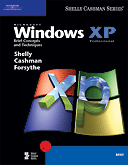
The text booklet that covers Windows XP operating system is from the Shelly-Cashman Series titled: Microsoft Windows XP Brief Concepts and Techniques. (Shelly, Cashman, and Forsyth; Course Technology - International Thomson Publishing Company, 2002). [ISBN: 0-7895-6419-X]
The textbook is in the form of a tutorial - a “step-by-step” process of using a computer while reading and doing the steps described.
It contain two hands-on tutorial projects on Microsoft’s Windows XP Operating System:
“Fundamental of Using Microsoft Windows XP” – (Project 1)
“Using Windows XP Explorer” – (Project 2)
These projects are designed to provide the student with the basic understanding in using this versatile and user-friendly operating system. It also provides a knowledge base in using operating system software on which students can build upon.
The course is designed to be very informative, covering quite a bit of accounting principles - which will be new to most students.
The course
requires a great deal of reading and transaction recording time. (The
'case-study' exercises within the textbook modules may sometimes be very time
consuming.)
Lab hours are a must
for this class. Doing all the
assignments is critical.
A clear mind and a good nights sleep are definitely required for this class.
In the end . . . It will be worth it!

Falling behind? Ask yourself these questions [no particular order]:
Ø How motivated are you?
Ø When did you get your textbooks - the first week? the second week? the third week? Still don’t have the textbooks?
Ø Did you read the preface of each textbook - especially the sections “To the Student”? Did you try to familiarize yourself with the general layout and format of each textbook?
Ø Did you get the phone numbers and/or e-mail address of three other students in our class - as suggested?
Ø Did you read and understand all sections of the syllabus?
Ø Did you enroll late? Did you make up past work?
Ø Did you read and understand all additional hand-outs?
Ø Did you get a 3-ring binder - as suggested?
Ø When did you have your diskettes for class? Do you bring them to each class meeting? Is a label on them with your name and course?
Ø When did you copy the student files [required for some homework assignment] to your diskette?
Ø I gave you an outline of Chapter 1. Did you outline any other chapter for yourself?
Ø Do you read assigned Chapters (Discovering Computers 2002) before we review in class? Do you read the “OBJECTIVES” of the chapter before you read the chapter - then re-read after you’ve studied the chapter?
Ø Do you read and DO THE STEPS for assigned Units (Office XP) before we review in class? Do you read the “OBJECTIVES” of the project before you read and do the steps in the unit - then re-read after you’ve studied the project?
Ø How many class meetings have you missed? How much class time? - late? - leave early?
Ø Are you trying to use software at home that isn’t the same as the one we use in class? - If so, don’t! See next question:
Ø Do you use the MSJC Computer Lab? How much time?
Ø Did you take the “Windows XP Tour”?
Ø Did you take ‘Course Test Manager’ practice tests in Discovering Computers 2002? In Office 2000?
Ø Have you used “Shelly-Cashman Course Labs” in our Computer Lab?
Ø Do you go to my web pages frequently? [No Internet access at home? - the Computer Lab is connected!]
Ø Do you go to Course Technology web pages (Discovering Computers 2002) and use the various web-based interactivity found there? (Like practice tests, chapter reviews, Interactive Labs, etc.) [No Internet access at home? - the Computer Lab is connected!]
Ø Have you used my reference links on SchoolNotes.com or CSIS-101 - Notes web pages? How about links like: “Dictionary of Computer Terms”? or “Site of the Week”? [No Internet access at home? - the Computer Lab is connected!]
Ø Do you pay attention in class? [Playing solitaire or surfing the web IS NOT paying attention!]
Ø Do you take notes in class?
Ø Do you ask questions in class?
Ø Do you ask me to repeat or clarify something I said in class?
Ø Do you follow instructions for tests and assignments?
Ø Are you doing ALL the assigned homework? Do you do it on the date suggested in the “Syllabus - Class Schedule” - or the night before it’s due?
Ø Are you prepared for each class?
Ø You probably like ‘Open-Book’ tests - but do you try to answer each question as if the test was a ‘Closed-Book’ test? Then looking up in the text only those questions that you flat don’t remember?
Ø You’re lost - did you ask me what to do?
Ø Did you e-mail me your questions? [You don’t need an e-mail account - use SchoolNotes.com or my online web pages.]
Ø Did you see me during my office hours?
Ø Did you schedule an appointment if you could not see me during office hours?
Ø Did you leave a voice-mail on my MSJC campus phone message system?
Ø Do you do extra credit?
Ø Do you watch any of the computer related TV programs listed in the syllabus?
Ø Have you used MSJC’s library to read any of the computer related magazines I mentioned several times in class - and listed [some] in the syllabus?
Ø This is a college level course - transferable units. How serious are you? Is your semester load too much for you? [maybe reconsider your schedule] - see next questions:
Ø Have you talked to a MSJC counselor?
Ø Have you talked to a Career Center Representative?
Ø Have you used a tutor?
Ø ASK YOURSELF THIS: What do I want to get out of this class? How dedicated am I?


 Click to send e-mail to Ron Lehr
 Click to go to Student
Feedback Page
Click to go to Student
Feedback Page

Click to return to ACCT-075 Home Page

 (Site best viewed with
Internet Explorer)
(Site best viewed with
Internet Explorer)
Ronald L. Lehr
- MSJC Instructor.
Copyright © 1996 - 2002, R. Lehr / MSJC. All rights reserved.
Revised: September 07, 2002.